Inspiring
December 9, 2022
Answered

Error when doing OCR code (5)

  • December 9, 2022
  • 1 reply
  • 3439 views

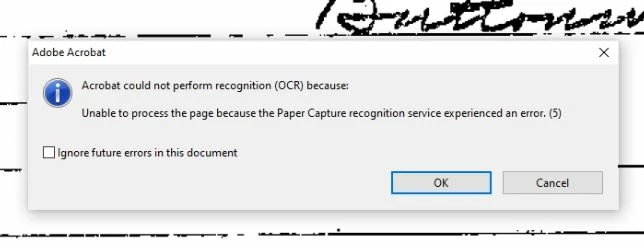
Hi. I am doing OCR on lots of pdf files. Occasionaly, I get this message and the OCR process stops. Any ideas on how I can get around this?  I am using Adobe Acrobat Pro version 9.  Thank you.
Correct answer gary_sc

First, if there's anything wrong with your copy of Acrobat, Adobe will do nothing for you because it has reached what is called End of Life. That is, it is no longer on life support, and if it dies, it dies. This is because it's impossible to maintain applications over both platforms on many different OSs. 


Otherwise, what I would STRONGLY recommend you try is to use your scanner's software and not try to use it through Acrobat. Acrobat on the PC uses some software called TWAIN that lets Acrobat use the scanner's software. By using the software directly, you are avoiding the middle-man and may resolve your problem. 


Good luck!

1 reply

gary_sc
Community Expert
gary_scCommunity ExpertCorrect answer
Community Expert
December 9, 2022

First, if there's anything wrong with your copy of Acrobat, Adobe will do nothing for you because it has reached what is called End of Life. That is, it is no longer on life support, and if it dies, it dies. This is because it's impossible to maintain applications over both platforms on many different OSs. 


Otherwise, what I would STRONGLY recommend you try is to use your scanner's software and not try to use it through Acrobat. Acrobat on the PC uses some software called TWAIN that lets Acrobat use the scanner's software. By using the software directly, you are avoiding the middle-man and may resolve your problem. 


Good luck!

Inspiring
December 9, 2022

Thank you very much.  I tried a version of Adobe Acrobat 12 and found it quite confusing. But I need to look at the PaperStream Capture software (comes with Fujitsu scanner) to see if that will do the OCR.  I really appreciate your quick response.  Thanks, Gary.

gary_sc
Community Expert
Community Expert
December 9, 2022

Many years ago I was faced with having a LOT of pages to scan and not that much time. I owned a flatbed scanner and it was slow going (about 200 pages a day, 250 if I was running well).


A friend offered to loan me his FujiScan, and I gladly accepted. It saved my butt. I was able to get it all scanned with time to spare.


But, here's the catch: The FujiScan software that I think I downloaded from Fuji did poor to OK OCR, but the size of the documents was dreadful. The software kept the original page scan (which can easily be 15-20 MB per page) and did the OCR on top of that. So, what I did was to use Acrobat's OCR conversion, which brought the page size down to a reasonable 80-150 kb. The catch here was that Acrobat was very slow to do this AND, it hogs the computer. So doing something simple, like reading email was not possible because every time Acrobat finished a page, it became the predominant application and jumped in front of what you were reading. So, what I did was when I went to lunch, I did a pack of documents, and when I went home, I did the next pack. When I came in in the morning, everything was ready for me. 


Good luck!
