
jtodd
Participant
March 12, 2025
Question

Error When Trying to Redact: The encoding (CMap) specified by a font is missing

  • March 12, 2025
  • 3 replies
  • 1576 views

A few days ago I began experiencing an error when attempting to redact documents, something I've been doing for many years with Acrobat without problems.  I received the following CMap error:
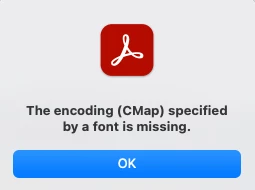
When I check Document Properties->Fonts everything seems to be in order.  All fonts are embedded.
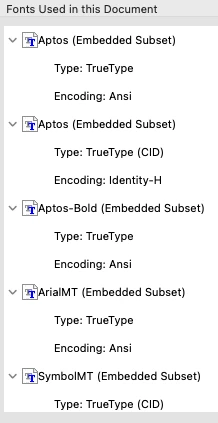
I have been redacting these lab reports from the same labs for many years with no problems.  Now, even when I try to redact ANY document I get the same error.  For example, if I convert a Word file to PDF and try to redact it just to test out redaction, I get the same error. I checked Preflight and confirmed all fonts are embedded.
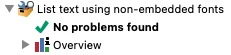
I checked for "font problems" using Preflight found the following issues.
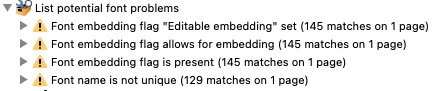
However, even after "fixing" the problems using Preflight, I am still unable to redact and receive the same CMap error.  I have uninstalled Acrobat and reinstalled, ensuring it is updated and still receive the error when redacting.  I even wiped by mac's hard drive, reinstalled macOS, and reinstalled Acrobat but continue to receive the same Cmap error when redacting.

Has anyone else experienced this?  Any suggestions?

Thanks!

3 replies

jtodd
jtoddAuthor
Participant
March 20, 2025

I installed Acrobat on my spouse's MacBook and was able to redact without problems. So, I think this proves the problem is not the file but some combination of the configuration of or missing files on my macOS and/or Acrobat. What puzzlies me is that wiping my hard drive and reinstalling macOS and Acrobat did not solve the problem. Any ideas?

Adobe Employee
March 17, 2025

Hi @jtodd ,

I’m sorry to hear you’re facing an issue. If it’s possible, could you kindly share the PDF related to the problem? I’d be happy to assist further. Thank you!

jtodd
jtoddAuthor
Participant
March 17, 2025
Unfortunately, I cannot the share the PDF because it contains confidential/private information, which is why I am trying to redact it.
IceFloe
Participating Frequently
March 13, 2025


I'm not great at English, so I might not understand everything perfectly, but I think the issue with that PDF is related to font embedding. The font name isn't unique, so it might be a structural issue, right?
So, I think the problem might be with the system that generated the PDF.

When creating a PDF from Word, the Aptos font is loaded from the font embedded in the Word app.
Maybe there's a different version of the Aptos font installed separately in the Font folder?
There might be some issues with the font environment.
It could be worth checking for duplicate fonts or other conflicts.

Hope this helps!