Exit
  • Global community
    • Language:
      • Deutsch
      • English
      • Español
      • Français
      • Português
  • 日本語コミュニティ
  • 한국 커뮤니티
0

Extra lines in printing PDF, and missing lines

New Here ,
Jun 19, 2018 Jun 19, 2018

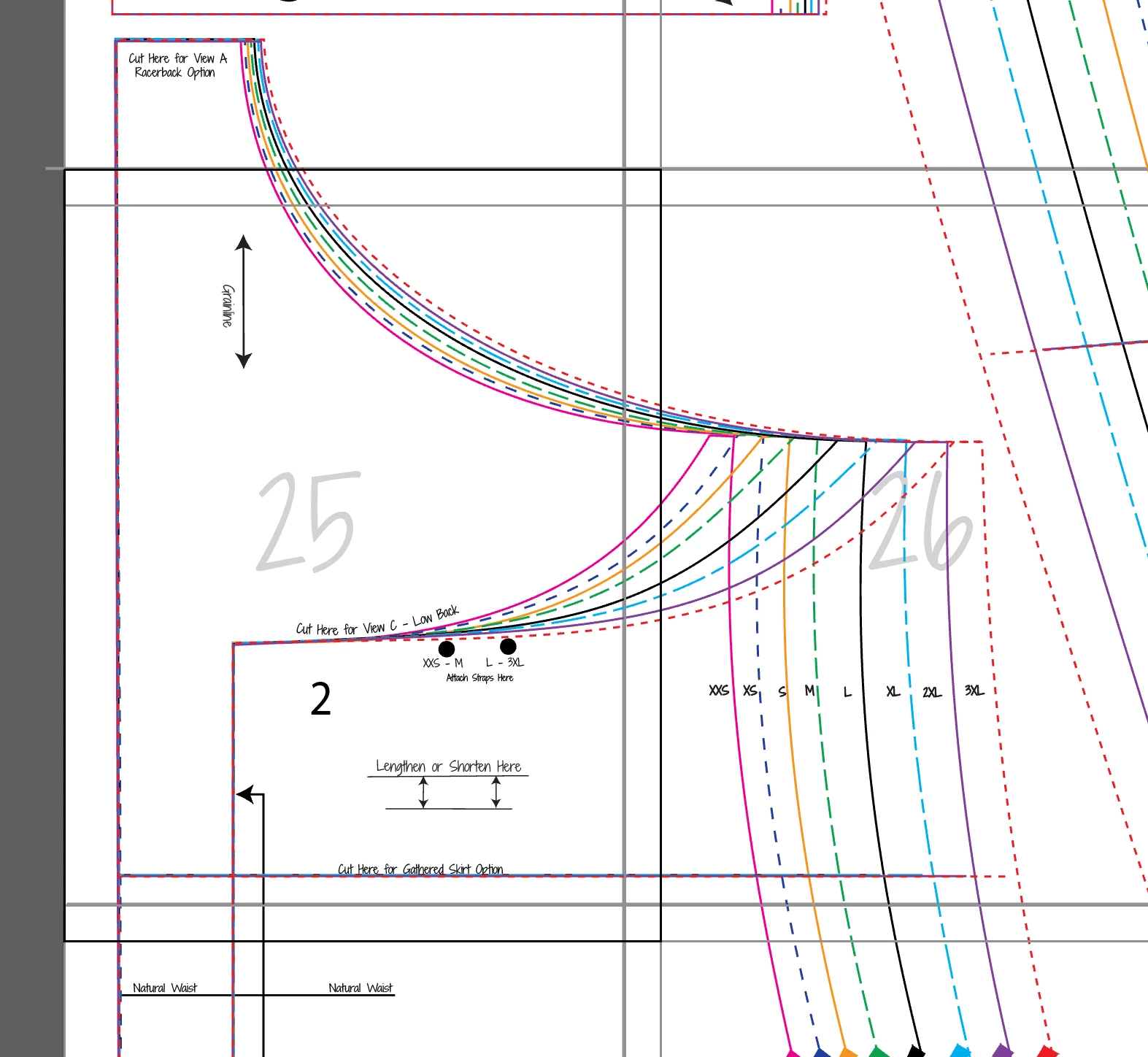
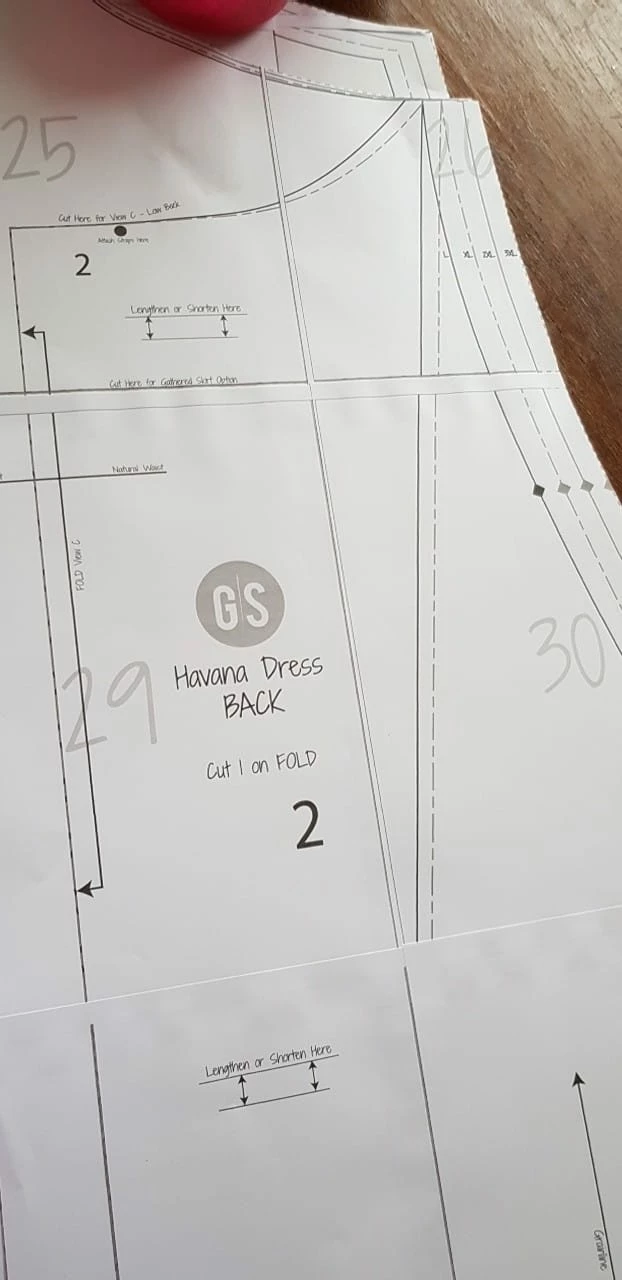
I have two testers that have trouble when printing the PDF that was created in Illustrator.  One has the lines totally missing when printed (first picture below) but can see them on her computer (PC) screen.  The other has random "ghost" lines that do not show up when looking at the screen but do show up when printing.  Ideas?  Using Illustrator to draft and Adobe Reader to open and print the PDF.
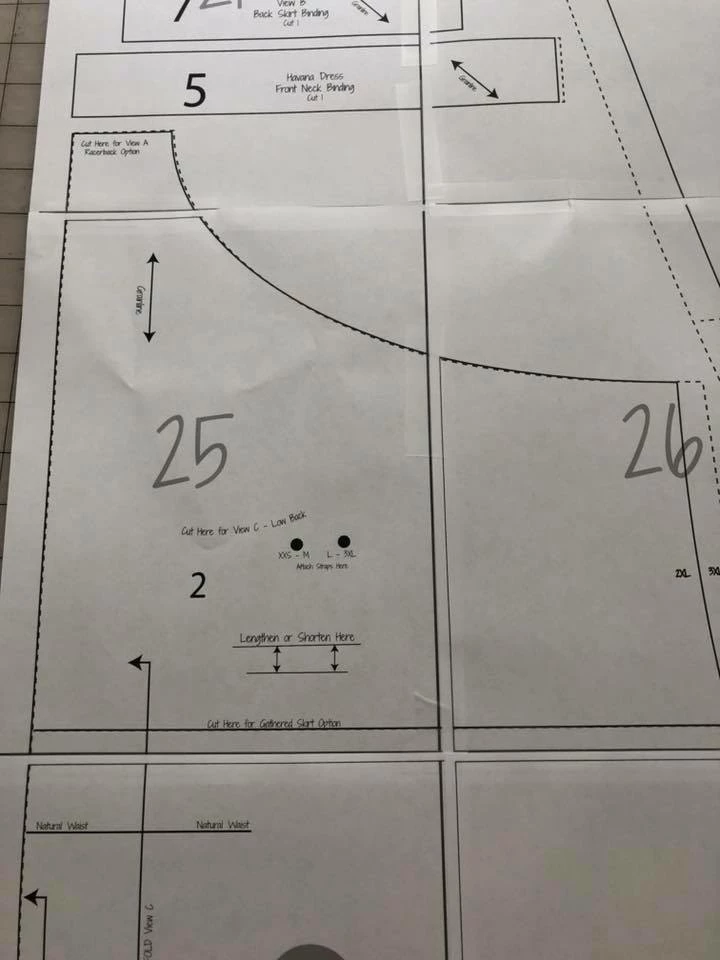
missing lines.jpgpage 25.PNGExtra Lines.jpgnoExtra lines.PNG

TOPICS
Create PDFs
1.9K
Translate
Report
Community guidelines
Be kind and respectful, give credit to the original source of content, and search for duplicates before posting. Learn more
community guidelines
Jun 19, 2018 Jun 19, 2018

Without knowing how the PDF files were created from Illustrator (printing to PostScript via Adobe PDF, hopefully not, or via save as PDF?), the .joboptions used to create the PDF (either way), the printer model and driver used for actual printing from Acrobat (and the settings used), and the PDF file itself (post somewhere for downloading), it is virtually impossible to advise as to what is actually going on here.

          - Dov

- Dov Isaacs, former Adobe Principal Scientist (April 30, 1990 - May 30, 2021)
Translate
Report
Community guidelines
Be kind and respectful, give credit to the original source of content, and search for duplicates before posting. Learn more
community guidelines
New Here ,
Jun 19, 2018 Jun 19, 2018

I just do a save as then select .pdf.... Then I don't know about .joboptions.... what is that?

Translate
Report
Community guidelines
Be kind and respectful, give credit to the original source of content, and search for duplicates before posting. Learn more
community guidelines
Jun 19, 2018 Jun 19, 2018
LATEST

When you save as PDF, Illustrator offers you various options as to how to create the PDF file. The default ones are not particularly good for printing. PDF/X-4 or even High Quality Print are generally much better for Illustrator output to PDF destined for printing at any time.

Again, need to see a sample file.

          - Dov

- Dov Isaacs, former Adobe Principal Scientist (April 30, 1990 - May 30, 2021)
Translate
Report
Community guidelines
Be kind and respectful, give credit to the original source of content, and search for duplicates before posting. Learn more
community guidelines