
alia20097203
New Participant
October 22, 2019
Question

Extracting high quality image from a pdf to an image format

  • October 22, 2019
  • 5 replies
  • 9203 views

Hi.


I'm trying to export an extremely high quality image from a PDF to an image format so I can edit colours etc.


I've trired several ways like using an online converter, saving as an image from acrobat, screenshots etc.

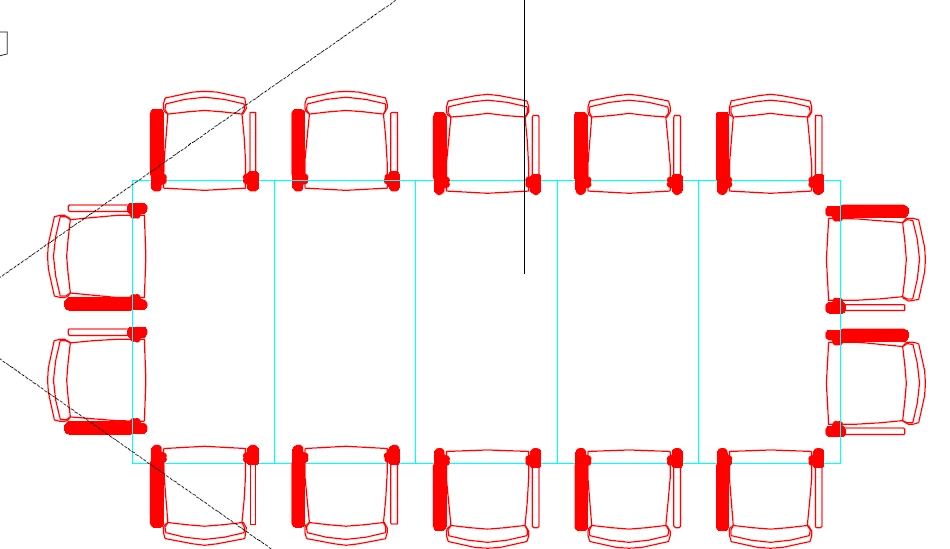
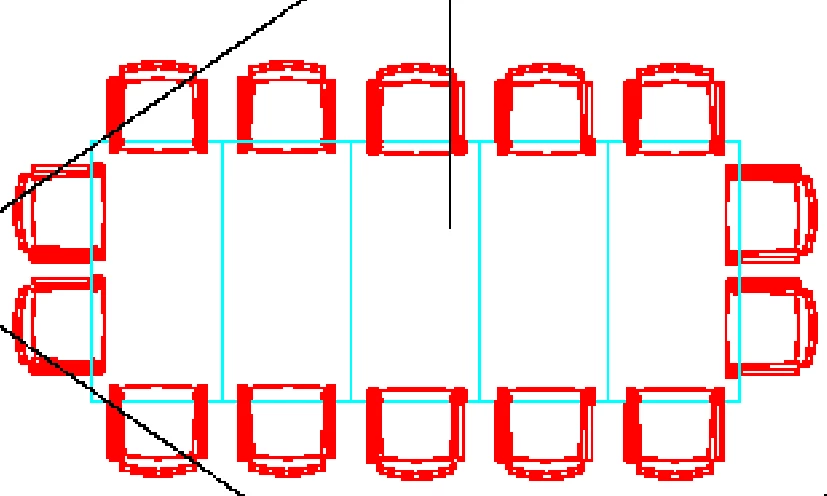
From the surface it looks like these work but as soon as you zoom in you notice how the quality hasn't quite transferred.


Image on the left is an area of the image, zoomed in within Acrobat pro. The image on the right is how it looks zoomed in when exported as an image
 

    5 replies

    JR Boulay
    Community Expert
    October 23, 2019

    "I dont currently have adobe illustrator... Is there any other way I can extract the vector image in a high as quality as possible?"


    LibreOffice Draw: https://www.libreoffice.org/

    Acrobate du PDF, InDesigner et Photoshopographe
    try67
    Community Expert
    October 22, 2019

    The best way is to use the Export All Images command in Acrobat. It will export the images in their original quality and format as stand-alone files.

    alia20097203
    New Participant
    October 23, 2019

    This does not work. it does not export them in the same quality

    Luke Jennings
    Inspiring
    October 23, 2019

    If you are going to be editing vector files, Illustrator is the best tool. If this is a one-time need, you could install Illustrator on a trial basis, there are plenty of YouTube tutorial videos available, or ask someone to extract and re-color the illustration for you.

    Luke Jennings
    Inspiring
    October 22, 2019

    Your image looks like it might be vector format, if it is, you will want to keep it vector for best quality. If you zoom way into the PDF, do the lines still look sharp? if so, it's probably vector. You have several options, you could simply use the PDF as a placed image, cropping unwanted areas. I would open the PDF in Illustrator* make my edits and remove any unwanted elements and adjust the Artboard (crop), then save as a new (Illustrator) PDF.

    *Illustrator is not a universal PDF editor, but for this purpose, it should work well.

    alia20097203
    New Participant
    October 23, 2019

    Spot on. When i zoom in, its still crystal clear!

    In fact, when I click on Edit pdf, the image instantly loses the same zoomed in quality.


    I dont currently have adobe illustrator... Is there any other way I can extract the vector image in a high as quality as possible?


    Thanks

    JR Boulay
    Community Expert
    October 22, 2019

    Acrobate du PDF, InDesigner et Photoshopographe
    Bevi Chagnon - PubCom.com
    Brainiac
    October 22, 2019

    In Acrobat Pro, switch to the Edit PDF tools.

    (If the panel doesn't appear on the right side of  your Acrobat window, you can open it from the main  Tools tab in the upper left of the window.)


    1. A top tool bar will appear. Select Edit tool.
    2. Click the graphic to select it, then right-click and select Edit With...
    3. Then select the software program you want to use for this graphic, such as Photoshop. You can use any program on your computer.
    4. Once the graphic is in the program, you can now save it and reuse it for your needs.


    But keep in mind that this won't guarantee the quality of the graphic: it will only be at the original quality (or resolution) when the PDF was created. In other words, if the person who made the PDF made a low-res/low-quality graphic, then that's all you can get out of the PDF.


    |    Bevi Chagnon   |  Designer, Trainer, & Technologist for Accessible Documents ||    PubCom |    Classes & Books for Accessible InDesign, PDFs & MS Office |