Participant
May 30, 2021
Question

Fill and Sign not working

  • May 30, 2021
  • 3 replies
  • 1164 views

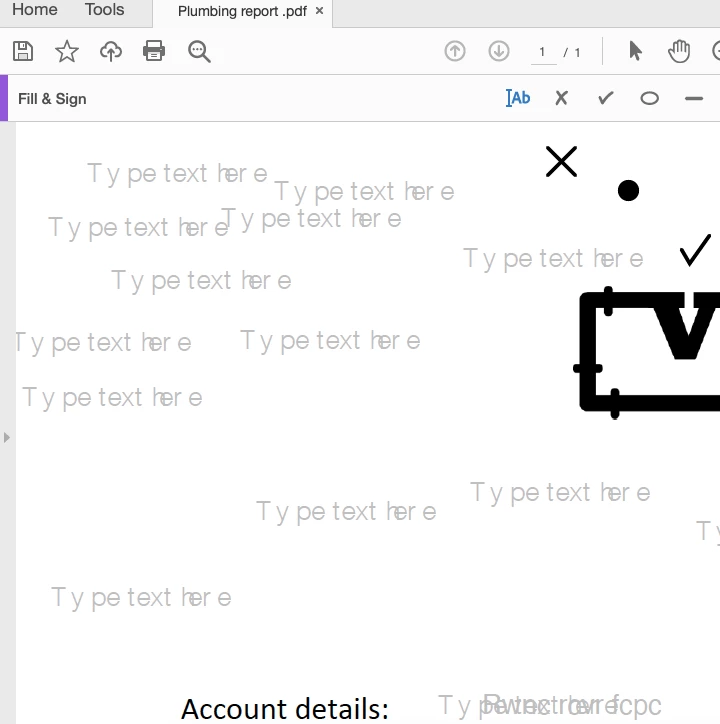
When I try to fill a PDF, when I click, it just writes 'Type text here' and won't let me type (as shown below). The X and tick work.

 

This topic has been closed for replies.

3 replies

Known Participant
January 20, 2022

Uninstall and reinstall Adobe, then try. Better yet, uninstall Adobe and install Foxit, it is far superior to Adobe.

Meenakshi Negi
Community Manager
Community Manager
May 31, 2021

Hello,


Thank you for reaching out and sorry for the trouble.


As the Fill & Sign not working, please confirm if the issue occurs with a particular PDF?

Try repairing the application installation. In the application, go to Help > repair Installation.


Please share the current version of the application and OS version on the machine.

It would be helpful if you can share the PDF on which the issue occurs. We would like to replicate the behavior at our end.


Let us know if you need any help.


Thanks,

Meenakshi


Participant
January 20, 2022

I am registered for sign and fill and still valid

Previously when I opened a file the options would appear on the right.

My adobe has been reloaded and it does not show other options when I open a PDF file

Amal.
Community Manager
Community Manager
January 20, 2022

Hi there


Hope you are doing well and sorry for the trouble.


Would you mind elaborating a bit more about the issue you are experiencing? A small video recording of the same would be very helpful.


Also make sure you have the recent version 21.11.20039 of Adobe Acrobat DC installed. Go to Help > Check for updates and reboot the computer once.


Regards

Amal

Known Participant
May 31, 2021

Can you share the file?