Participant
May 29, 2022
Answered

Fill and Sign text box change font

  • May 29, 2022
  • 2 replies
  • 890 views

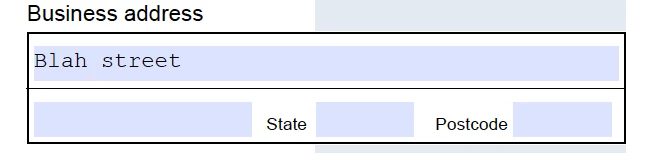
I am filling out a form and find the default font provided by the forms author is not to my liking. How do I change? Using DC on MAC 10.13.

 

This topic has been closed for replies.
Correct answer JR Boulay

You must use the Prepare form tools to edit this field and change the font used.

This requires Acrobat Pro.

2 replies

JR Boulay
Community Expert
JR BoulayCommunity ExpertCorrect answer
Community Expert
May 30, 2022

You must use the Prepare form tools to edit this field and change the font used.

This requires Acrobat Pro.

Acrobate du PDF, InDesigner et Photoshopographe
Participant
May 31, 2022

Thanks for your reply - yes, I see now, I need Pro to do as I asked.

ls_rbls
Community Expert
Community Expert
May 30, 2022

When you mention that you're on macOS do you mean that you're trying to fill this form in Mac Preview or a web browser or is the PDF is opened with Adobe Acrobat?

Participant
May 31, 2022

It is in acrobat DC and I now realise that I can not change the font unless I use pro.

Thank you for your reply.


ls_rbls
Community Expert
Community Expert
May 31, 2022

You're welcome.