Answered
Fill & Sign Not working
Verified that PDF form is fillable. Have uninstalled and reinstalled Acrobat DC (Windows 10). Fill & Sign toolbar is missing the text typing and editing tools See screencap below. What is wrong and how do I fix it?
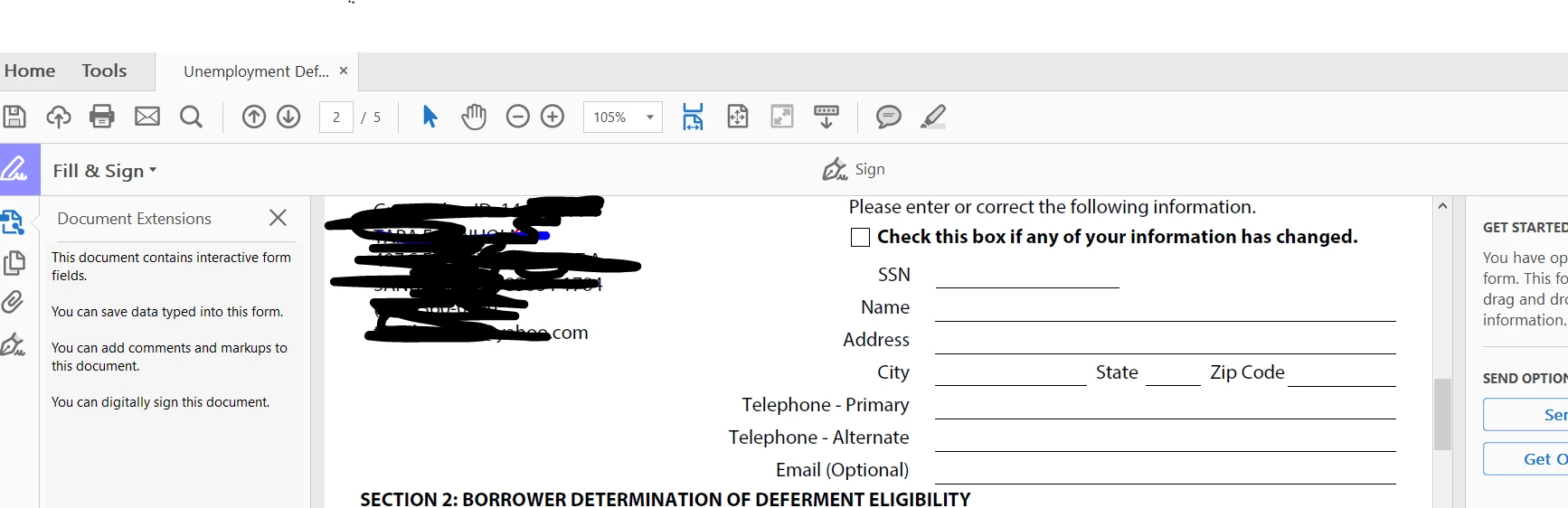

Verified that PDF form is fillable. Have uninstalled and reinstalled Acrobat DC (Windows 10). Fill & Sign toolbar is missing the text typing and editing tools See screencap below. What is wrong and how do I fix it?
If a form with existing fields (Acroform), even one field, is opened in Fill & Sign tool the toolbar along the top will only show the Signature and Initials, no text tool or annotation tools. Also the right hand panel will show a message saying that the form has fields and it will not have the personal information to drag and drop from the right hand panel as it does when a "flat" PDF is opened in the Fill & Sign tool.
The PDF you opened is likely an Acroform with at least one field.
If you open the same PDF in Fill & Sign in the Document Cloud it should allow you to add text to the form (it works differently from Acrobat and Reader currently).
Already have an account? Login
No account yet? Create an account
Enter your E-mail address. We'll send you an e-mail with instructions to reset your password.


 AdChoices