Copy link to clipboard
Copied
I cannot seem to fill previously fillable forms. Almost seems like it does not recognize. Basically it shows an option to get e signature. ANyone get this issue?! Screenshot below.
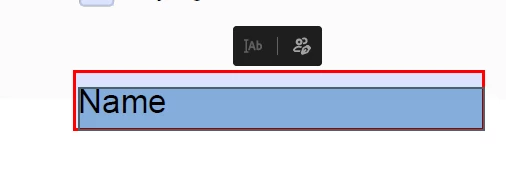
Copy link to clipboard
Copied
Many other users have posted the same issue. Looks like some kind of Acrobat update screwup.
I believe the problem is fixed by performing a "repair" and then switching to the old Acrobat UI. Although some users have said this didn't work for them.
See this thread:
https://community.adobe.com/t5/acrobat-discussions/form-filed-now-always-e-sign-field/m-p/14559431
Copy link to clipboard
Copied
Hope you are doing well and thanks for reaching out.
This issue has already been reported to our engineering team for review.
We will share the update as soon as we get any information.
Thanks for your understanding
~Amal
Copy link to clipboard
Copied
Thank you for your patience so far.
The issue has been resolved. Please reboot the machine and then relaunch Acrobat.
Then, wait for some time and try to fill out the forms again.
Let us know how it goes.
Thanks,
Meenakshi
Marking a reply or response “Correct” will help future users with the same issue quickly identify the correct answer.
Get ready! An upgraded Adobe Community experience is coming in January.
Learn more
