
Participant
June 25, 2020
Answered

Font suddenly changed in certain files - help deeply appreciated!

  • June 25, 2020
  • 2 replies
  • 42873 views

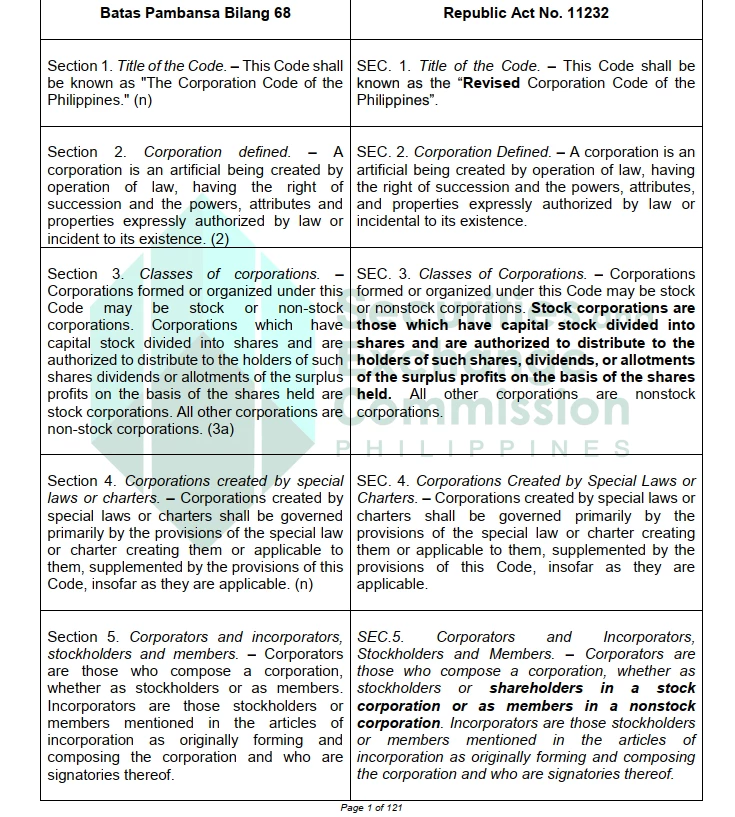
Hi! I've been using Acrobat Reader (free version) on Windows 10 and suddenly some of my files have changed fonts. For example, the below screenshot is how it's supposed to look (and how it used to look in Adobe). I used a different PDF reader for this:
 

Now, it suddenly looks like this in Adobe Acrobat:
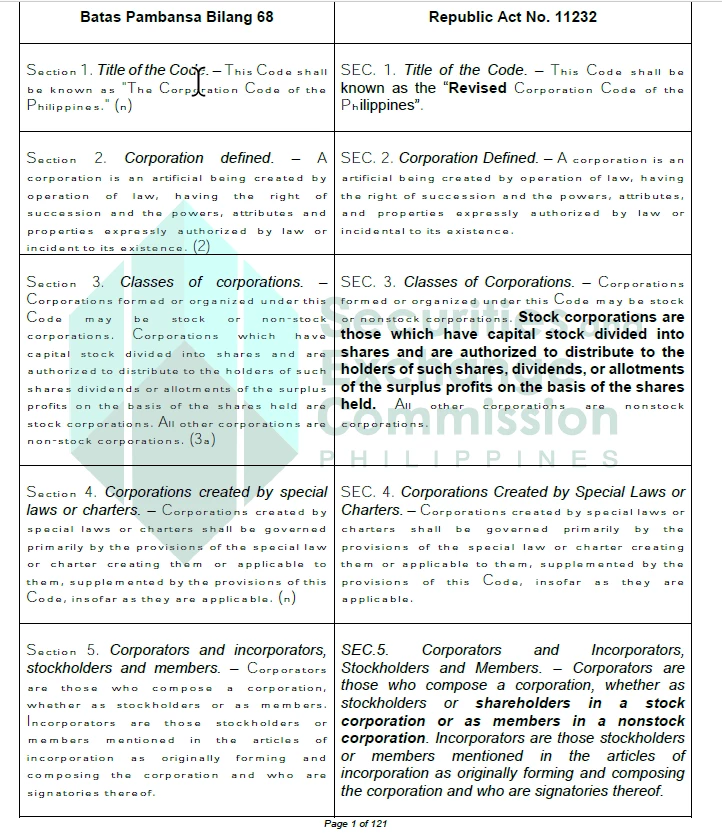
I already tried restarting/reinstalling but to no luck. The files are normal in all other PDF readers. I'm also attaching the file used above if anyone needs to check anything.


Help would be greatly appreciated. Thank you!
This topic has been closed for replies.
Correct answer Luke Jennings3

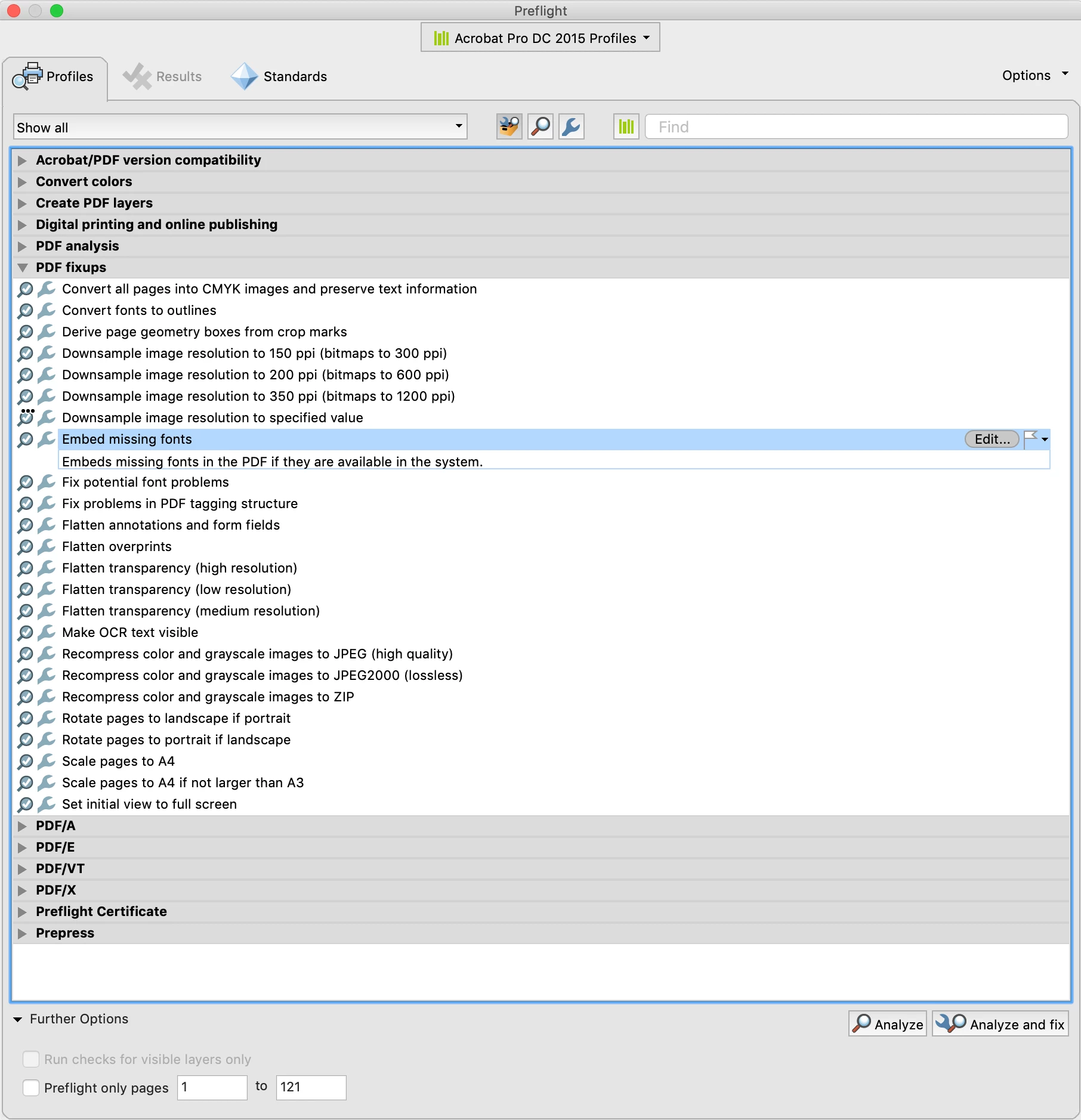
It looks like your PDF has some unembedded fonts. This could be because the PDF was not properly created from Word, or was optimized for size. I ran a preflight fixup on the PDF which may have fixed the issue (Tools> Print Production> Preflight> Fixups). Unfortunately the Preflight tools are not available in Reader.

https://www.dropbox.com/s/cxmyt3rnpjn0s73/RCC%20Comparative%20Matrix_1.pdf?dl=0


2 replies

Luke Jennings3
Community Expert
Luke Jennings3Community ExpertCorrect answer
Community Expert
June 25, 2020

It looks like your PDF has some unembedded fonts. This could be because the PDF was not properly created from Word, or was optimized for size. I ran a preflight fixup on the PDF which may have fixed the issue (Tools> Print Production> Preflight> Fixups). Unfortunately the Preflight tools are not available in Reader.

https://www.dropbox.com/s/cxmyt3rnpjn0s73/RCC%20Comparative%20Matrix_1.pdf?dl=0


Participant
June 25, 2020

Hi, thank you so much for the help and reply! The file also got fixed. Would you know what happened though since I could previously just open the file just fine and then it became as above some months after?


Regards,

Marc

Luke Jennings3
Community Expert
Community Expert
June 25, 2020

I don't know what changed, unless someone optimized the PDF in Acrobat and unembedded the fonts, or something changed on your computer that removed some needed fonts?

You can use Reader to confirm a PDF has embedded fonts, go to File> Properties> Fonts, all the listed fonts should say Embedded or Subset.

AnandSri
Community Manager
Community Manager
June 25, 2020

Hey Marc!


I hope you are doing well and sorry for the trouble you had.


I opened the attached PDF file in the latest version of Adobe Reader DC 20.009.20067 Optional update, June 02, 2020 and I am able to see the fonts as shown in the first screenshot attached. There is no change in the fonts.


Please reboot the machine once, then go to the Adobe Reader Preferences from Edit>Preferences>Page Display>under Rendering please select the option 'Use Local fonts'> Click OK, restart the application and open the PDF file again and check.

Also, make sure all the fonts are available and installed on your machine. 


Check for any pending updates of the OS, install all the mandatory and optional updates, reboot the machine after updating the OS.


Let us know how it goes and share your observations.


Thanks,

Anand Sri.

Participant
June 25, 2020

Hi Anand,


Thank you so much for your reply! I already had local fonts checked. Is there a way for me to check/fix my fonts? Not sure what's the issue with my settings since the file looks fine in other PDF readers and I'm the only one using this device as well.


Have a good day!


Regards,

Marc