Participating Frequently
May 20, 2019
Answered

form calculations adding vat x20% = total... beginner

  • May 20, 2019
  • 1 reply
  • 4653 views

Sorry everyone, I'm trying to set a simple calculation were once the user adds the total (manually) into the first box the:

1. vat is automatically generated (showing the 20% VAT)

And

2. The total is calculated with the 2 boxes above (Nett & Vat) 

Can anyone help as there's lots of discussions online but as a beginner to this code part it's minefield?

thank you

chris

This topic has been closed for replies.
Correct answer try67

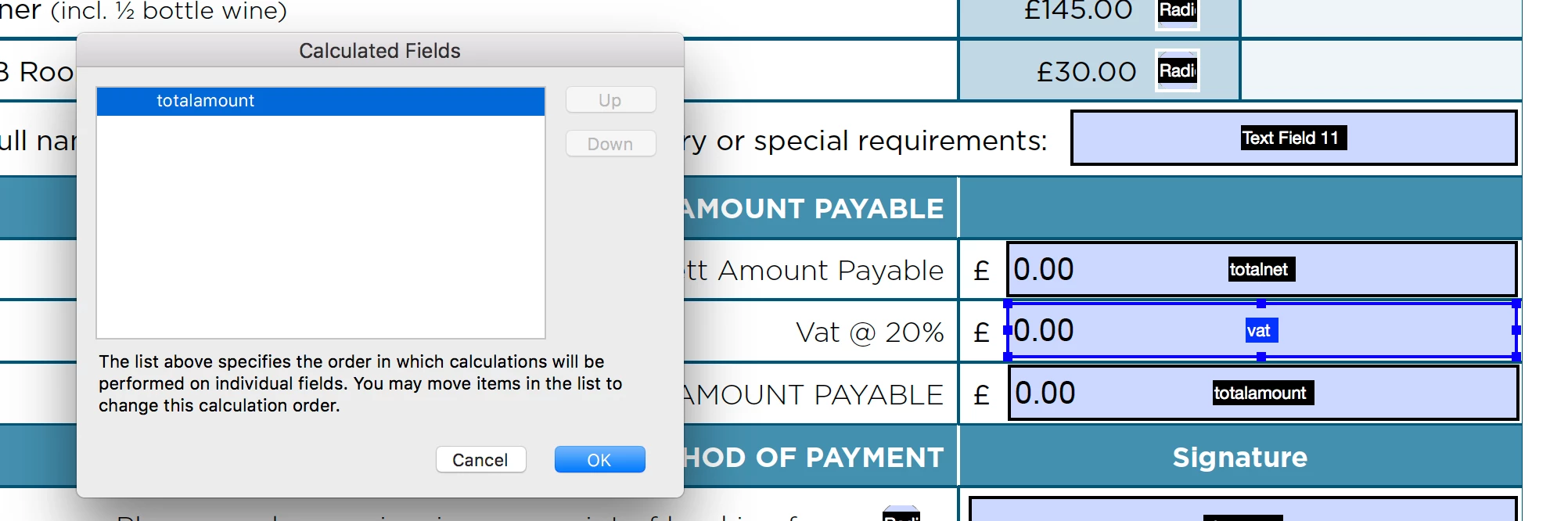
​Thanks Bernd, it's only showing one calculated field.


You need to apply all of the calculations, and then set the right order.

1 reply

try67
Community Expert
Community Expert
May 20, 2019

As the custom validation script of the VAT field enter this code:

event.value = Number(this.getField("Total nett amount").valueAsString) * 0.2

Then use the Sum function to add the total netto and the VAT in the last field.

Participating Frequently
May 20, 2019

Hi Try67, I've tried that code and followed the instruction (I think) but the middle field isn't auto populating with the %20 breakdown.

The totals are working just not the code? Attached is three screen grabs showing the code in 2 stages and the output.

Thanks and apologies for the novice knowledge. Chris

try67
Community Expert
Community Expert
May 20, 2019

Check the JS Console (Ctrl+J) for error messages.