Copy link to clipboard
Copied
Hi Everyone,
On the right side of my document there's a useful "Fields" portion when I'm using "Prepare Form" view.
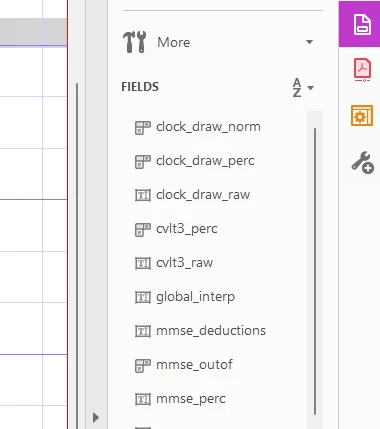
I cannot seem to expand this out (would think that I can resize the window rather than just showing/hiding). Further, I'm creating an external dictionary with my PDF for use with later analysis of user inputs (field type, validation scripts, character types/limits, etc. included).
It would be really useful if Acrobat had some type of dictionary like this field list that I can look at in another window and, ideally, edit field properties directly. Does Adobe Acrobat have any ability to download the field information within a CSV, JSON, PDF, or something else? Does Acrobat have any ability to modify/work within that field margin more directly than right clicking the items -> Properties?
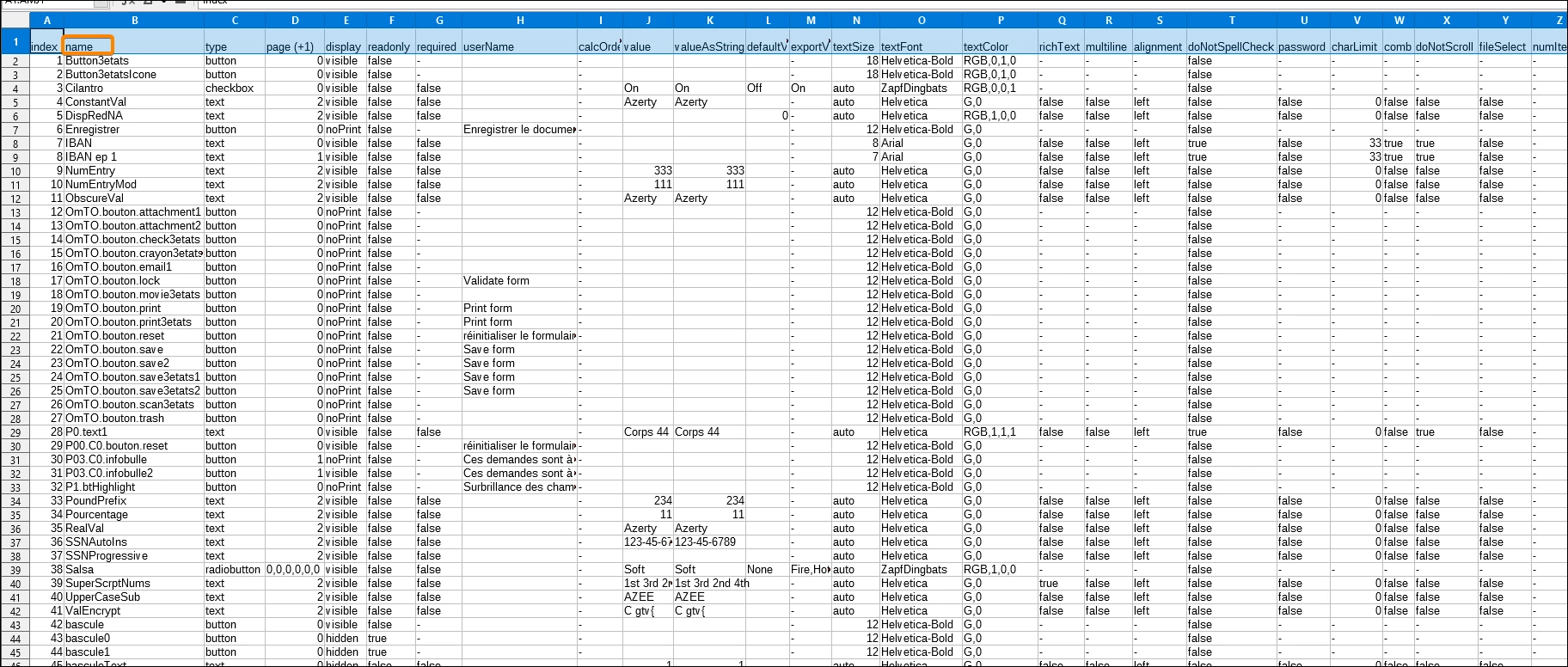
Here's an example of my external dictionary

Copy link to clipboard
Copied
My free Form Report plugin was made for you.
It is part of the free abracadabraTools: https://www.abracadabrapdf.net/utilitaires/utilities-in-english/abracadabratools_en/
Copy link to clipboard
Copied
My free Form Report plugin was made for you.
It is part of the free abracadabraTools: https://www.abracadabrapdf.net/utilitaires/utilities-in-english/abracadabratools_en/
Copy link to clipboard
Copied
Does this allow you to edit it as a way to modify the PDF? This is great! Thank you
Copy link to clipboard
Copied
"I cannot seem to expand this out (would think that I can resize the window rather than just showing/hiding)."
Adobe offers software and training devoted to the UI design and production of ergonomic interfaces.
Unfortunately Acrobat developers do not know these tools.
🙂
Copy link to clipboard
Copied
Ohh the irony !
Copy link to clipboard
Copied
"Ohh the irony !"
I am IRONy MAN!
🙂
Copy link to clipboard
Copied
So does that mean it isn't possible to expand the view?
Copy link to clipboard
Copied
"So does that mean it isn't possible to expand the view?"
Yes, hélas.
😞
Copy link to clipboard
Copied
"Does this allow you to edit it as a way to modify the PDF? This is great! Thank you"
No, as its name suggest it is just a report.
Get ready! An upgraded Adobe Community experience is coming in January.
Learn more