christopheg39436860
Known Participant
October 18, 2024
Answered

Formulaires PDF

  • October 18, 2024
  • 2 replies
  • 2433 views

Bonjour,

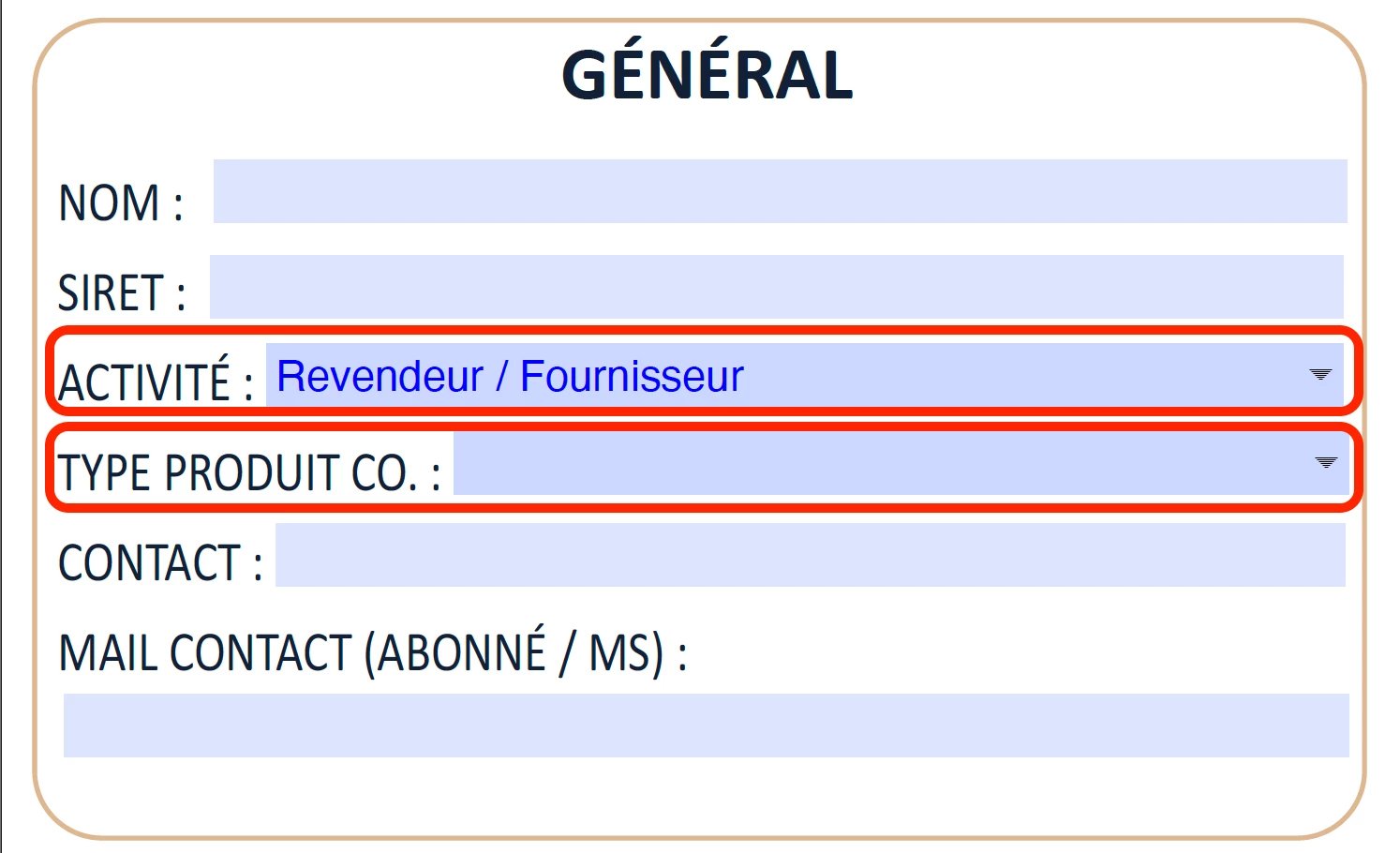
je prépare un formulaire avec 2 menus déroulants consécutifs.

Le 1er menu déroulant comprend une dizaine de choix. Chaque choix implique de renseigner un autre choix dans le second menu déroulant. 

Est-il possible que le 1er choix conditionne uniquement l'affichage des choix associés dans le second menu déroulant ? Pour ne pas avoir une centaine de choix possible dans le second menu déroulant.

Voir ci-dessous.

MERCI !pour vos retours !! 🙂
 

This topic has been closed for replies.
Correct answer PDF Automation Station

Désolé, mais je ne comprends pas 

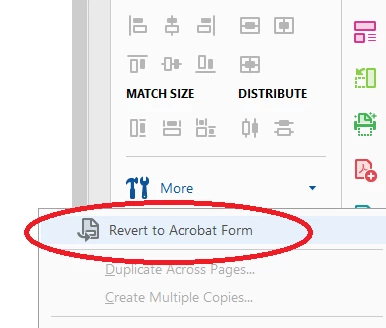
"Revert to Acrobat form"


In the fields panel on the right, select More >Revert to Acrobat Form:


2 replies

PDF Automation Station
Community Expert
Community Expert
October 18, 2024

Use the setItems() method as validation script in the first dropdown.  I developed a (paid for) tool that writes the code for you after you copy and paste the lists from an Excel column into the windows, if you're interested, as well as another (paid for) tool that lets you load dropdown items by copying and pasting Excel column(s).

christopheg39436860
Known Participant
October 28, 2024

Bonjour,

j'ai bien noté l'existence de cet outil payant, mais je nai qu'un seul formulaire à créér, je ne trouve donc pas pertinenent d'acheter un tel outil. 

Je m'aperçois sur la video que je n'ai pas accés à toutes les fonctionnalités des propriétés des champs.

Voir ci-dessous.

Ma versio d'ACROBAT est PRO, récente.

Comment puis-je accéder à ces fonctionnalités ? 

Merci infiniment pour votre aide.


Bernd Alheit
Community Expert
Community Expert
October 28, 2024

You must "Revert to Acrobat form"

try67
Community Expert
Community Expert
October 18, 2024

Yes, this can be done using a script. The basic code is this (to be used as the custom Validation script of the first field):


if (event.value=="Option 1") this.getField("Dropdown2").setItems(["Item 1", "Item 2", "Item 3"]);
else if (event.value=="Option 2") this.getField("Dropdown2").setItems(["Item 4", "Item 5"]);
// etc.
else this.getField("Dropdown2").clearItems();


If you're interested, I created a (paid-for) tool that will allow you to set it all up in seconds, based on a data file, without having to write any code: https://www.try67.com/tool/acrobat-create-dependent-dropdowns


christopheg39436860
Known Participant
October 21, 2024

Bonjour,

ou dois-je saisir ces lignes de code ? J'ai déjà créé mon menu déroulant.

Il faut que je créé mes 2 menus déroulant, et ensuite les lignes de code ? Ou je dois créér les lignes de code avant et ce sont elles qui vont renseigner les menus déroulant ?

PDF Automation Station
Community Expert
Community Expert
October 21, 2024

A custom script in the validation tab of the first dropdown.