
Participant
November 30, 2017
Answered

Google Chrome Acrobat Extension doesn't recognise my Acrobat DC Pro

  • November 30, 2017
  • 1 reply
  • 2769 views

I have had a licensed copy of Acrobat DC Pro installed on my PC since "DC" was first released.

However, last week I had to uninstall and reinstall Chrome and then reinstall the Chrome Acrobat extension and now when I try to convert a web page to a PDF, the extension says that "A supported version of Acrobat could not be found."

Can someone tell me how to get the extension to recognise my copy of Acrobat?

Thanks.
This topic has been closed for replies.
Correct answer Adorobat

Acrobat Pro DC - Version 2015.006.30392

Chrome - Version 62.0.3202.94 (Official Build) (64-bit)

Acrobat extension - Version 15.1.0.6


Thanks. Could you please try uninstalling Acrobat by going into Programs & Features > right-click Adobe Acrobat DC > Uninstall.

Reboot the machine.

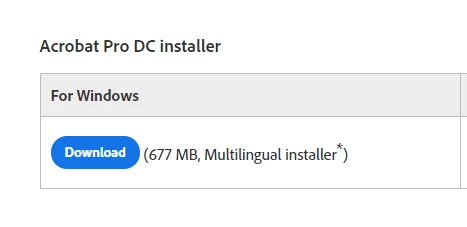
Install Acrobat Pro DC from here: Download Pro or Standard versions of Acrobat DC, 2017, XI, or X (download the installer under Acrobat Pro Dc for Windows- below is the screenshot). Once installed, try converting the webpage again and check if that works.

1 reply

Adorobat
Participating Frequently
November 30, 2017

Hi Marks,

Try updating Acrobat to the latest patch and check if that resolves the issue. Click Check for Updates under Help menu. You may also download updates manually from this link: Adobe - Acrobat : For Windows . Reboot the machine after installing the patch and try again.

Let us know how it goes.

Shivam

marks2305Author
Participant
November 30, 2017

Hi Shivam,

I just checked for updates but it came back as "no updates available".

Have you any other suggestions?

Mark

Adorobat
Participating Frequently
November 30, 2017

Could you please confirm Acrobat, Chrome and Acrobat extension version installed on the machine?

To check the version in Acrobat > Identify the product and its version for Acrobat and Reader DC

For Chrome > click three vertical dots in the top-right corner > Help > About Google Chrome

For Acrobat extension > click three vertical dots > More tools > Extensions > check the version number next to Adobe Acrobat (15.0.)