
Participant
June 29, 2023
Question

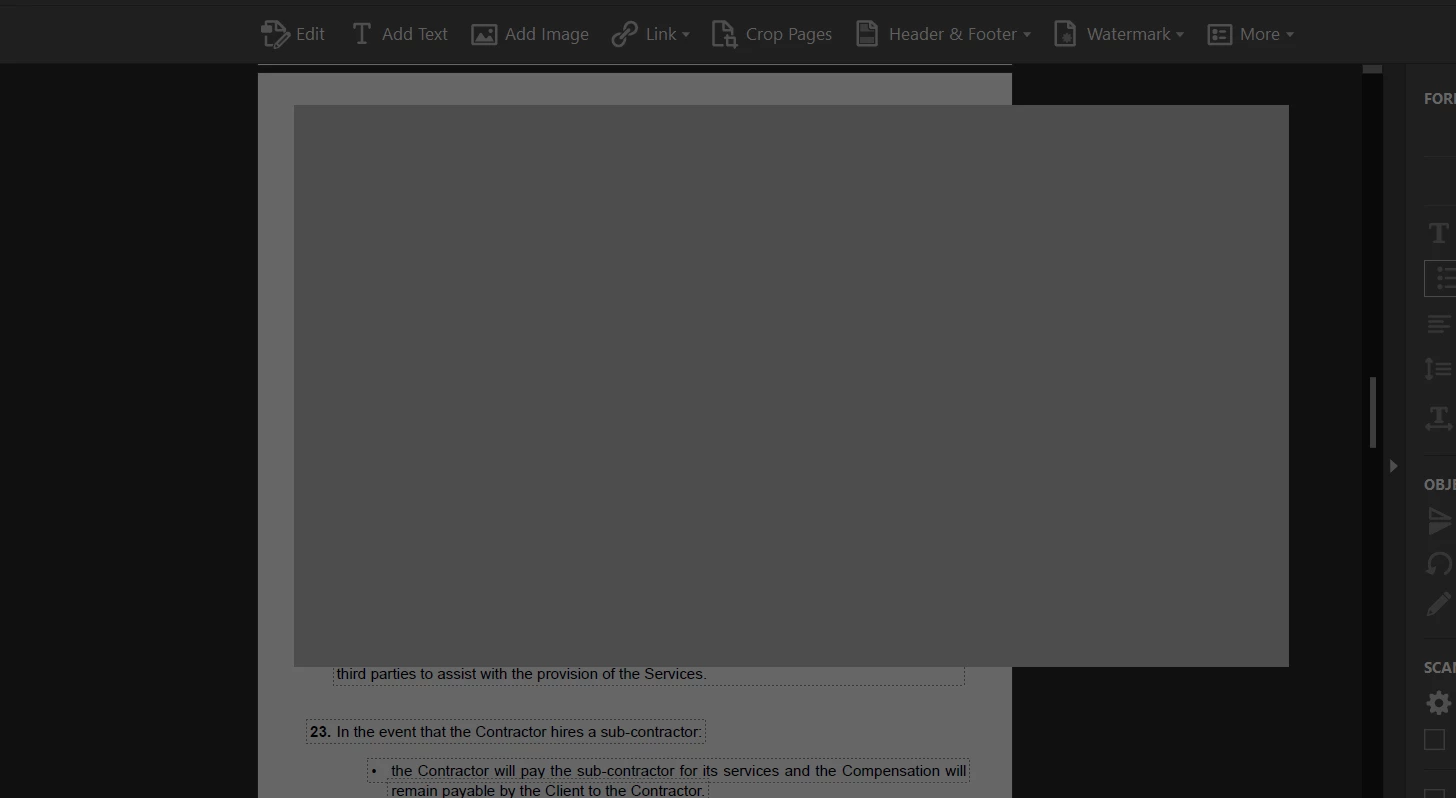
Grey Screen on my document

  • June 29, 2023
  • 3 replies
  • 824 views

Good afternoon, 


Whenever I try and edit my documents, this grey screen is popping up and it never stops loading.


I have tried restarting everything and even re-installing the app, however, the issue still stands. 


If there is anything I can do, please let me know. 


Cheers 🙂


This topic has been closed for replies.

3 replies

Meenakshi_Negi
Legend
June 30, 2023

Hi Clarisa29503873gspp,


Thank you for reaching out, and sorry about the delay in response.


Try reinstalling the application using the following steps:
-Remove the application and run the cleaner tool (https://www.adobe.com/devnet-docs/acrobatetk/tools/Labs/cleaner.html).
-Reboot the machine
-Install Adobe Acrobat from the following page: https://helpx.adobe.com/acrobat/kb/acrobat-dc-downloads.html.

 If the issue still occurs, share the process logs using the steps suggested in the following help document: https://www.adobe.com/devnet-docs/acrobatetk/tools/Labs/acromonitor.html

Share the Acrobat and OS version numbers.


Thanks,

Meenakshi

Karl Heinz  Kremer
Community Expert
Community Expert
June 29, 2023

Do you have any 3rd party plug-ins installed? If so, try to disable them and see if this still happens. You can disable 3rd party plug-ins by going into Acrobat's preferences, then select the "General" category and then ;check the "use only certified plug-ins" and restart Acrobat. Does that make a difference? 

Participant
June 30, 2023

Morning, 


I tried doing that, however, it gives the same screen no matter what I do. 


If there is anything else you may have in mind, please let me know 🙂 

khk58830783
Participant
June 29, 2023

[ Posted under the wrong account ]