
Participant
June 1, 2018
Answered

How can I use Acrobat 9 Pro with MAC High Sierra

  • June 1, 2018
  • 2 replies
  • 2839 views

I have Acrobat 9 Pro as part of CS4.  I have recently upgraded my MacBook Pro, now operating on OS 10.13.4 High Sierra, and transferred all CS4 applications.  All open and work - with the advice that they are not optimised for High Sierra - apart from Acrobat Pro.  It asks me to enter my password to allow it make changes, then displays this:
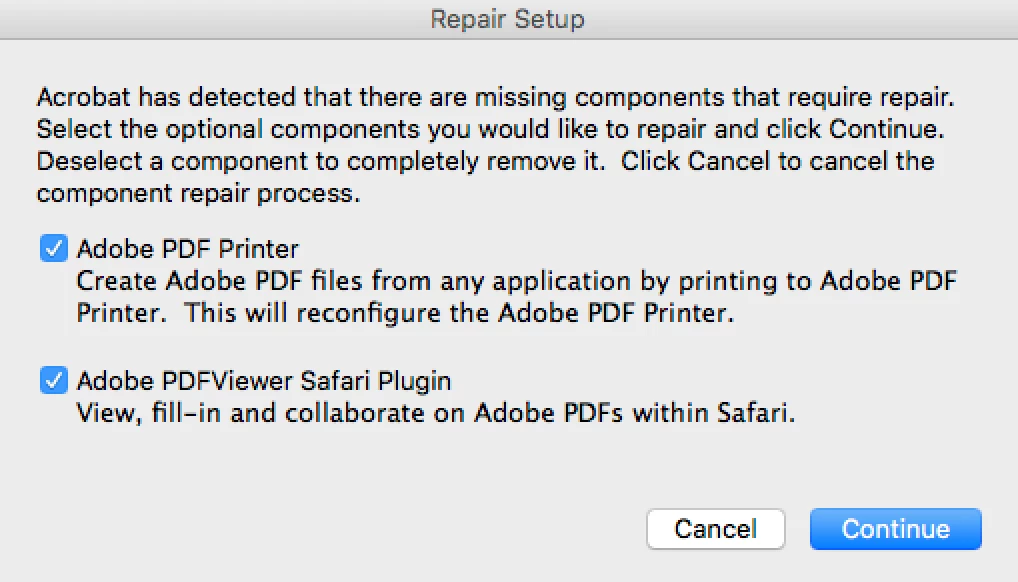
but when I continue, nothing happens.  Any thoughts?

This topic has been closed for replies.
Correct answer Test Screen Name

Upgrade Acrobat, downgrade Mac OS, or try to get work through it to work around the problems.

2 replies

Participant
June 13, 2018

Thanks for the replies my question.  I have now upgraded my software, and no further replies are required.  Thanks again.

Test Screen NameCorrect answer
Legend
June 1, 2018

Upgrade Acrobat, downgrade Mac OS, or try to get work through it to work around the problems.

TysonK
Known Participant
June 13, 2018

I'm suprised this is marked as "correct". Can you imagine that the answer to most problems are to try to workaround? LOL

Does anyone know of a way to be able to tell the last good OS for acrobat9 pro? Where would you have to downgrade to exactly? What is the ceiling OS for that product? Could it possibly just be a java thing?

TysonK
Known Participant
June 13, 2018

BTW, I'm trying to make a paid for pro version of acrobat work that is not a monthly subscription. Seems like there was a free upgrade to acrobat x at some point... ? Does that ring any bells for anyone?