
Participant
January 23, 2023
Question

How do I change link colors after they have been clicked

  • January 23, 2023
  • 1 reply
  • 1926 views

I am creating an interactive game with internal links.  Right now, the links are displayed with black text and underlined in black.  I would like them to turn a different color (light grey or white) after they have been clicked.  I want to be able to differentiate between the questions that have been clicked on and those that remain in the game.
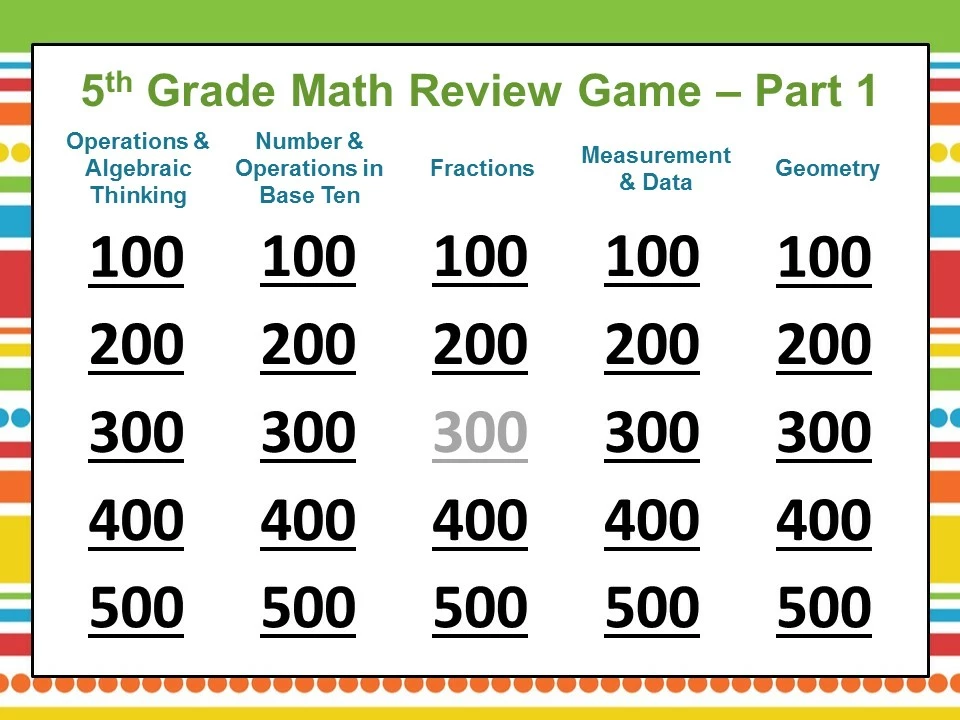


This is an image of the Powerpoint version where I can change the color of a followed hyperlink to light grey.  I'd love to be able to do this in acrobat pro.


I suspect this would involve Javascript but am not sure what the code is or how I would insert it into acrobat pro.   


Thanks so much for all your help

This topic has been closed for replies.

1 reply

try67
Community Expert
Community Expert
January 23, 2023

Text is not a part of a link in a PDF, so you can't do that if the text is static. You will need to use a button for the links, set the text as the button's caption, and then change it when clicked. Then you use something like this as the button's Mouse Up event:


this.pageNum = 4; // go to page 5, for example

event.target.textColor = color.ltGray; // change the button's text color

event.target.strokeColor = color.ltGray; // change the button's border color (the underline)


You should probably also want to create a "reset" button to change all of these buttons back to black.

Participant
January 24, 2023

Thanks so much!  That code is perfect for what I need.  When I close and reopen the file, the text and border color are still light gray.  How would I reset it so that all the buttons go back to black when the file is closed?  Or, if I need a reset button, how would that work?  

Participant
January 25, 2023

You can use this code to reset the fields:

this.getField("Link1").textColor = color.black;

this.getField("Link1").strokeColor = color.black;

Place it under Tools - JavaScript - Document JavaScripts to have it execute when the file is opened.


That worked!  Thanks so much for all your help.  I really appreciate it.