
Participant
September 6, 2017
Answered

How do I change the login name?

  • September 6, 2017
  • 1 reply
  • 2195 views

Hi there!

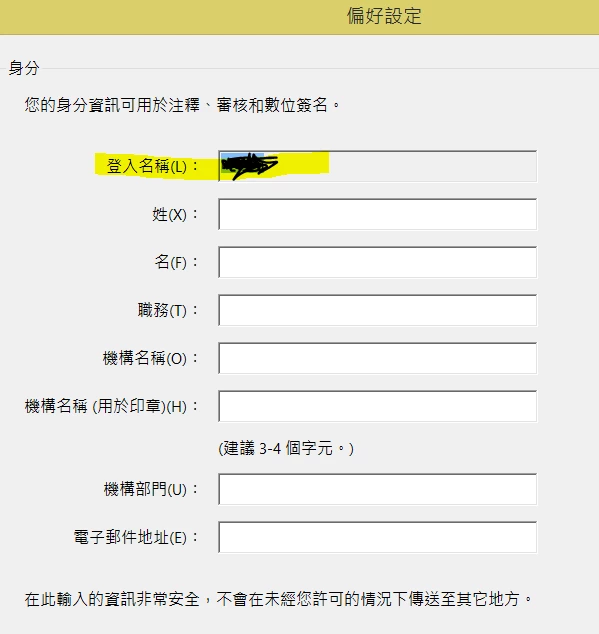
I have a question concerning the login name. How do I change the "login name" in preference section under edit tab?

This will be the name of the author of the comments automatically, but the name is different from the login name when I login into my account with Abobe website.

The title in the picture is preference, and the second line says identity. The part marked yellow is login name.
Thank you!

This topic has been closed for replies.
Correct answer try67

You can't change it. It's the name of the user on the machine.

You can change the setting to automatically use that name as the Author of

newly created comments, though.

Look under Preferences - Commenting.

On Wed, Sep 6, 2017 at 10:48 AM, userg32292608 <forums_noreply@adobe.com>

1 reply

try67
Community Expert
try67Community ExpertCorrect answer
Community Expert
September 6, 2017

You can't change it. It's the name of the user on the machine.

You can change the setting to automatically use that name as the Author of

newly created comments, though.

Look under Preferences - Commenting.

On Wed, Sep 6, 2017 at 10:48 AM, userg32292608 <forums_noreply@adobe.com>

Participant
January 23, 2020

Hi.

For me, it is essential to be able to permanently change this name. I am a proofreader and copy-editor. Does this mean that I have no choice but to cancel my subscription?

Kind regards,

try67
Community Expert
Community Expert
January 23, 2020

You can change the name used when making comments, but you can't change the Login Name.

Set the preferences I've described above, then manually edit the Author property of one of your comments and click the "Make current properties default" box. Any new comment you create after that would have the new value you entered as the Author's name.