courtneymarkham
Participant
May 22, 2015
Answered

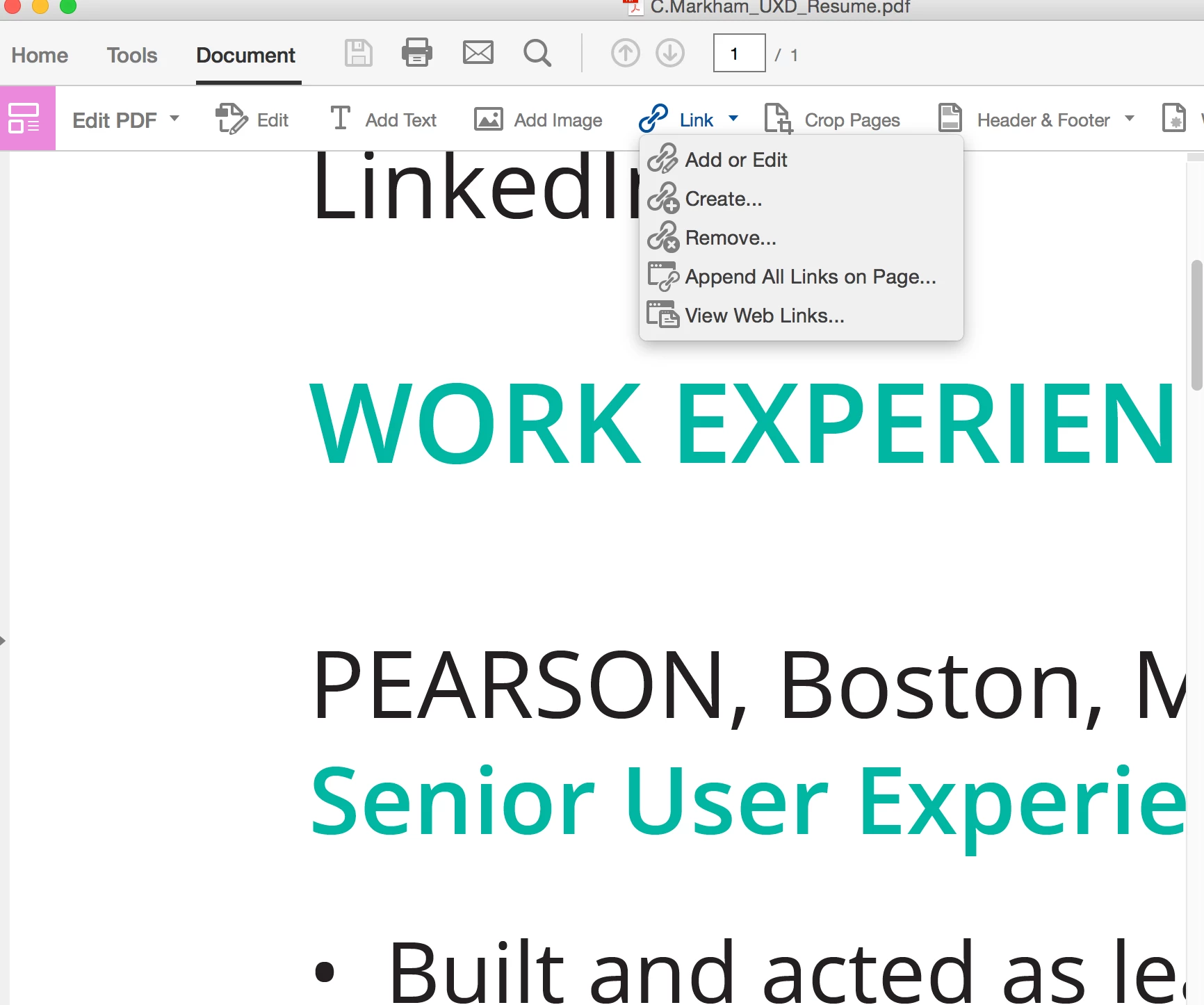
How do I create a hyperlink in Acrobat Pro DC?

  • May 22, 2015
  • 7 replies
  • 64846 views

I could have sworn this was once a feature. All I am seeing is the ability to add a box around an area of content, however I want it to look cleaner, can someone please advise?

This topic has been closed for replies.
Correct answer Steve Cordero

It IS a feature. The steps are here:  https://helpx.adobe.com/pdf/acrobat_reference.pdf#page=150

I also sent you a private message.

7 replies

Known Participant
March 25, 2022

I have exactly the same issue - it's completely counter-intuitive. I have a PDF that is text only (it was originally created from a Word document, I think), and I can edit the text no problem at all in Adobe Acrobat Pro DC. However, what I've just added is a URL - and I'd like to highlight that URL and turn it into a hyperlink.


The official documentation tells me to use "Add link" to get a crosshair, and then draw a box round the bit I want to highlight. That's fine for an image, but for a text, that's just crazy - my URL wraps round a line, so I can't "draw a box" round it. I just want to highlight the text and turn it into a hyperlink. Is there really no way to do this?


I tried, in desperation, using the option to generate links from the entire document - when I did that, it told me it had added 5 links. Great. I've no idea where - none of these mysterious 5 links were highlighted or clickable.

Participant
April 24, 2021

To enable single-key shortcuts, open the Preferences dialog box:

Edit > Preferences), and under General, select the Use Single-Key Accelerators To Access Tools option

The shortcut is "L" (why not "K" like everyone else? ..sigh)

From https://helpx.adobe.com/acrobat/using/keyboard-shortcuts.html

jessicaf38970738
Participant
July 13, 2017

Adobe Acrobat Pro DC 2017 does not have an "link"/"add or edit" option within the View/Tools/Edit PDF. It just provides "open", "remove shortcut" or "learn more". ???

Bernd Alheit
Community Expert
Community Expert
July 13, 2017

Choose "open".

jessicaf38970738
Participant
July 13, 2017

I did. Its Ok, I deleted that shortcut altogether and figured it out trying it in a different way. Thanks for the reply.

curseicon_mark
Participant
December 2, 2016

is there a way to create the Link-OBJR tag when creating a link this way?

Participant
September 21, 2016

Compared to older versions of Acrobat Pro, the hyperlinking process is now counter-intuitive. Talk about user unfriendly. Every time I need to create a hyperlink or make a document interactive. I have to do research to remember where this feature is located. I guess I'm not the only one.

To the developers: please consider making the interactive tools easier to find.

Bernd Alheit
Community Expert
Community Expert
September 21, 2016

Mouse click on Tools. There search for the tool.

Inspiring
September 24, 2015

adobe sucks. there is now web link tool for acrobatProDC  if there is they've hidden it well. you guys need some competition because right now you really suck.

Steve CorderoCorrect answer
Adobe Employee
May 22, 2015

It IS a feature. The steps are here:  https://helpx.adobe.com/pdf/acrobat_reference.pdf#page=150

I also sent you a private message.

ChrisMooreKerridgeGroup
Participant
August 10, 2015

I have the same problem - I have Adobe Acrobat Reader DC and I go into the Tools Menu > Edit PDF and it doesn't give me the option to add links

Community Manager
September 25, 2015

Hi LeshRitsonCarriageGroup,

Adobe Acrobat Reader doesn't allow you to edit PDF files, as Acrobat Pro/Standard does. You are welcome to download a free 30-day trial of Acrobat from this page: Download Adobe Acrobat free trial | Acrobat Pro DC.

Best,

Sara
