
Participant
March 1, 2025
Answered

How do I edit page labels?

  • March 1, 2025
  • 2 replies
  • 1896 views

This sounds like a dumb question, and before today I would have thought so too. Basically, I'm looking to edit the page labels in a PDF so the first page has a blank label, the first 3 are i, ii, and iii, and then proper numbering starts. Before today, I've had no issues with this. Right click on the page thumbnail, labels, change the label. Sorted. Now, though, there is no Labels option, and clicking "Organise Pages" takes me to a browser site that still won't let me do what I want to do. I'm pulling my hair out over this, so hoping someone can help.


Correct answer JR Boulay

I have the same issue using Acrobat on Mac.  Page labels no longer on right click but in "Organize pages" tool but "Page labels" now greyed out.  Any thoughts?


Make sure that no protections or restrictions apply to the document.

(Document Properties: Security)

2 replies

JR Boulay
Community Expert
Community Expert
March 2, 2025

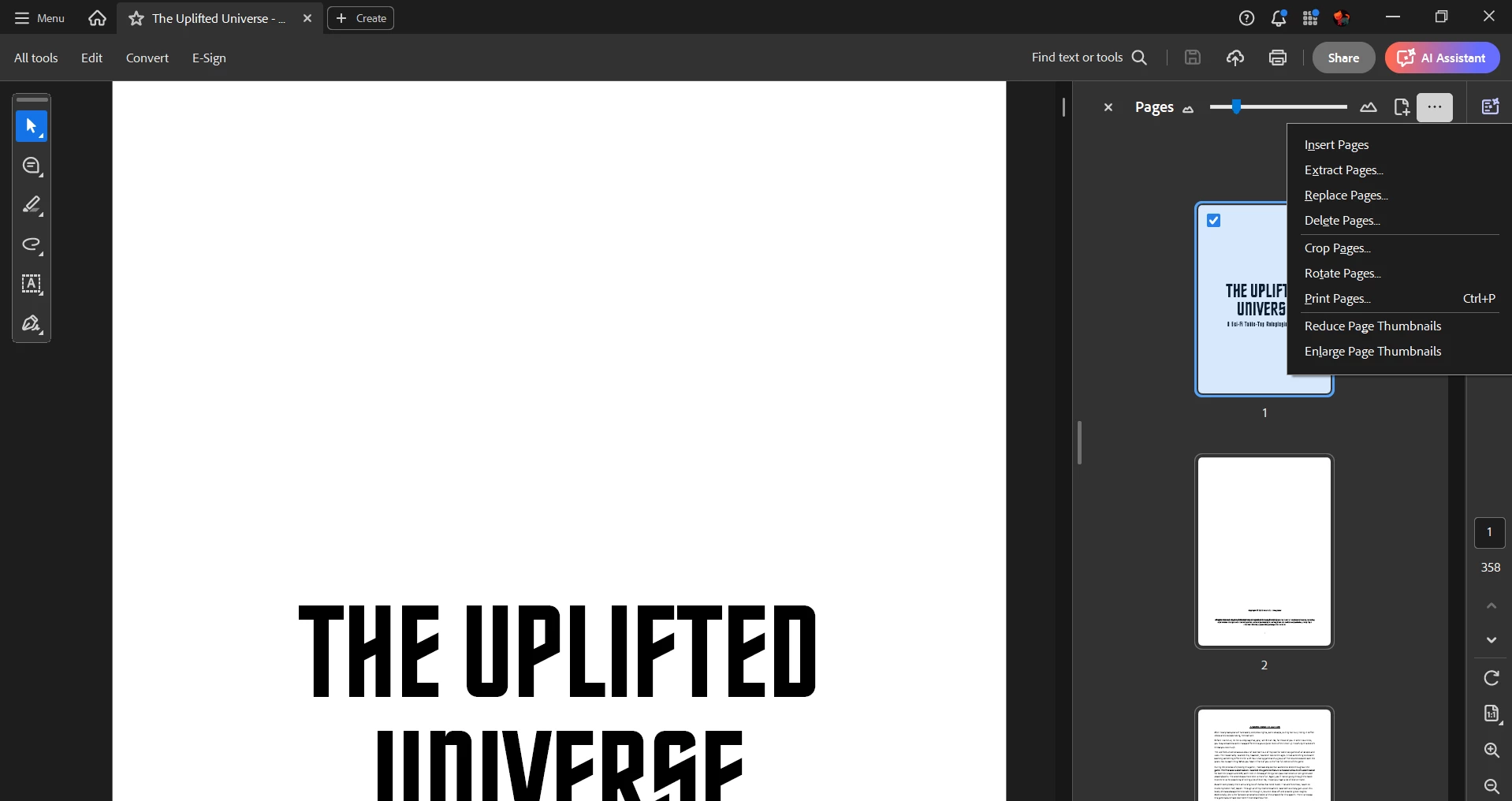
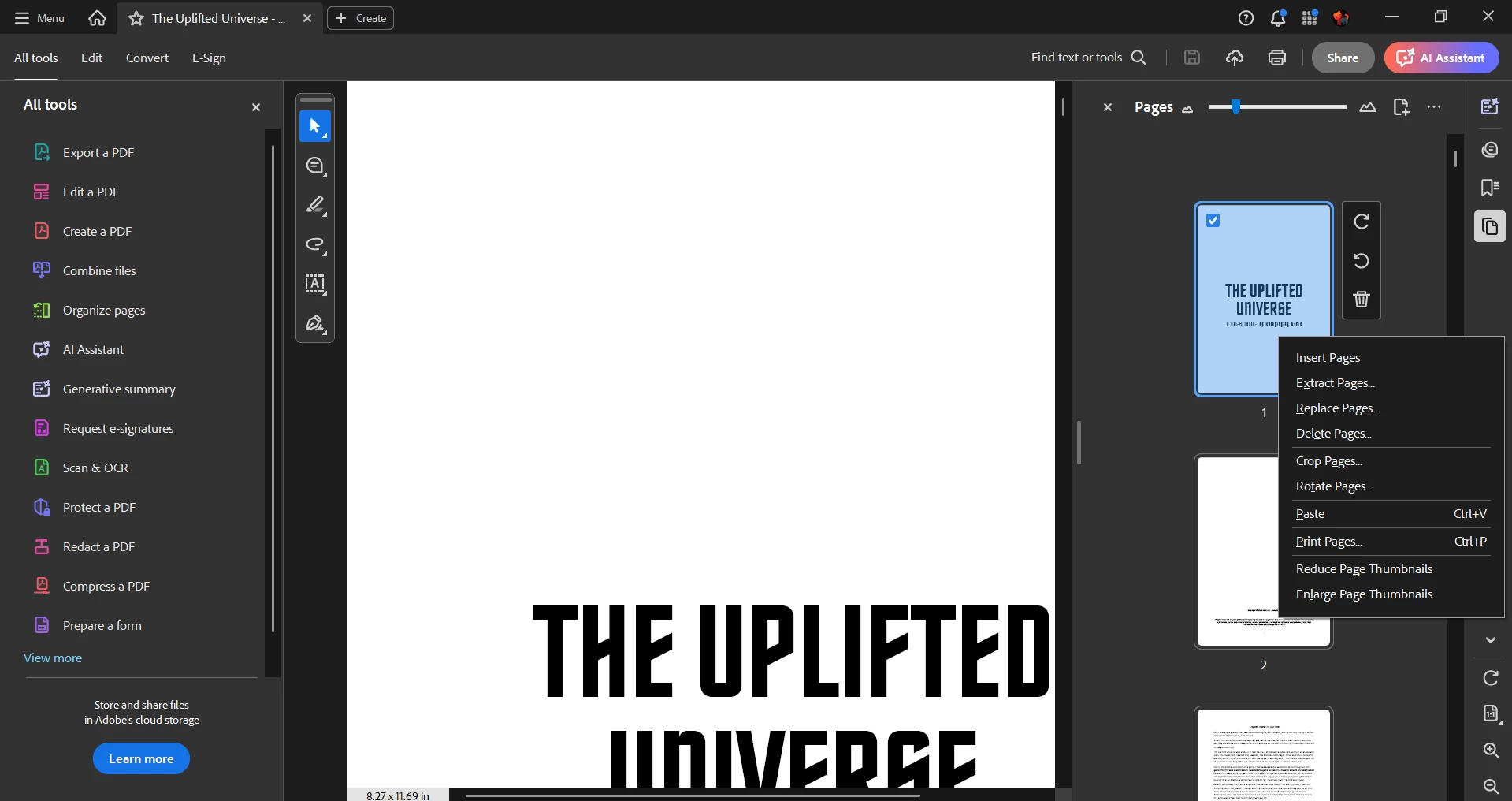
Open the "Page Thumbnails" pane then click on the local menu.


Acrobate du PDF, InDesigner et Photoshopographe
Participant
March 2, 2025

Yeah, that didn't work either.


I ended up completely uninstalling and reinstalling Acrobat, and that seemed to work. No idea what was going on, but I'm guessing a broken or corrupted file.

try67
Community Expert
Community Expert
March 2, 2025

It was probably working as Reader, not Acrobat. Maybe reinstalling caused it to identify your subscription and "switch" to Acrobat mode.

Bernd Alheit
Community Expert
Community Expert
March 2, 2025

In Adobe Acrobat use "Organize Pages"

Participant
March 2, 2025

Problem is, when I click Organise Pages, it takes me to a stupid web browser page.


And then, even if I upload the document to that, no option to change labels.