Participant
July 2, 2022
Answered

How do I embed Google Maps in a PDF file?

  • July 2, 2022
  • 2 replies
  • 18797 views

I am designing an event invitation card and would like to add a clickable button that will open Google maps to a specified location for directions. How do achieve this in a PDF file?

This topic has been closed for replies.
Correct answer Luke Jennings3

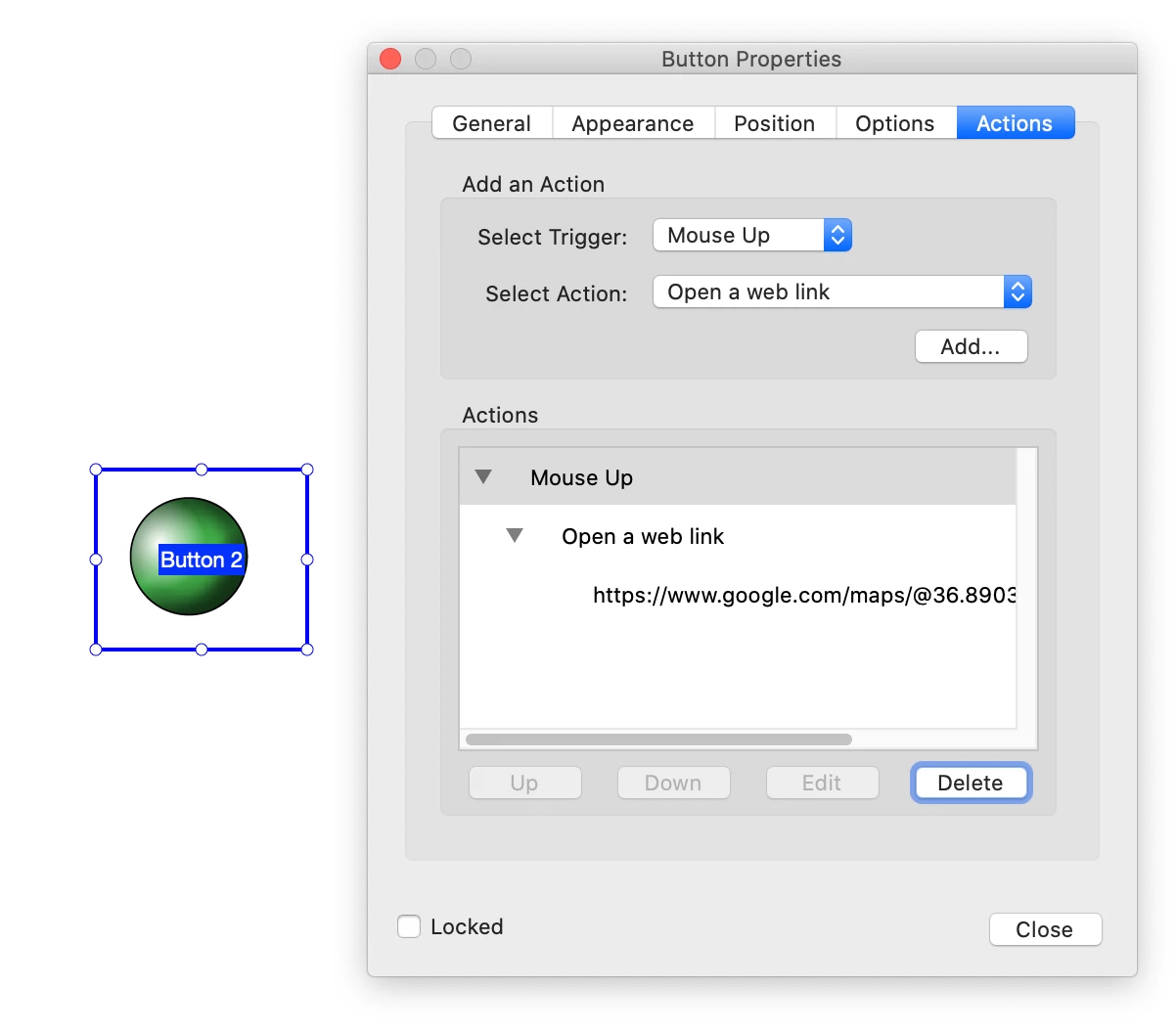
Create a button in your page layout software (like InDesign), open the pdf in Acrobat and go to Tools> Prepare Forms, right click the button to edit the button properties, copy the web address of the google map and paste it into the button.

https://helpx.adobe.com/acrobat/using/setting-action-buttons-pdf-forms.html
2 replies

Luke Jennings3
Community Expert
Luke Jennings3Community ExpertCorrect answer
Community Expert
July 2, 2022

Create a button in your page layout software (like InDesign), open the pdf in Acrobat and go to Tools> Prepare Forms, right click the button to edit the button properties, copy the web address of the google map and paste it into the button.

https://helpx.adobe.com/acrobat/using/setting-action-buttons-pdf-forms.html

Participant
July 3, 2022

I have tried this, and it's working (but only on the PC). When I try to click it on different phones it doesn't work, irrespective of the app I use to open. Can I send the file over and the link for you to assist me with it?

Luke Jennings3
Community Expert
Community Expert
July 4, 2022

You are not doing anything wrong, some pdf viewers, particularly on phones, do not support pdf buttons, probably for security reasons.

Legend
July 2, 2022

You would need to be able to make a link to a URL (thing starting https) and add it to the PDF. This isn't really about PDFs, it's about Google maps. I think Google do offer some advanced tools for making URLs to an exact location; you might have to sign up as a developer.