Participant
September 14, 2020
Question

How Do I get Rid of the highlighted fields

  • September 14, 2020
  • 2 replies
  • 4451 views

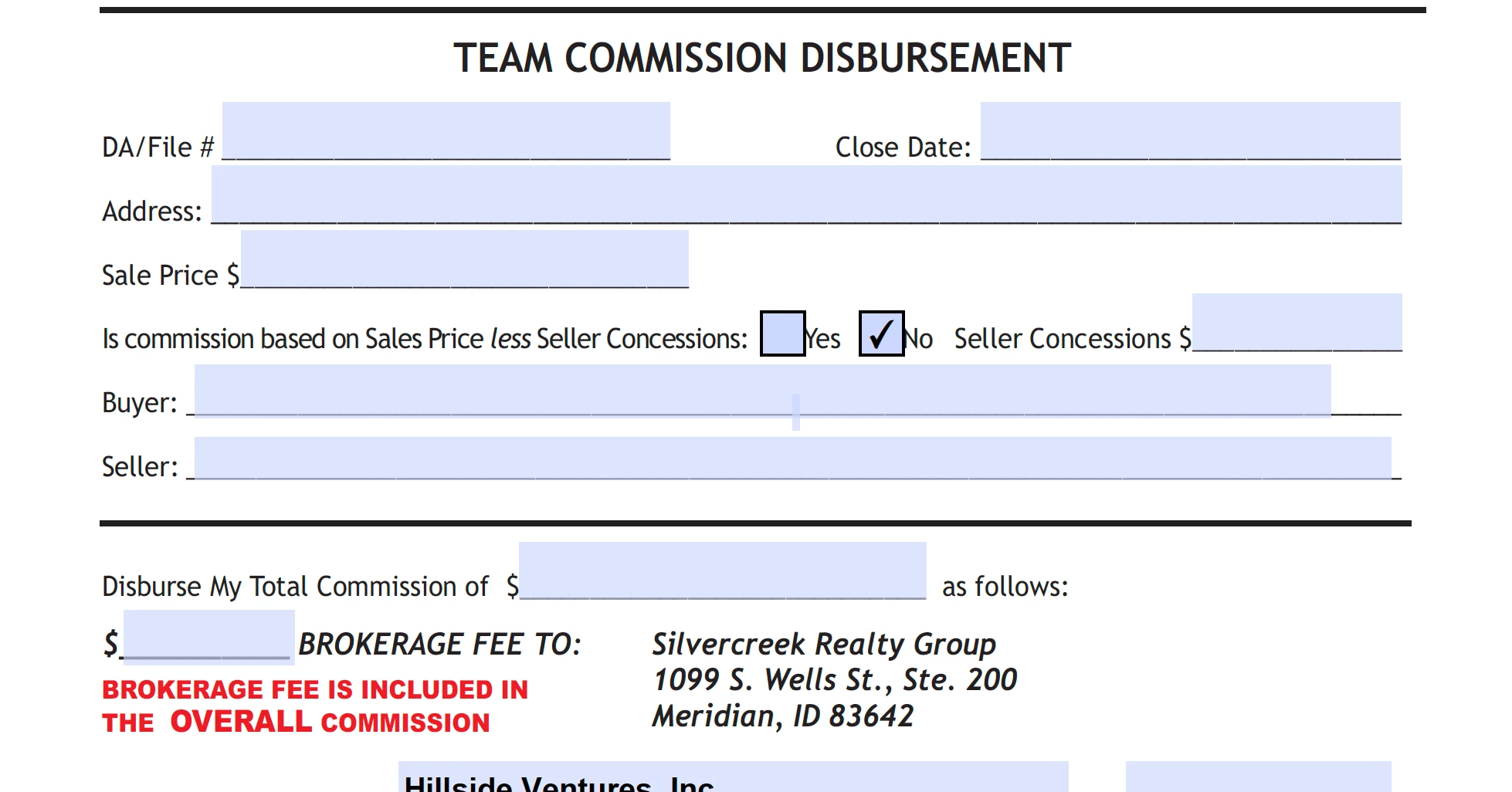
The purple field actually have text in them. If I click on the box, I can see the text. I don't want to see any of the purple, just the info.  Drives me crazy. Thanks.


This topic has been closed for replies.

2 replies

Luke Jennings3
Community Expert
Community Expert
September 15, 2020

If you just want to turn off the purple form field indicator, you can do this in Acrobat & Reader preferences. You could also change the purple to white by double clicking the little purple box.

Participant
September 17, 2020

Thank you!!

AkanchhaS8194121
Legend
September 14, 2020

Hi,


Looking at the description given above, if I understand correctly then whenever you click within the form field, you are able to see the text. However, when you click outside the box, then you can't.

You want to be able to make the text entered in the box visible. Is that correct? If yes, then-

There are couple of things that we need to check here-

1- If you are the creator of the form, then check the form filed properties and make sure the field is set to visible.

2- Hope you haven't opened this form to any other PDF viewer, like Mac's Preview. What likely happened is when,  Preview on a Mac is used to fill-in and save the form, the form gets corrupted. Read this discussion to see how to fix this: https://community.adobe.com/t5/acrobat/form-field-info-not-showing-up-unless-field-is-clicked/td-p/3069827?page=1

3- Share this form with us. We'd like to check this at our end to see what's causing trouble.


Thanks,

Akanchha
