Participant
August 23, 2024
Question

How do I get rid of the transparent blue background on online fillable Acrobat/Indesign forms?

  • August 23, 2024
  • 1 reply
  • 377 views

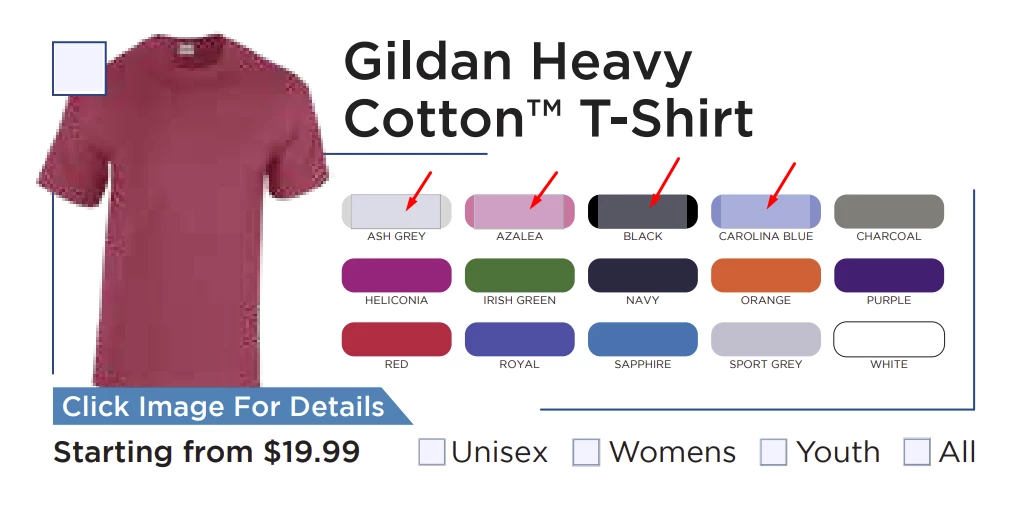
I'm creating an online fillable form for our customers to submit what they want thier online clothing store to have. In order to save space I opted to have the entire swatch of each colour be an individual checkbox. When I look at the form, the transparent blue background is not visible, but when my boss looks at it, he see's them. The hyperlink borders are completely invisible for myself and my boss. My boss doesn't have an adobe subscription and the majority of our clients/customers won't either.

I read there's code I can add to my file but I'm not sure how to apply it. Is there a different solution other than code? 
This topic has been closed for replies.

1 reply

PDF Automation Station
Community Expert
Community Expert
August 23, 2024

The code should be put in a document level script:

app.runtimeHighlight=false;

You could also put a button "turn off highlighting to see colors" with the script as a mouse up action.  Or better yet, make a highlight toggle button with this script:

if(app.runtimeHighlight==true)
{app.runtimeHighlight=false}
else
{app.runtimeHighlight=true}

If you don't want to use a code the user would have to press Ctrl + k to open the preferences window, then in the forms category, unselect "Show border hover color for fields".  Note that not all web browsers will support the script.

try67
Community Expert
Community Expert
August 23, 2024

Just be aware this code will affect all files opened by the user, not only yours, as this is an app-wide setting.

So you should at least notify the user of the change, or better yet, ask for their permission before doing it.