JohnTeichman
Participant
August 10, 2021
Answered

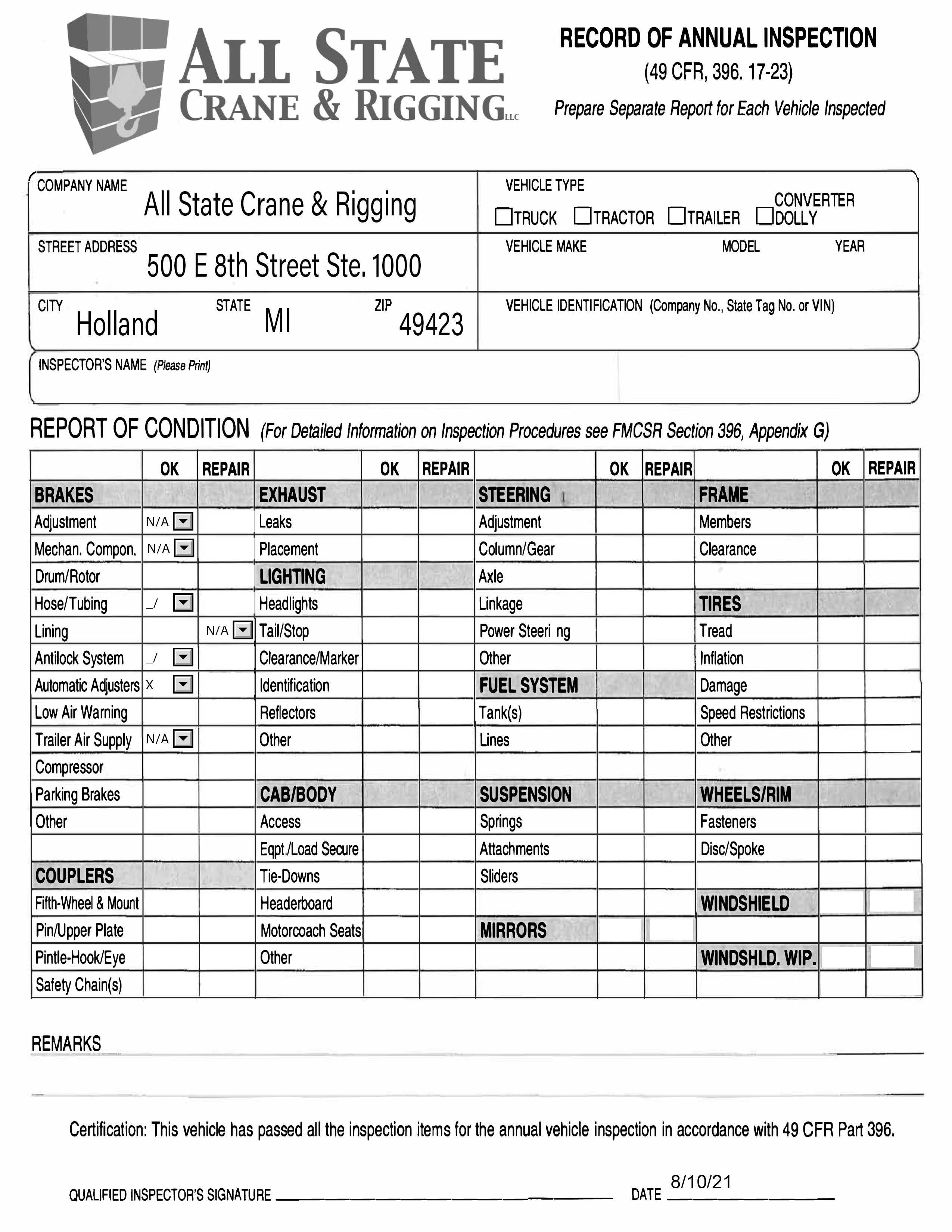
How do I make drop down menu arrow disappear after the area is filled out?

  • August 10, 2021
  • 2 replies
  • 15231 views

I have a fillable PDF with a lot of drop down menus. How do you make the arrows disappear after they enter the value? Would like to not have it there when it is printed.

This topic has been closed for replies.
Correct answer try67

The user will be able to select a value and change their selection as usual. It will be completely transparent for them. You can achieve it by applying the following code under Tools - JavaScript - Set Document Actions - Will Print:


for (var i=0; i<this.numFields; i++) {
	var fname = this.getNthFieldName(i);
	var f = this.getField(fname);
	if (f==null) continue;
	if (f.type=="combobox") f.readonly = true;
}


And this code under the Did Print event:


for (var i=0; i<this.numFields; i++) {
	var fname = this.getNthFieldName(i);
	var f = this.getField(fname);
	if (f==null) continue;
	if (f.type=="combobox") f.readonly = false;
}

2 replies

JR Boulay
Community Expert
Community Expert
October 21, 2021

I used a virtual printer and it worked fine for me too.

Acrobate du PDF, InDesigner et Photoshopographe
try67
Community Expert
Community Expert
August 10, 2021

You can do so by making the field read-only. However, if you do that after they select a value they won't be able to change it, which is not ideal.

Instead, you can do so (using a script) in the document's Will Print event, and then undo it in the Did Print event.

Participating Frequently
October 20, 2021

So someone using Acrobat Reader DC would still be able to chose an item from the list, but after selecting an item from the drop down they can't change it without closing and opening the file back up again?  Just trying to be sure I follow what you are saying. I am having the same issue with a form I created, but don't know how to write script so this is likely my best option, if it will work the way I think you have explained.  We just don't want the arrow to print on the form after they chose an option from the list, but they do need to be able to select an item from the list.  If they chose the wrong thing and need to change it, then if it has to be closed and re-opened we can make that adjustment so long as they CAN choose an item from the drop down in Acrobat Reader DC and it won't print the arrow.


Thank you!


When I test it on my adobe acrobat DC

Bernd Alheit
Community Expert
Community Expert
October 21, 2021

They did actually print it, I asked them the same thing lol so they sent me a picture of it after printing and the arrow still shows up  : (


What happens when you print the form?