Participant
January 10, 2025
Answered

How do I move a text box to the front or back of stack when editing PDF?

  • January 10, 2025
  • 1 reply
  • 8002 views

This is a generic PDF where I clicked on the "Edit" menu option, and I run into this problem constantly.

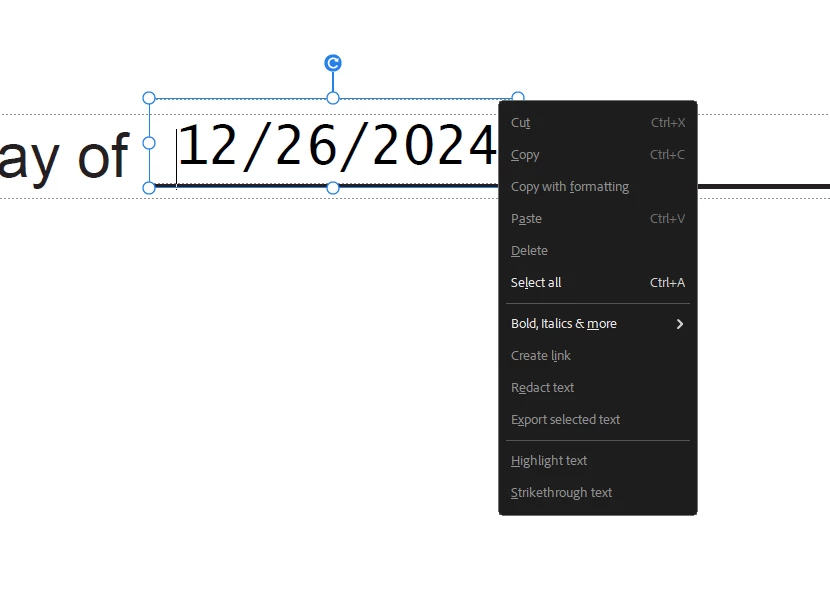
Acrobat thinks the line in this text is a separate text box rather than just a line. It creates the "12/26/2024" as a separate text box that I cannot access by clicking on no matter how close I zoom in, because the "underscore text box" is covering it and will intercept the mouse click. How do I move this "underscore text box" to the back so that I can access the "12/26/2024" text box?  


Correct answer defaultdidio7wukz4s

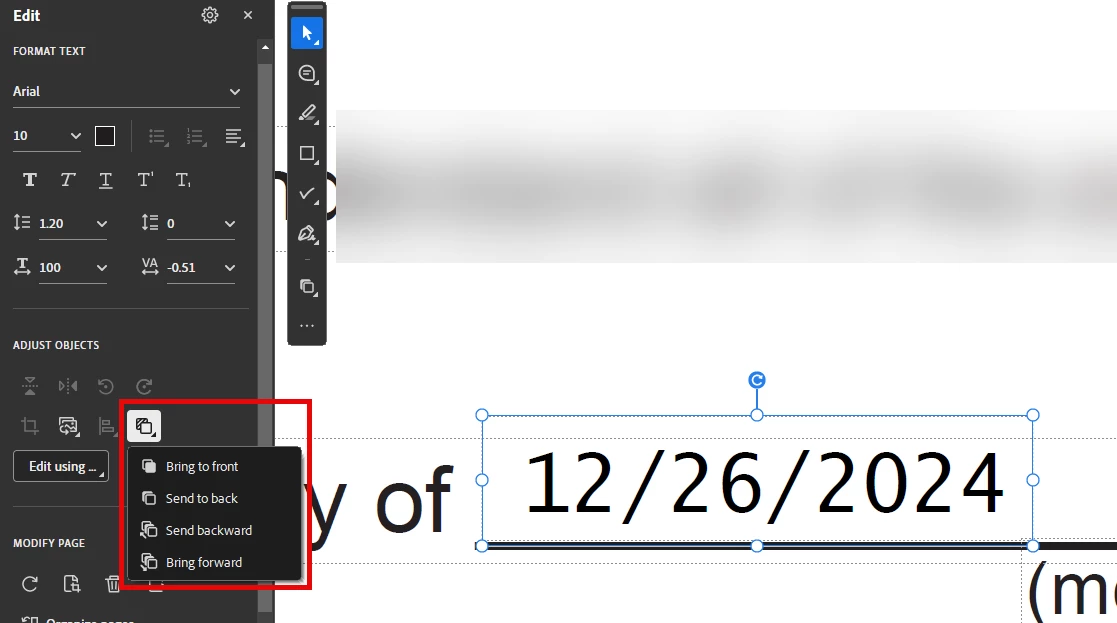
Thanks, I'm using Acrobat 24.005.20320 but the issue is I see no option anywhere to change - there is no right click option .. except I think I just foud the answer somewhat burried. The option shows up in the left column.


1 reply

Thom Parker
Community Expert
Community Expert
January 10, 2025

If you are using Acrobat Pro DC, then the "Edit PDF" tools will include options for manipulating the Objects (i.e. text boxes and graphics) on the page, including changing the order. 


Thom Parker - Software Developer at PDFScriptingUse the Acrobat JavaScript Reference early and often
defaultdidio7wukz4sAuthorCorrect answer
Participant
January 10, 2025

Thanks, I'm using Acrobat 24.005.20320 but the issue is I see no option anywhere to change - there is no right click option .. except I think I just foud the answer somewhat burried. The option shows up in the left column.


try67
Community Expert
Community Expert
January 10, 2025

Unfortunately, Adobe keeps moving tools around, renaming them and changing the way they work, which makes it very difficult to give advice if you don't know the exact version number (and have access to it)...