

sonofmrsnak
Inspiring
January 31, 2020
Question

How do I print a single page as two or more pages?

  • January 31, 2020
  • 1 reply
  • 1708 views

Not sure how to word this, but I have a Quickbooks transaction report 8.5x11 formatted to portrait mode.
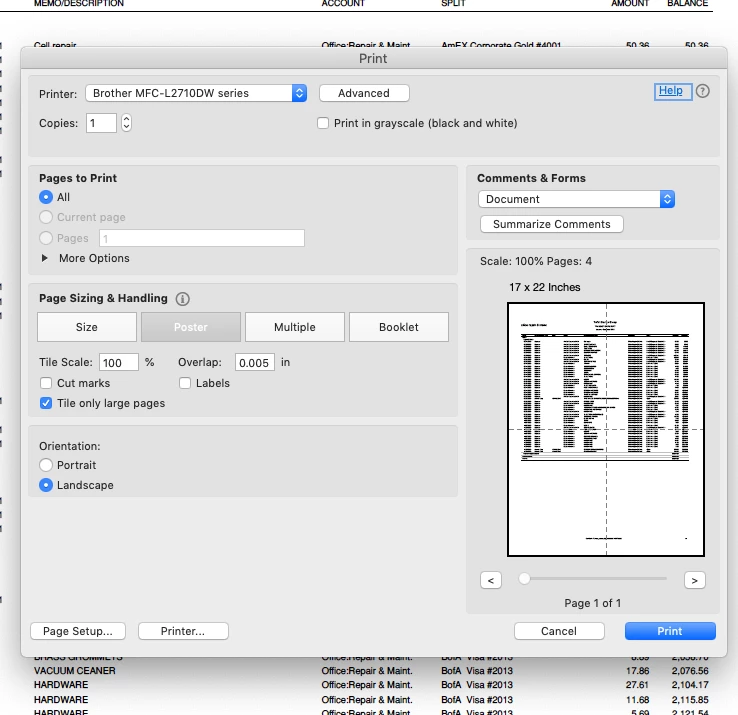
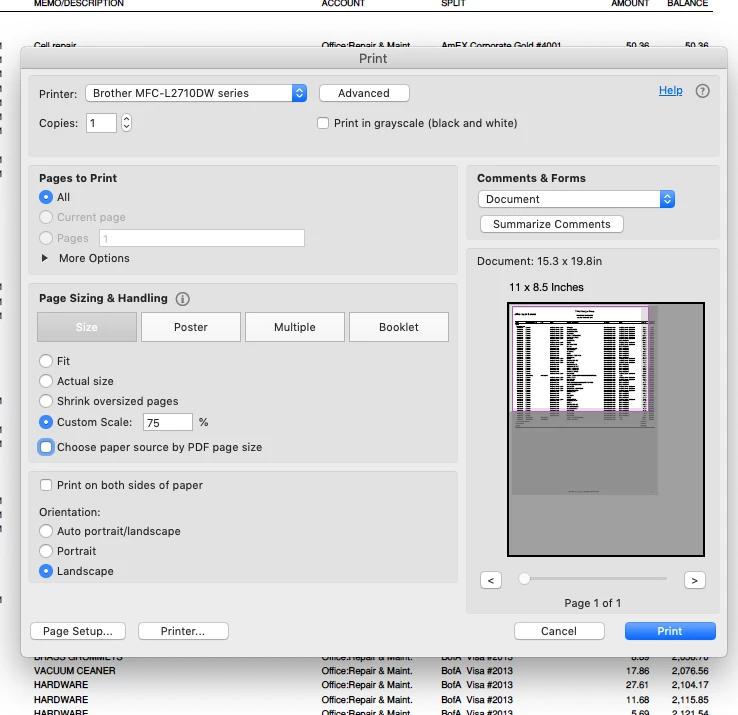
Since the text is too small to read, I switched to landscape, and then scaled the page to fit. It indicates only the top half of the page will print.

Not a probem if it also prints the bottom part of the document.

Only the one page will print, and I cannot manually move the page within the printer dialog area to print what is now the bottom half. Tiling centers the image, so that's not going to work
A workaround is in order, but not seeing anything in Google searches.
TIA
This topic has been closed for replies.

1 reply

ls_rbls
Community Expert
Community Expert
February 1, 2020

Hi,


I think it would be very helpful if you describe which operating system are you using, Acrobat Pro version, Quickbooks version and  a brief description of how you are exporting the transaction report from quickbooks to PDF.


For example, are you using "Save As" or are you using the quickbooks pdf  converter?

sonofmrsnak
Inspiring
February 1, 2020

Thank you:
Mac Mojave. latest version. Acrobat DC (latest full subscription version) Quickbooks Online, with reports saved as PDF (not printed) out of QB. I need the PDF versions as well.

Bernd Alheit
Community Expert
Community Expert
February 1, 2020

You can increase the page size with Acrobat DC Pro.