

How do I remove or deselect Noto Sans so it doesn't appear in Acrobat's text selection window?
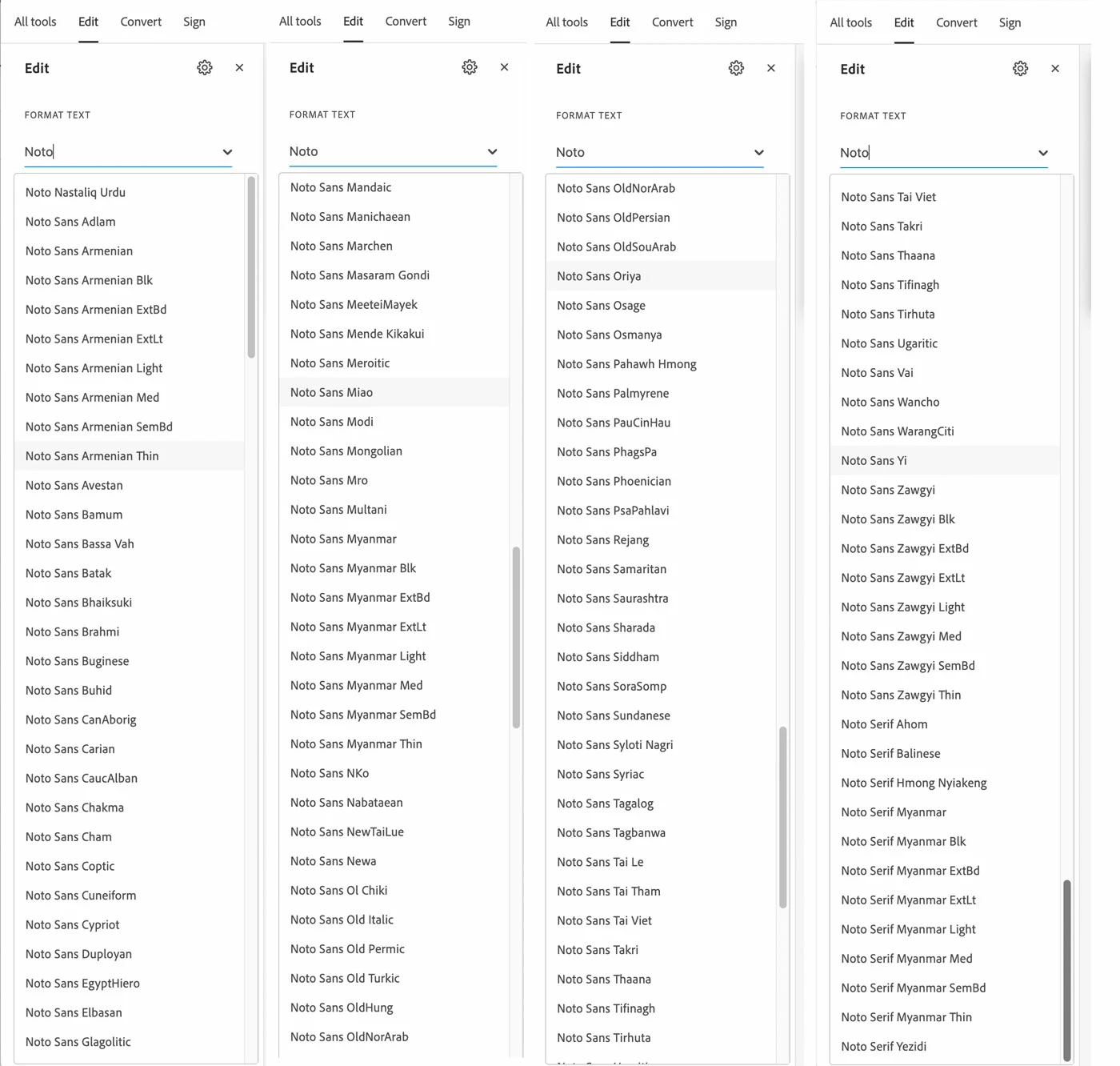
Noto Sans is apparently not a OTF font that is supported by Adobe. It's an Apple system font The illustration shows how Noto Sans appears in Acrobat 2023.003.20269. It clogs up the text selection window. For fun, I tried to use it and every version reproduces just like any other non-OTF fonts...as black dots. It's the same in every other app that uses fonts—InDesign, Photoshop, but is worst in Acrobat.
The illustration shows how Noto Sans appears in Acrobat, but side by side. Imagine having to scroll through all of this to get to Times New Roman.
Apple doesn't have a workaround. Is there a way to deselect Noto Sans and other useless Apple fonts so they don't appear in, and slow down, the character windows, especially in Adobe Acrobat?
This is Acrobat 2023.003.20269 on OS Ventura 13.5.1.
 AdChoices