
Answered
How do I set a "go back" hyperlink in Acrobat Pro DC?
Exported an InDesign file to a PDF. In an article on Page 1, have a hyperlink to a text anchor on another page of the document. When I click "See [Article] on Page 17," Acrobat jumps right to the text anchor on Page 17 (which is the title of the article we refer to).
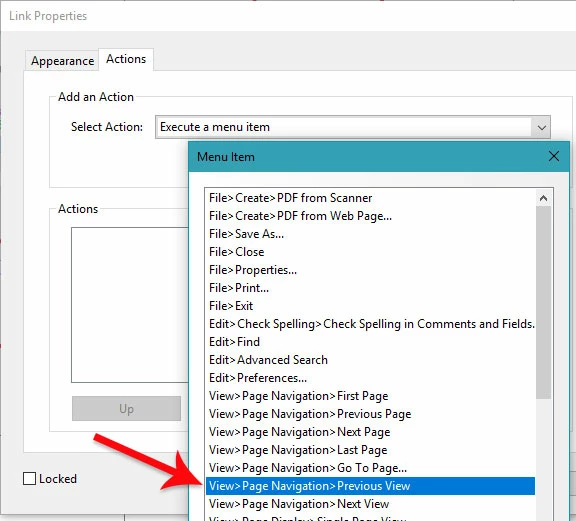
I need to know how I can set another hyperlink in the PDF that takes the reader back to that article on Page 1.
Or should I be doing this in InDesign?
Have Acrobat Pro DC 2017 and InDesign CC 2015. Our IT department won't update INDD to 2017 so no use going there.
Thanks in advance
JL
 AdChoices