"is to create it in the correct size in the first place."
This is not a helpful answer. If we knew how to do that then we probably wouldn't be here...
I've imported a JPEG as a custom stamp. The resulting stamp is WAY bigger than the JPEG previewed in my image editing app. There's no option to set the size of the stamp. I can 'resize' the JPEG all I like before importing it, but the resulting stamp is always the same ENORMOUS size.
Easy way:
No matter what size your original graphic was made, and what size it became once placed as a stamp in Acrobat, you can easily resize the stamp in Acrobat.
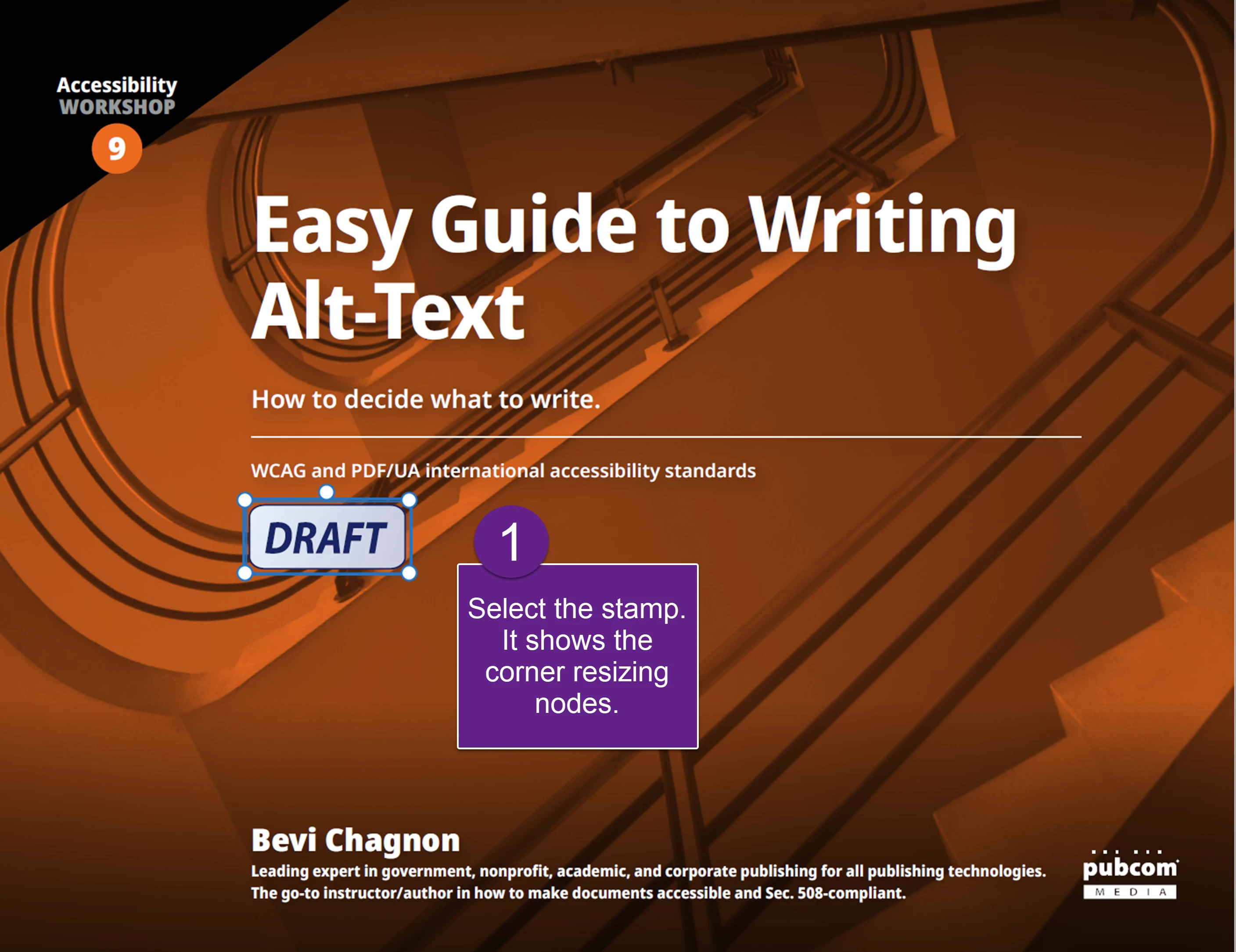
- Place the stamp and select it. The risizing nodes appear on the corners.
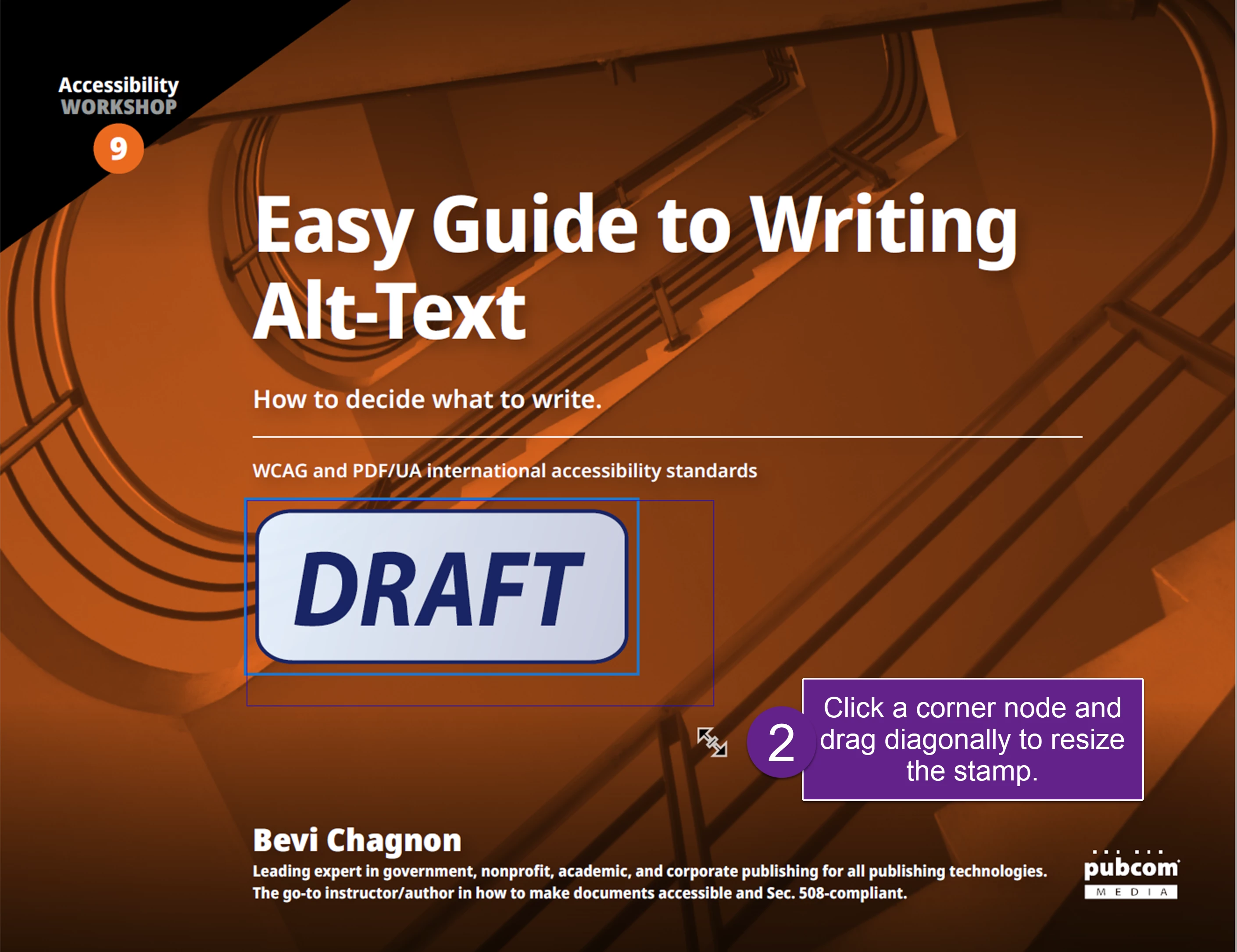
- Grab a corner node and drag it to the size you want.
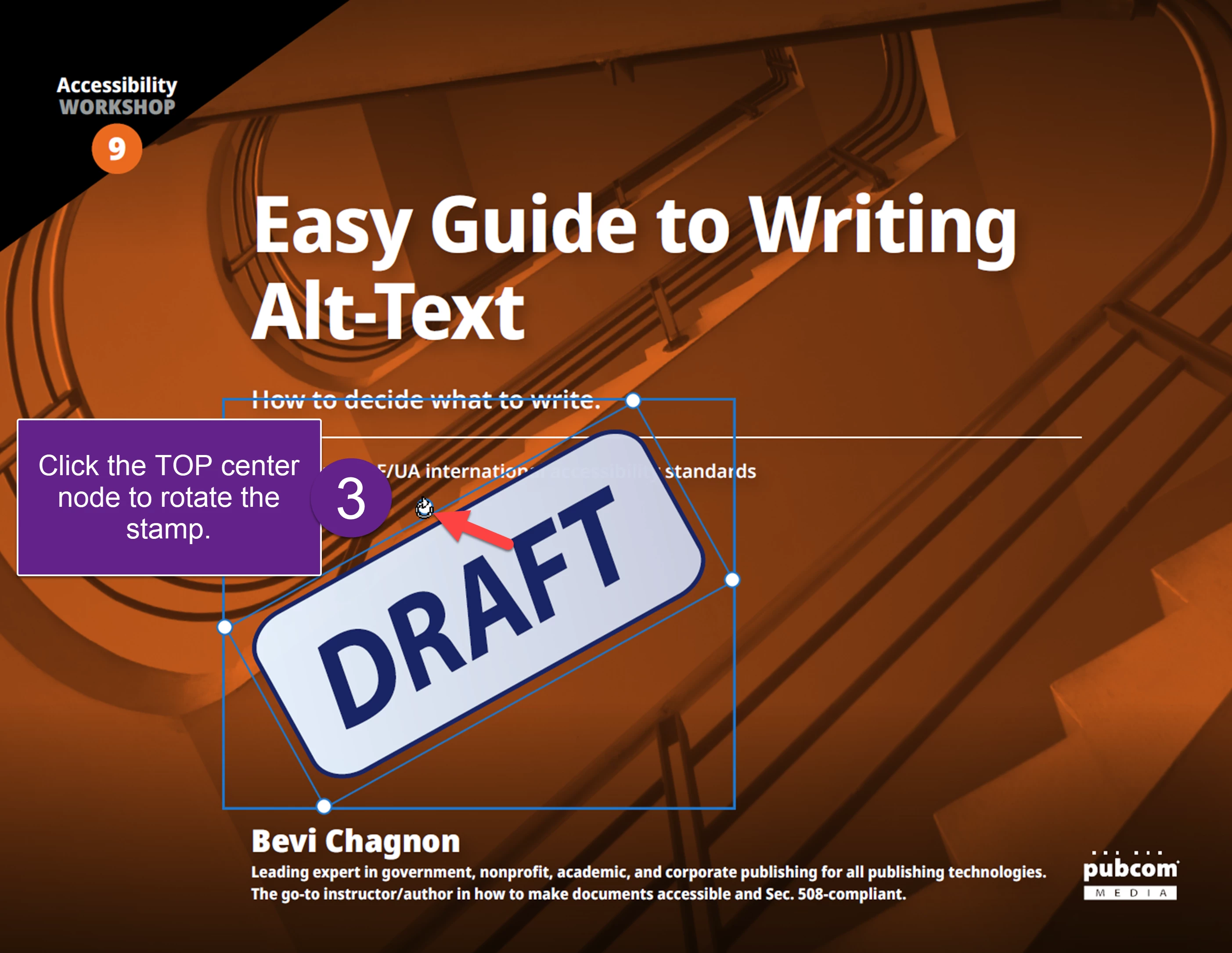
- You also rotate the stamp by grabbing the top center node and rotating your cursor clockwise/counterclockwise.
4. And you can move the stamp anywhere on the page. Click the stamp in the middle and drag it.


 AdChoices