
Participant
July 7, 2023
Question

How to Autofill Next Page with Sequential Numbering
  • July 7, 2023
  • 1 reply
  • 494 views


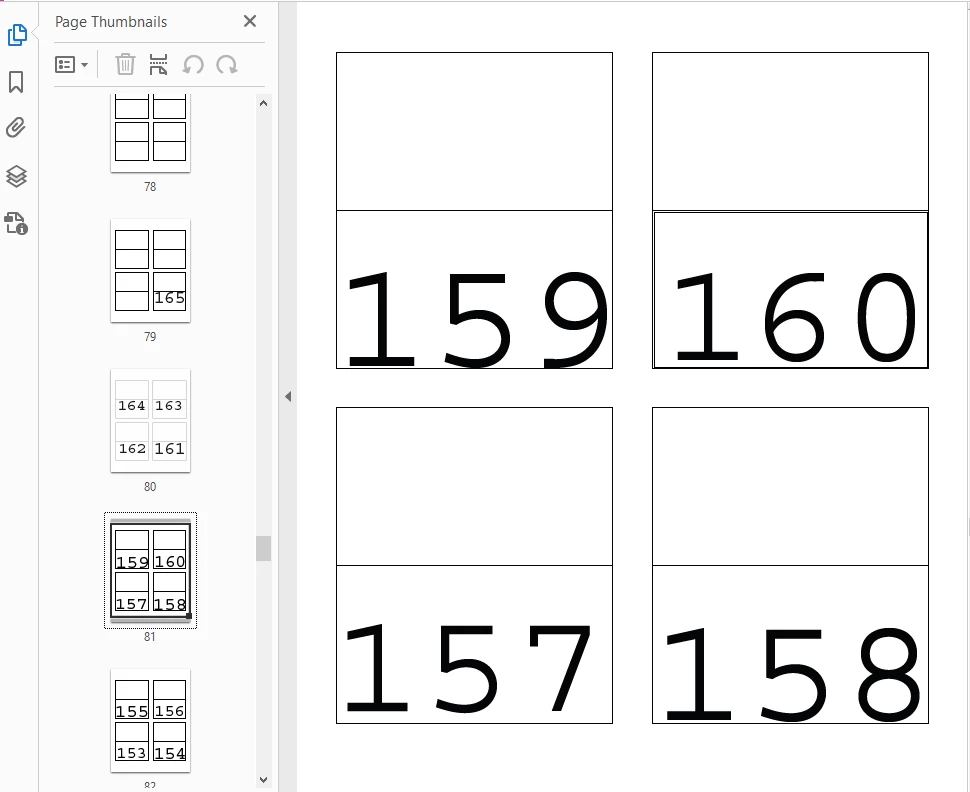
I am trying to autofill or populate the next page with sequential numbering, I need to have up to 480 in terms of my maximum and 1 is my minimum. I have been manually typing these numbers into each field but there has to be a formula or java action to autofill these pages for me with the maximum/minimum parameters. 

This topic has been closed for replies.

1 reply

Thom Parker
Community Expert
Community Expert
July 7, 2023

Yes, a script can be written to automatically field form fields with sequential numbers.  But more infomation is needed. 

What are the names of the fields?  How did you create this form? Are the pages spawned from a template? manually copied?


Thom Parker - Software Developer at PDFScriptingUse the Acrobat JavaScript Reference early and often
Participant
July 7, 2023

The pages are manually copied, not too sure what the names of the fields would be theyre just text boxes with numbers, is there a way to check the names? 

Thom Parker
Community Expert
Community Expert
July 7, 2023

One of the key elements to being able to automate such a process is having a consistent and predictable naming scheme. The script needs to know which field comes after the next, in order to put the numbers in order.  It is possible to do this with geometry, but it's a lot more work. 


Open the PDF in Acrobat Pro and select the "Prepare Forms" toolset. This will display all the field names. Post a screen shot. 


Thom Parker - Software Developer at PDFScriptingUse the Acrobat JavaScript Reference early and often