
How to change the background color in PDf documents? Not working for me.
Using Adobe Acrobat Pro DC (Version 2021.011.20039) I followed Instructions on how to change the background colour in a PDF document. It didnt work. There are some other posts saying the same outcome.
Can anyone advise why it is not working. I want to change the colour or make the background neutral of transparent:
Here are the Instructions which I followed (I have also attached a Photo of these below)::
. Open a PDF documenrt using Adobe Acrobat Pro DC app and choose the following option: 'Edit' > 'Preferences'.. Highlight the 'Accessibility' option on left-hand side and the following window will be displayed : 'Accessibility'
Choose 'Replace Document Colours'. The options underneath now are made available, so chose the options best suited to what you want. The most useful option is 'Custom Colour' which allows a choice of colors for the background and the text.
To close the option, press the ''x' in top right-hand corner.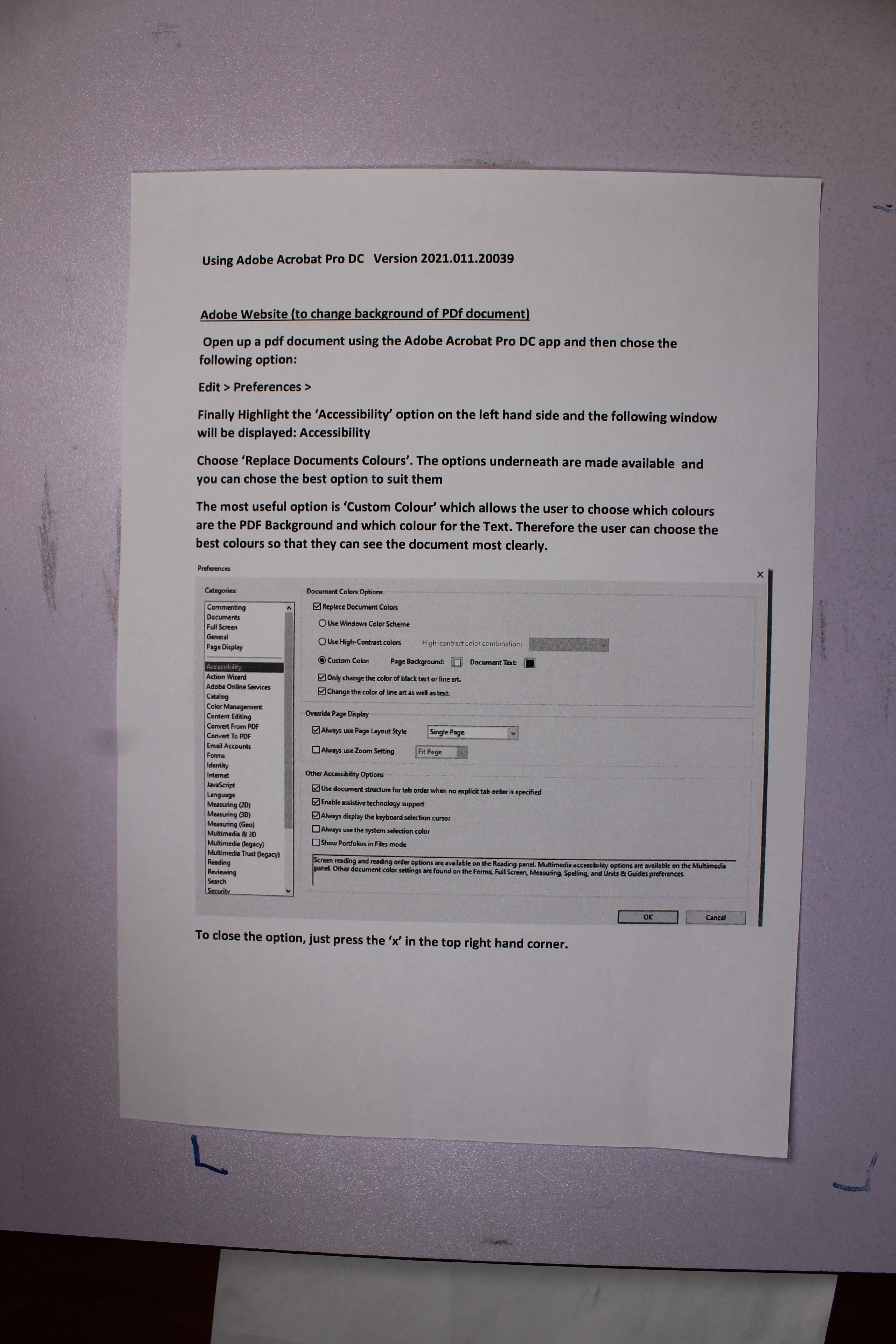
 AdChoices