Inspiring
April 24, 2018
Answered

HOW TO CROP DOCUMENT ALL PAGES TO SPECIFIC SIZE

  • April 24, 2018
  • 1 reply
  • 6999 views

hi,

I have a PDF with fifteen 17x22-inch pages

and one 11x22-inch page

the 11x22 is the correct size

(the extra space on the wide pages is white space

and the good area is centered on the wide pages)

HOW TO CROP THE ENTIRE PDF - PAGES AND ALL?

I want to avoid drawing a crop box on each page x15

thanks...

Using Acrobat Pro CS6 on Mac 10.6x
This topic has been closed for replies.
Correct answer Bernd Alheit

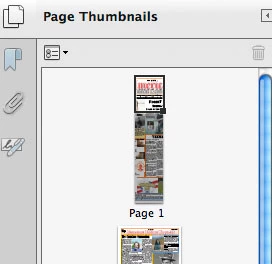
unfortunately the following method i used also cut into the correct size

(see sides cut off P1 thumbnail, wide pages properly trimmed)

i did following:

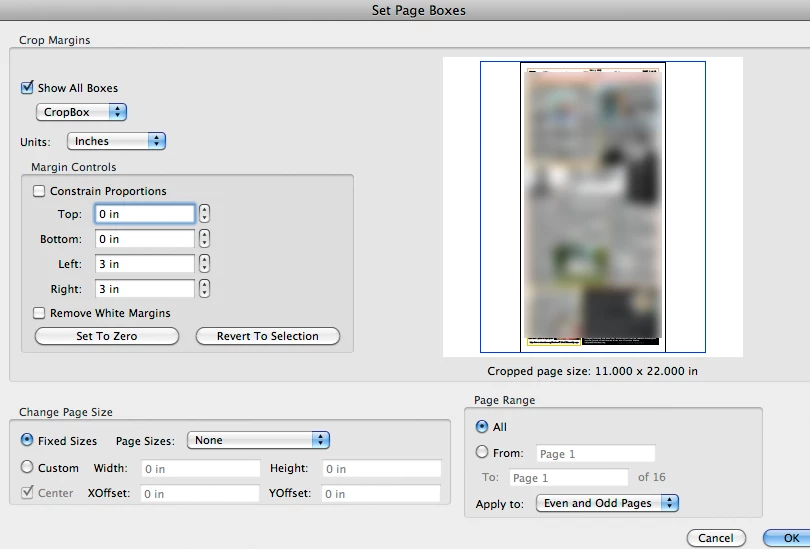
Tools > Pages > Crop (double-clicked on wide page to open Set Page Boxes dialog)

checked Page Range All

entered values for left/right

that gave me the crop i wanted on all the wide pages, but that ALSO cropped into the correct page


Move the correct page to end, crop pages 1 to 15, and move the correct page to the old place.

1 reply

Bernd Alheit
Community Expert
Community Expert
April 24, 2018

You can crop the 15 pages.

Inspiring
April 24, 2018

yes, i'm hoping i can, but the question is how?

try67
Community Expert
Community Expert
April 24, 2018

thank you

i actually had 2 correct pages

and 14 pages with the six extra inches of white space (3 left- 3right side) that i wanted to crop off

the only way i found to finish my crop task was to perform two Page Range crops, one from "2" to "11" and one from "13" to "16"

i didn't have to move any pages at all - Page Range worked flawlessly as long as no correct pages were included in the range

at this point i am presuming Acrobat Pro CS6 is unable to crop "All" as per my original question (without working around the correct pages)

thanks to all...


A script can be used to do it just for pages of a specific size (or to all pages not of a specific size...).