
Participant
May 15, 2018
Answered

How to disable automatic smoothing of the pencil tool

  • May 15, 2018
  • 1 reply
  • 21187 views

I'm using adobe acrobat standard DC.

I've been looking all over for this to no avail. When I'm marking up documents, sometimes the automatic smoothing of the pencil tool messes up my writing/drawings. Any Ideas?

Thanks in advance!
Correct answer harshas13

Hi Pauls,

Sorry for the delayed response.

In Acrobat DC, we do not have an option to disable automatic pencil smoothing.

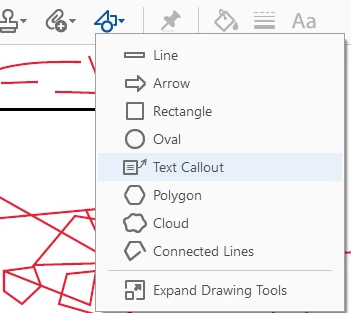
Just as a suggestion , you can try our other markup and drawing tools to draw various lines and shapes if that fits your purpose.

Let me know if that works for you.

Could you also please share a screenshot of the file indicating the impact of the automatic smoothing of pencil tool so we could check it?

-Harsha

1 reply

harshas13
Adobe Employee
harshas13Correct answer
Adobe Employee
May 24, 2018

Hi Pauls,

Sorry for the delayed response.

In Acrobat DC, we do not have an option to disable automatic pencil smoothing.

Just as a suggestion , you can try our other markup and drawing tools to draw various lines and shapes if that fits your purpose.

Let me know if that works for you.

Could you also please share a screenshot of the file indicating the impact of the automatic smoothing of pencil tool so we could check it?

-Harsha

Participant
May 4, 2020

This is ridiculous. It is very difficult to use the pencil feature to make notes or hand-fill a PDF file because of the automatic pencil smoothing/shaping. Listen to your customers. Provide a simple checkbox to turn this "feature" off so that those of us who would like to use the pencil in this manner can do so without having to erase and undo every five seconds. Does anyone even use the Pencil as it was intended by Adobe??

Adobe Employee
May 12, 2020

Hi wroyer@ntwo.com ,

Adobe Acrobat and Reader official update (20.009.20063) containing the fix for this issue is now available. This update will be automatically pushed to all existing installations of Acrobat and Reader. You may also manually trigger the update early by opening the application and going to Help > Check for Updates.
More information about this release is here: https://helpx.adobe.com/acrobat/release-note/release-notes-acrobat-reader.html 
Please take a note that you need to create a registry to enable this fix. Please follow the steps-

- Close Acrobat if already running

- Create registry "bDisablePenToolSmoothening" and set it to 1, complete path of the registry dword for Acrobat DC is:

   [HKEY_CURRENT_USER\Software\Adobe\Adobe Acrobat\DC\AVGeneral]
       "bDisablePenToolSmoothening"=dword:00000001

- Now try using pencil tool and see if smoothening is disabled.


Thanks for your patience and support!


Regards,
Arvind