
Participating Frequently
April 14, 2020
Answered

How to Edit and Create AutoFill in Adobe Acrobat Standard DC

  • April 14, 2020
  • 2 replies
  • 14610 views

Using Adobe Acrobat Standard DC.  


I have a PDF sent to me (don't know how it was created) that has a data entry page which populates the rest of the document.  The autofill sections are in blue.  


I want the ability to create new autofills as well as move the other ones to different parts of the page but edit does not allow me to move the autofill.  Any suggestions?  Are there instructional videos on this? 
This topic has been closed for replies.
Correct answer try67

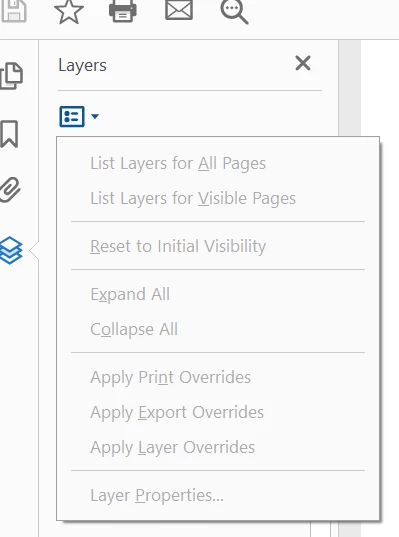
Was trying to use layers but my Acrobat does not show where i can import or add a layer.  I'm running version Adobe Acrobat Standard DC Continuous Release \ Version 2020.006.20042   Does my version not allow it?  Thank you.  


It's possible this is only available in Acrobat Pro.

2 replies

CDavidVAuthor
Participating Frequently
April 15, 2020

Thank you.  Is there a way to create forms that turn on and turn off a) text and b)fields?  For example, I have a form and have two fields, one for each signature.  Can I create a check box that if checked shows the fields for both signatures, but if unchecked shows on the fields and text for one signature.

Example:

[text]BY:______________                                                       [text] BY:______________________

[field that would input persons name]                                   [field that would input persons name]

if a box was checked, both would show up on the document but if box was unchecked, only the first "by-line" would show?   Thank you.   

try67
Community Expert
Community Expert
April 15, 2020

Yes, kind of. You can show/hide fields, but not static text. However, you can achieve that by placing white, read-only fields on top of the text and then show those fields when you want to hide it and vice-versa. Or you can move the text to be the value of a (read-only) text field and then show/hide that, instead.

CDavidVAuthor
Participating Frequently
April 20, 2020

Thank you.  This was helpful. However, instead of hiding the static text with other "Whited out" fields, can I use layers?  Was hunting around and this seemed like another solution that i need to learn more about.   

try67
Community Expert
Community Expert
April 14, 2020

Use the Prepare Form tool.

try67
Community Expert
Community Expert
April 14, 2020

NB. The "auto-fill" is most likely just fields with the same name.