
LoganWood
Participating Frequently
May 31, 2024
Answered

How to have Document Level JavaScript run when clicking a button?

  • May 31, 2024
  • 2 replies
  • 3158 views

Hello!


I am stuck on an issue where I have been attempting to create a button that opens an attached PDF and then autofills its Text Fields based off Text Fields in the original PDF that use the same name. So far, I have added two document level javascripts to the original PDF.  In the example below, I trying to have the script pull a first name field from the original PDF.


Name of first doc level script: Auto Pop Test

var NewlyOpenedDoc = app.activeDocs[0];


Name of second doc level script: Text Field Populate

newlyOpenedDoc.getField("First Name").value = event.value = this.getField("First Name").valueAsString;


For the actual button, I have it set to execute a JavaScript on Mouse up to open the PDF attached to the original. This works without issue luckily! However, I have no idea how to get it to call/run the document level script to pull the First Name automatically. If I click the button to open the attached PDF, go back to the original, and click on the Doc JavaScript name inside the JavaScript tool, it will then actually pull the First Name from the original and fill out the First Name in the attached one.


Lastly, in the attached PDF, I also have one doc level script saved and it is:

this.disclosed = true;


Any help is massively appreciated! Thank you!
This topic has been closed for replies.
Correct answer try67

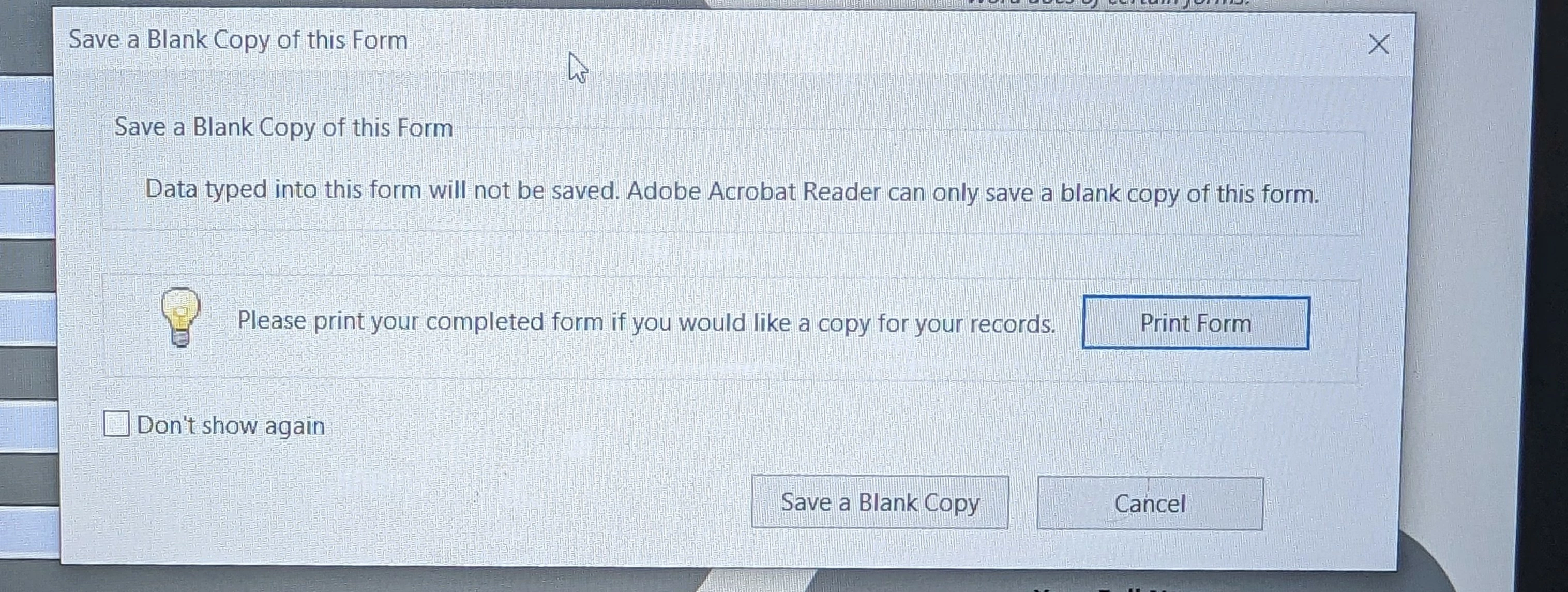
Yep! I did try that. On Adobe Reader, once opening the attached Reader Extended PDF, this is what shows up when I click "Save As."


Using Reader it's not possible to modify an attachment (unless a very special right is applied, which is not possible with just Acrobat). You have to save it as its own file on your computer first, then close and re-open it. If you do that, though, the script is not going to work for that file any longer, I'm afraid.

2 replies

PDF Automation Station
Community Expert
Community Expert
May 31, 2024

Change your document level script to this:

this.disclosed=true;
function populate(fld)
{
var aDocs=app.activeDocs;
var doc;

for(i=0;i<aDocs.length;i++)
{
if(aDocs[i].documentFileName=="FileNameExample.pdf")
{
doc=aDocs[i];break;
}
}
doc.getField(fld).value=this.getField(fld).value;
}

Your button script should be this:

this.exportDataObject({ cName: "FileNameExample.pdf", nLaunch: 2 });
populate("First Name");
populate("Last Name");
populate("Address");

//etc.

LoganWood
LoganWoodAuthor
Participating Frequently
May 31, 2024

This is amazing! It is working flawlessly right now. I'm going to experiment with this to see what all I can populate into the attached file. I assume if I would like to attach other files to populate, I can just duplicate the doc level script and button script and edit it with the respective file name?


Thank you so much!! Would not have been able to do without your code lol.

PDF Automation Station
Community Expert
Community Expert
May 31, 2024

You can't duplicate the doc level script in same PDF for different buttons/attachments because all those scripts will run when you open the document so each function will override the previous one if the function names are the same.  However, the beauty of a function in document level script is that the same one can be used for different input variables.  I rewrote the document level script for you so that you can resuse the same one for different attachments:

this.disclosed=true;
function populate(fld, attachment)
{
this.exportDataObject({ cName: attachment, nLaunch: 2 });
var aDocs=app.activeDocs;
var doc;

for(i=0;i<aDocs.length;i++)
{
if(aDocs[i].documentFileName==attachment)
{
doc=aDocs[i];break;
}
}
doc.getField(fld).value=this.getField(fld).value;
}

In the button field, all you need now is the following (one line for each field):

populate("First Name", "FileNameExample.pdf");
populate("Last Name", "FileNameExample.pdf");

The first input is the field name and the second input is the document file name of the attachment.  Simply change the second input for other attachments.

PDF Automation Station
Community Expert
Community Expert
May 31, 2024

To use app.activeDocs in a button, both documents should have disclosed set to true.  To call a document level script in a button it should be written as a function like this:

function populate(fld)
{
app.activeDocs[1].getField(fld).value=this.getField(fld).value;
}

The script above is call in the button, with the name of the field(s) replacing fld:

populate("First Name");
populate("Last Name");
populate("Address");
//etc.
try67
Community Expert
Community Expert
May 31, 2024

Using the activeDocs array is not a good idea. How do you know that the file you want to access it the second one in the array? Maybe there are other files open at the time? If you really want to do it like that then you need to scan the entire array and search for a file that matches the name of the file you want to edit, using the documentFileName property, or some other identifier.

PDF Automation Station
Community Expert
Community Expert
May 31, 2024

Correct.  The array order seems to be the order in which they were opened.