austinbirdsong
Participant
September 28, 2021
Answered

How to insert image in Adobe Acrobat DC Pro version 21.7.20091.452411

  • September 28, 2021
  • 1 reply
  • 704 views

Hi, 


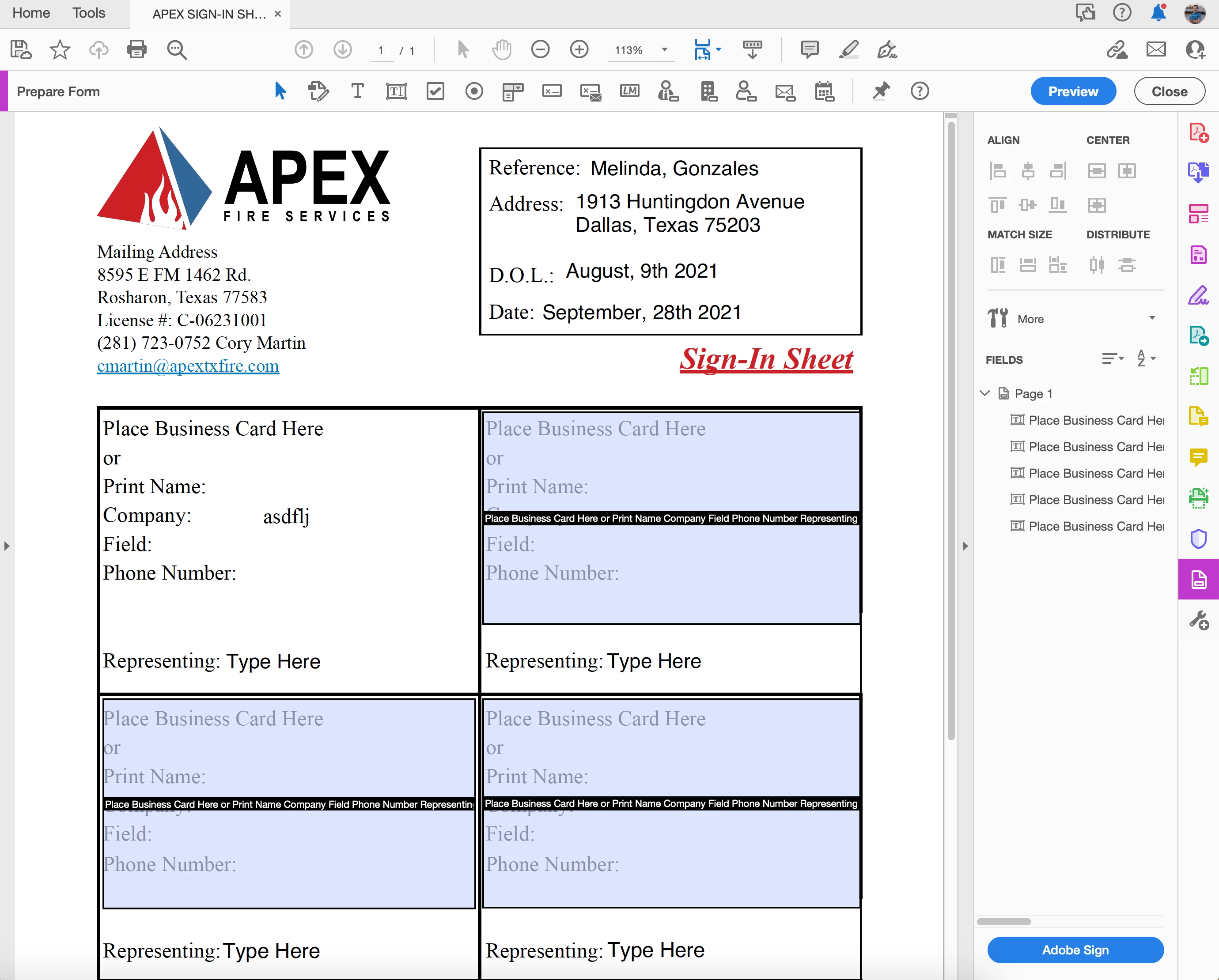
I am trying to insert an image into my PDF document but the insert image button under the "Prepare Form" tab is missing. I have Adobe DC Pro Version 

21.7.20091.452411. Below is a screen shot of the document I am trying to prepare. Where has the insert image button moved?


Thank you,

Austin B.
 

This topic has been closed for replies.
Correct answer Amal.

Hi there


Hope you are doing well and sorry for the trouble. As described you are unable to find the insert image button in the prepare form tab


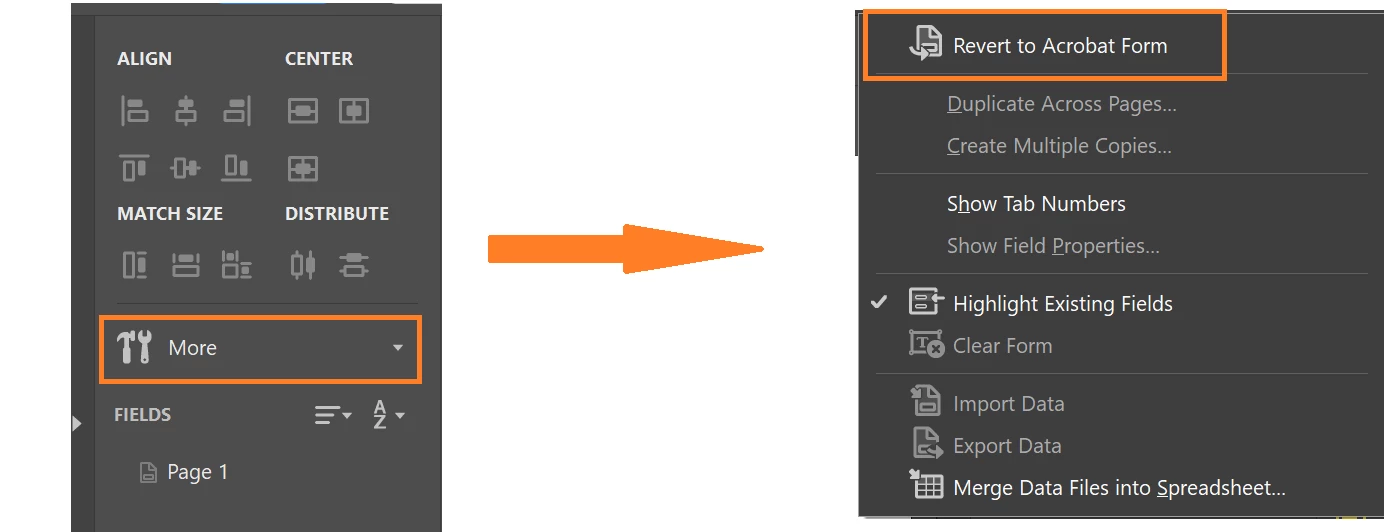
Open the PDF form > Go to Tools > prepare form > click on 'More' in the RHS pane of the Adobe Acrobat DC and select 'Revert to Acrobat form'


Let us know if you experience any trouble and need more help.


Regards

Amal

1 reply

Amal.
Community Manager
Amal.Community ManagerCorrect answer
Community Manager
September 28, 2021

Hi there


Hope you are doing well and sorry for the trouble. As described you are unable to find the insert image button in the prepare form tab


Open the PDF form > Go to Tools > prepare form > click on 'More' in the RHS pane of the Adobe Acrobat DC and select 'Revert to Acrobat form'


Let us know if you experience any trouble and need more help.


Regards

Amal

austinbirdsong
Participant
September 29, 2021

Thank you Amal for pointing me in the right direction.  That fix the issue.


Best,

Austin B.