Participating Frequently
January 25, 2023
Question

How to Install Acrobat Reader for Windows 64-Bit?

  • January 25, 2023
  • 3 replies
  • 2015 views

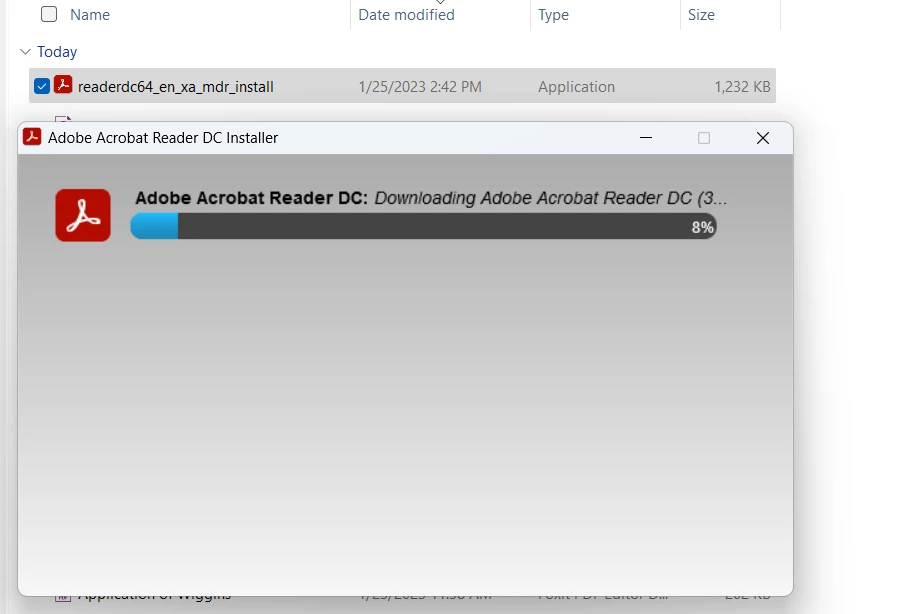
I follow the prompts to downlaod a 64-bit version of Acrobat Reader and am presented with a download that suggests it will install a 64-bit version of Acrobat Reader (readerdc64_en_xa_mdr_install) but the installer then installs a 32-bit version (which is clear when you float the pointer over the status bar title).  How do you actually get a 64-bit version to install?


This topic has been closed for replies.

3 replies

Braniac
January 26, 2023

And... why do you care? Don't believe the myth than 64-bit versions are faster!

SenorManoAuthor
Participating Frequently
January 26, 2023

I'm installing onto a clean Windows 11 install, so I don't think it's a plug-in.  My main concern was that the installer is not installing what the web form or installer claimed to be.

Braniac
January 26, 2023

If you have existing 32-bit plugins, that will stop installing a 64 bit version that can't work with them. 

ls_rbls
Braniac
January 26, 2023
SenorManoAuthor
Participating Frequently
January 26, 2023

I am trying to install Reader; the linked versions there are for the paid Acrobat product, unfortunately.