
wolffjulia
Participant
March 8, 2018
Answered

How to remove hidden information in Acrobat DC

  • March 8, 2018
  • 2 replies
  • 5597 views

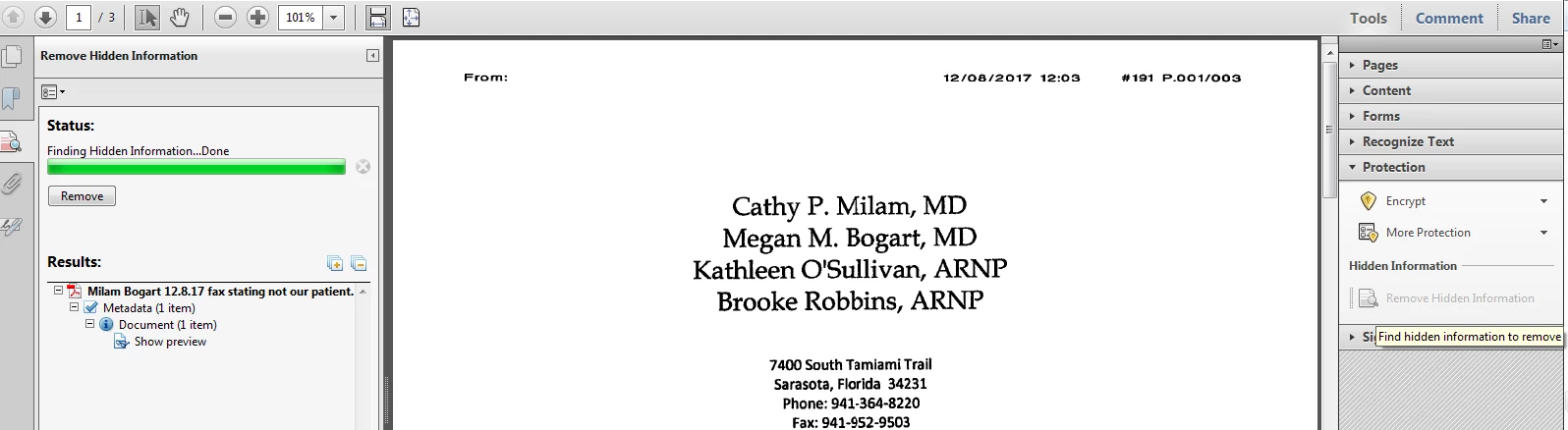
I have been using Acrobat X Standard, and have upgraded to Windows 10. It comes with the Acrobat DC standard and I am trying to use the same function to remove hidden information that used to be found under the protection tab of the tools bar in Acrobat X.  How do I use this function in Acrobat CD?

Thank you so much!

[Here is the list of all Adobe forums... https://forums.adobe.com/welcome]

[Comments is to ask about the operation of the Forum, not a specific program]

[Moved from the Comments forum to the specific Program forum... Mod]
This topic has been closed for replies.
Correct answer AnandSri

This is a screenshot of the function I was using with Acrobat X, I am trying to find this function in DC.


Hello Wolffjulia,

Sorry for the delayed response and inconvenience caused. You can find the Redaction function in Acrobat Pro DC under Tools>Redact.

For detailed information, you can refer to Removing sensitive content from PDFs in Adobe Acrobat DC

Feel free to update this discussion for any further assistance.

Regards,

Anand Sri.

2 replies

try67
Community Expert
Community Expert
March 8, 2018

You can redact in Acrobat Standard using this tool I've developed: Custom-made Adobe Scripts: Acrobat -- Convert Comments To Redactions

AnandSri
Community Manager
Community Manager
March 8, 2018

Hello Wolffjulia,

Redaction is only available in Adobe Acrobat Pro - not in Standard, So, to use the feature, you can subscribe to Adobe Acrobat Pro DC.

For plans and pricing, you may refer to Plans and pricing | Adobe Acrobat DC

More about Redaction, you may refer to Removing sensitive content from PDFs in Adobe Acrobat DC

Feel free to update this discussion for any further assistance.

Regards,

Anand Sri.

wolffjulia
Participant
March 9, 2018

So there is no way to remove metadata in the Standard version?

try67
Community Expert
Community Expert
March 9, 2018

What kind of metadata?