
Participant
June 3, 2021
Question

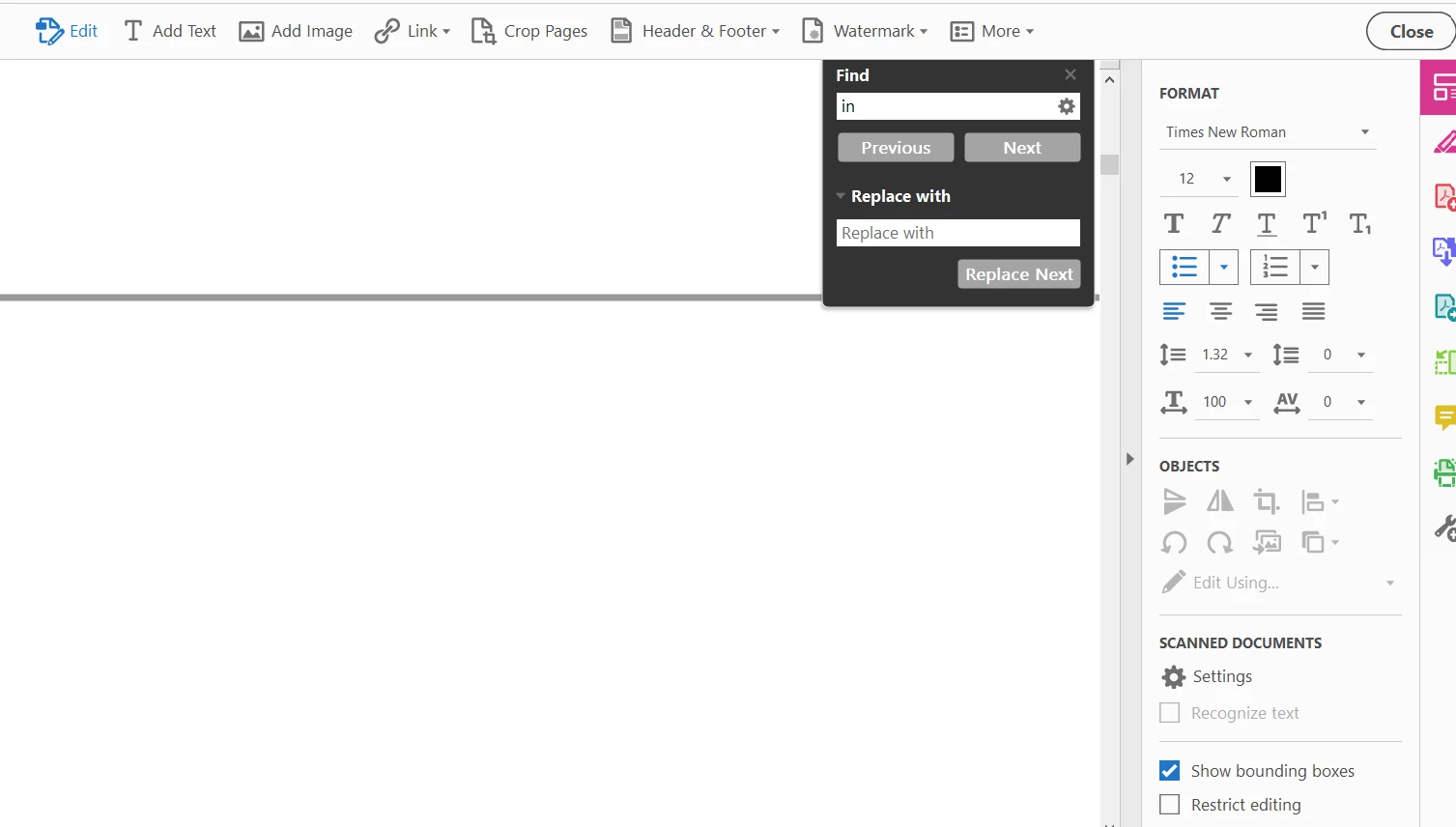
How to replace all instances of a word in acrobat pro ?

  • June 3, 2021
  • 3 replies
  • 9180 views

I want to replace all instances (around 534) of a word in my pdf file.

Currently I have to click the option replace with for every instance.


Is there any option or way like "replace all"  so that I click once and it replaces all instances of that word in single click ?


Please tell me if anyone knows.

Thanks and regards. 


This topic has been closed for replies.

3 replies

try67
Community Expert
Community Expert
January 10, 2024

If the new and old texts are the same length, and there's no surrounding graphics around it, then you could use the Remove Text redaction tool to do it. Set the old text as the text to redact, and the new text as the "Overlay text" of the redactions and it should work.

Karl Heinz  Kremer
Community Expert
Community Expert
June 3, 2021

Acrobat is not a word processor or a desktop publishing system). so it's support for things that are easy to do in e.g. MS Word are not necessarily things that Acrobat is good at. It's always best to make these kinds of changes in the original application, and then convert to PDF. As an alternative, you can try to export the PDF as a Word document, make the necessary changes in Word, and then convert back to PDF. I am not aware of a method in Acrobat to do a find and replace all. 

Participant
January 10, 2024

Oh no but there are cases where it's not that easy, the original program is AutoCAD and it's a 192 pages file, in AutoCAD I'd have to print/export out one by one since they are individual arquichectural plans that I later combined. So, I better start clicking my replace button 😩  

Document Geek
Community Expert
Community Expert
June 3, 2021

No, sorry. That is not a feature of Adobe Acrobat. There is further discusion on that topic here: https://community.adobe.com/t5/acrobat/find-and-replace-all/m-p/6981117