
Known Participant
March 9, 2023
Question

How to save as Adobe PDF to match much higher resolution from PowerPoint Export to PDF?

  • March 9, 2023
  • 1 reply
  • 5400 views

What setting, for Adobe Save as PDF, to match much higher resolution of Pictures that are exported from PowerPoint?

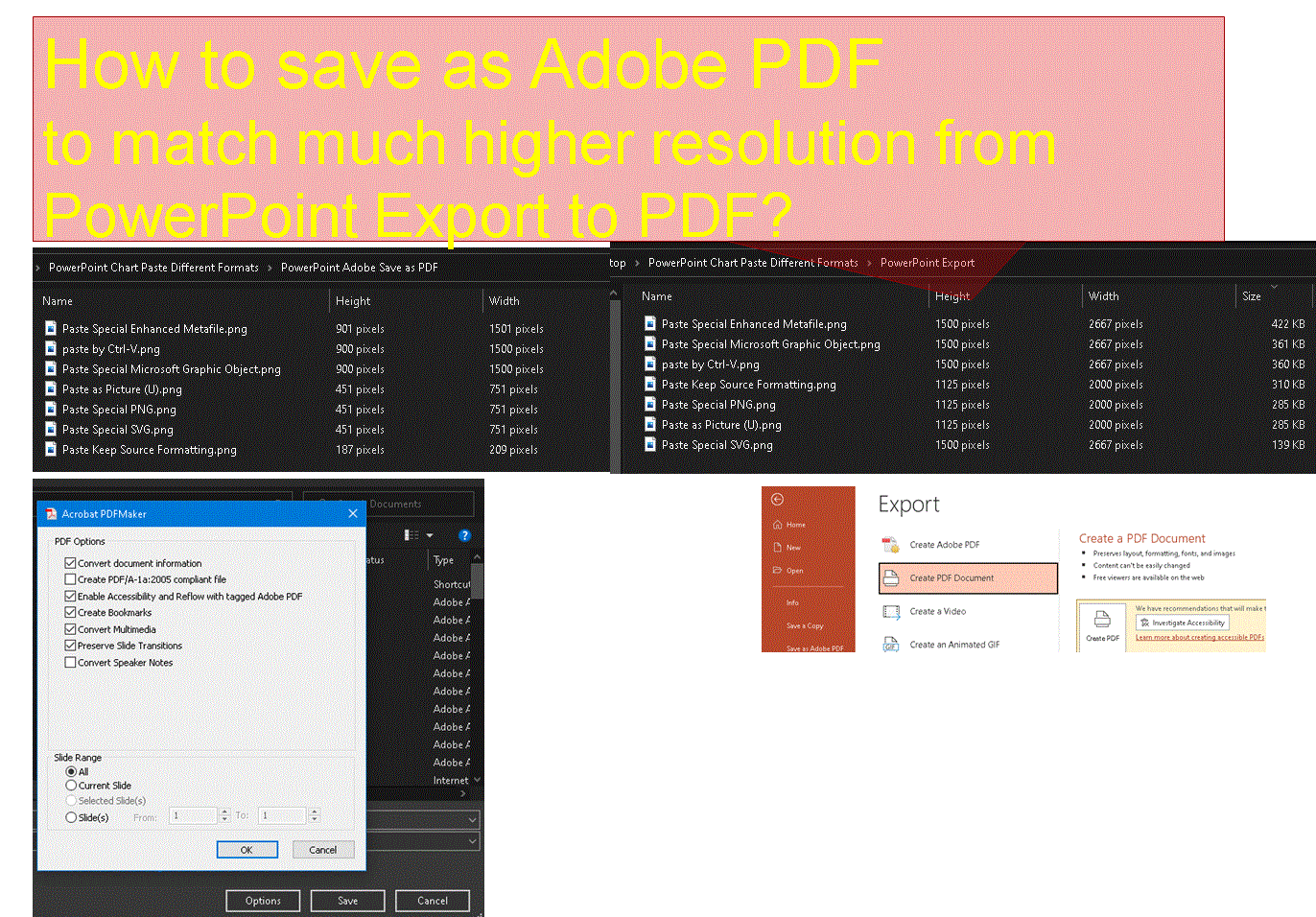
Pictures in PDF created by Adobe Save as PDF are at much lower resolution compared to PDF exported from PowerPoint.

Since Adobe Save As PDF is the preferred method of my work environment, is it possible to change its settings to match resolution of pictures created by PowerPoint Export to PDF?

Please find screenshot comparring resolutions in above PDFs using Adobe Tool Export Images to PNG 
 

This topic has been closed for replies.

1 reply

Abambo
Community Expert
Community Expert
March 9, 2023

Check this setting in Advanced Settings:

You should use create Adobe PDF, as this uses the Adobe engine. If you use “Create PDF Document”, you use the Microsoft engine, and you need to find the equivalent settings.

ABAMBO | Hard- and Software Engineer | Photographer
Known Participant
March 10, 2023

Thanks but I need further help to find Image Setting for Acrobat PDFMaker Office Add-In

Known Participant
March 13, 2023

Yes, the Acrobat tab is its own tab on the Ribbon. If it does not show it needs to be enabled. Go to Preferences first, then create the Adobe PDF. 


Jane


For Printing PDF

from PowerPoint containing

VERY FINE TEXT in Picture

 Adobe PDFMaker vs Microsoft Export

Image Resolution are identical;

  • is Adobe PDFMaker superior?
  • how to minimize risk of problem of much larger file size?
  • how to decrease Adobe PDFMaker file size?