
Participant
May 5, 2017
Question

How to stop pdf files opening in Distiller

  • May 5, 2017
  • 4 replies
  • 4917 views

I am running MS Word 2010 for Windows 7 on a virtual machine, itself running in macOS Sierra 10.12.4.

I have just installed Acrobat DC Pro in macOS, upgrading from Acrobat X Pro for macOS.

Sometimes, I take a Word 2010 document and <Save as type> PDF, and select the option <Open file after publishing>, as per screenshot:
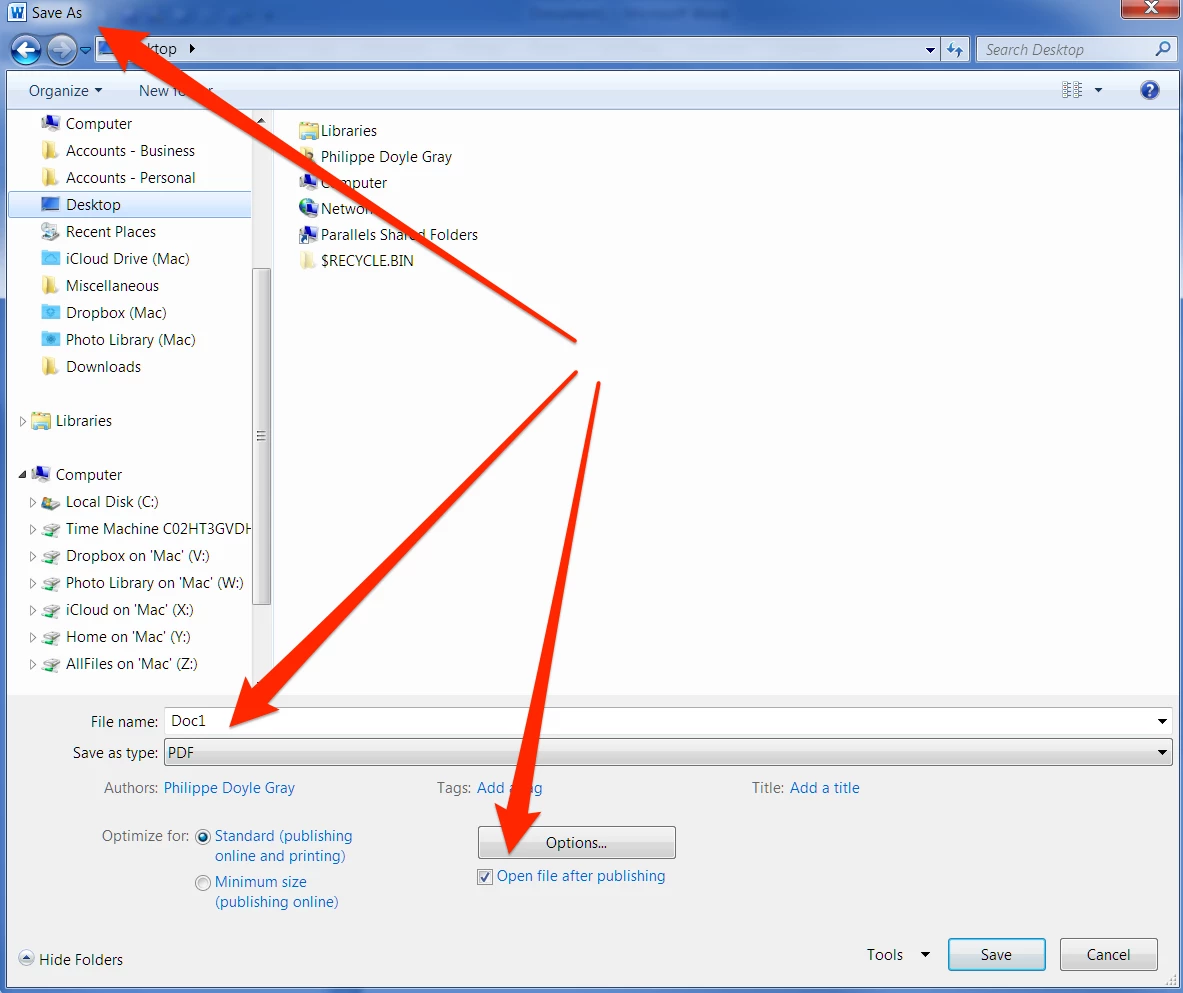
I then hit <Save> and Word 2010 successfully creates a PDF—but which is wrongly opened by Distiller instead of Acrobat DC.

This happens every time.

If I deselect the option <Open file after publishing> Word 2010 successfully creates a PDF. When I double-click that file from Finder in macOS it opens correctly in Acrobat DC.

This never happened when I was using Acrobat X.

How do I stop pdf files opening in Distiller?

Thank you in anticipation.

Philippe Doyle Gray

This topic has been closed for replies.

4 replies

gary_sc
Community Expert
Community Expert
June 7, 2019

OK, let me take a shot at this (so please do not shoot the attempt-er)

1) The area where this is failing is within the virtual machine running Win-7. That is a ginormously outdated OS and it could be an issue.

2) You state that the PDF is attempting to open in Distiller but in which OS? Windows-7, or the Mac?

--------BTW, which Mac OS are you using?

3) Which virtual machine are you using and is it up-to-date software for YOUR OS. [E.g., are you using 5 year old virtual machine in an up-to-date Mac?]

3) In your screenshot, you show saving the document as a PDF. I'm not fully sure here because I'm a Mac-guy but I suspect that you are saving that as a Windows generated PDF, not an Acrobat generated PDF. Yes there is a difference (but admittedly I am not certain that there is a relationship to your issue here).

4) Probably not an issue (but it might be) but if you do not mind answering, why are you using Word in a Virtual Machine as opposed to using Word directly on your Mac?

Looking forward to your answers!

johnc8926059
Participant
June 7, 2019

This is kind of the same answer as bocamag. I also understand that the person asking the question is criticizing all answers given. This answer will help if the user is in the Firefox browser when the document is being opened. I imagine all apps have a preference area that can be adjusted to open in Acrobat instead of distiller.

Please don't criticize. Use the concept of the last two answers to search for the solution in the Application you are using.

bocamag
Participating Frequently
June 6, 2019

I seem to be having a similar problem. If I double click on a pdf it would open the distiller ap and window instead of opening the Acrobat ap. I discovered it was ONLY a problem in Bridge (not through the finder). Charged the preference in bridge under FILE TYPE ASSOCIATIONS for pdf files and it seemed to work. Not sure if this will help you but...

Bernd Alheit
Community Expert
Community Expert
May 5, 2017

Distiller can't open PDF files.

Participant
May 5, 2017

Dear Bernd Alheit,

Your answer is totally unhelpful.

Obviously, Distiller can't open PDF files. So, when it automatically tries to, it hangs, which produces the very problem I wrote about.

Please delete your response.

Luke Jennings
Inspiring
May 5, 2017

People could be led to believe Distiller can open PDFs, after reading your question, so Bernd's response is accurate and helpful and was not meant to be sarcastic.

On a Mac, you can right click, or command + I to do a get-info on an un open PDF. At the bottom of the info window you can select the default application to open PDFs. Try changing it to Acrobat.