
Participant
February 18, 2020
Question

How to use old Adobe plug-ins from Adobe Acrobat X Pro on Adobe Acrobat DC?

  • February 18, 2020
  • 3 replies
  • 2657 views

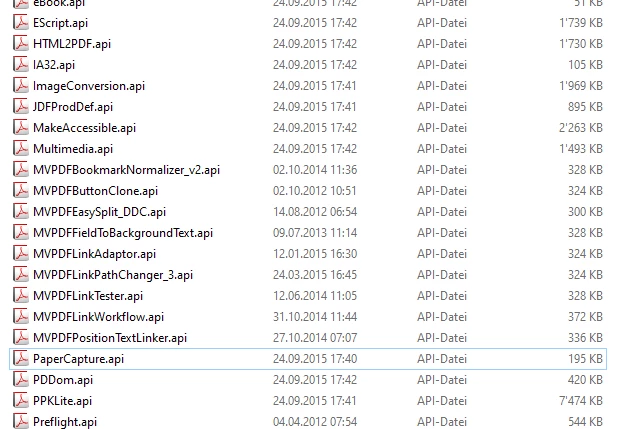
We previously used Adobe Acrobat X Pro in our company, now we switched from Windows 7 to Windows 10 and want to use Adobe Acrobat DC in the future. The problem is that we don't know how to integrate old Adobe plugins that were programmed for us years ago, or whether they still work at all. Previously, the plugins (.api) could be copied into the following folder structure in Adobe Acrobat X Pro: "C: \ Program Files (x86) \ Adobe \ Acrobat 10.0 \ Acrobat \ plug_ins" and then be integrated via the "tools" function. After this process, they worked! How can we integrate these plug-ins in Adobe Acrobat DC? Is that even possible or do we need new ones?


Adobe Acrobat X Pro: Our Plug-ins

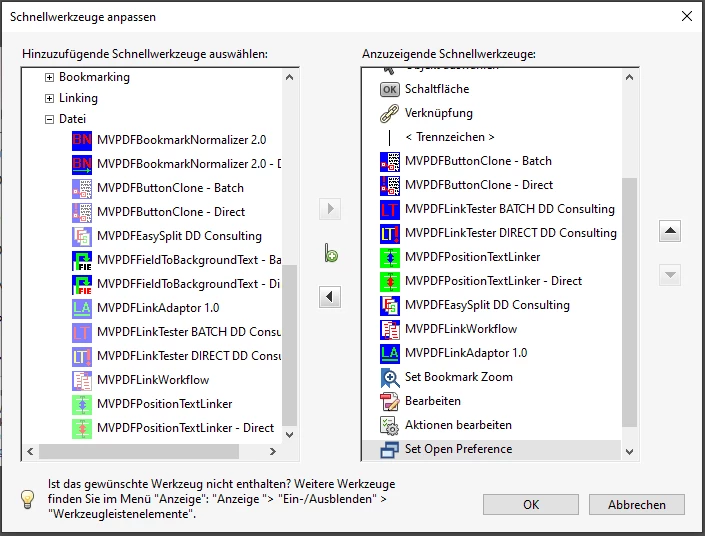
Adobe Acrobat X Pro: Integration via the "tools" function (German)
Adobe Acrobat X Pro: Folder Structure (German)


This topic has been closed for replies.

3 replies

Participant
June 22, 2022

Olá! Deu certo? Abraços do Brasil


ls_rbls
Community Expert
Community Expert
February 18, 2020

Hi,


Adobe Acrobat Pro DC still functions as a 32bit application tested on 64bit versions of MS Windows.


The api folder is still the same C: \ Program Files (x86) \ Adobe \ Acrobat 10.0 \ Acrobat \ plug_ins


In my case  I am currently using old Acrobat sequence actions (.sequ)  meant for Adobe Acrobat Pro X, like the Filename Stamper for example.


It installs in C:\Users\<username>\AppData\Roaming\Adobe\Acrobat\<version>\Sequences\MyAction. sequ .


It works in my DC version on Windows 10, 1909 and prior.


You can try and test one plugin. Place it in the plug_ins folder and try and see if you can access it through tools.


Legend
February 18, 2020

> The api folder is still the same C: \ Program Files (x86) \ Adobe \ Acrobat 10.0 \ Acrobat \ plug_ins


No it isn't. The folder may be left behind but Acrobat DC does not look there for plug-ins. You need to change Acrobat 10.0 to the actual Acrobat folder on your system. This folder is different depending whether you have a subscription or a perpetual license, and which perpetual license, so locate the Acrobat.exe file to find it.

ls_rbls
Community Expert
Community Expert
February 18, 2020

Thank you for clarifying that.

Bernd Alheit
Community Expert
Community Expert
February 18, 2020

Put the files in the plugins folder of Acrobat DC and try out.