
Participant
July 24, 2017
Answered

How to verify the resolution of a PDF

  • July 24, 2017
  • 5 replies
  • 89197 views

I am creating PDFs using a scanning software. The documents are scanned in 400 dpi for B&W and 240 dpi for Color, however, the client is questioning the resolution. They are using the Output Preview tool located under the Print Production panel. In the Output Preview dialog, select Object Inspector from the Preview dropdown, then move and click the cross-hair pointer on top of any image within the file. All the image information will appear in Output Preview display.

When I do the same I also get lower DPI but it is very inconsistent and some results do not even match the available settings in the scanning software.

I have found several references in Adobe support forums that state:

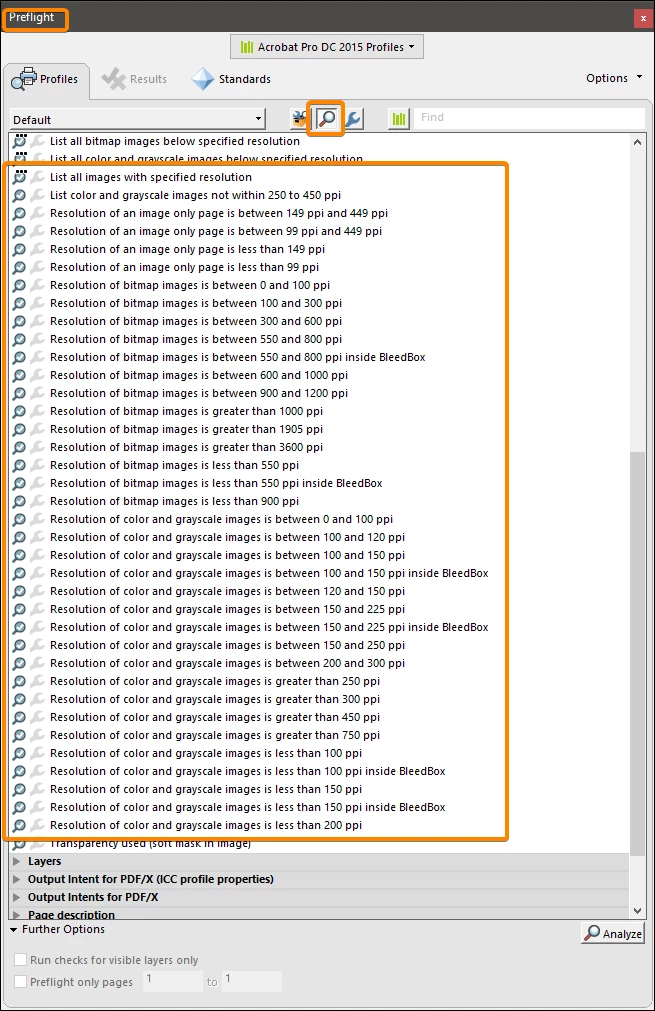
"Documents don't have a DPI; they aren't like a TIFF. Rather, each page on a document can have one, many or no images, each of which can have a different DPI. So it isn't a question of just getting a single number. But you can use Preflight to check the MINIMUM resolution in the file, which is probably what you want to do."

https://forums.adobe.com/thread/2199156

"A PDF document does not have one resolution. First of all, many elements in your document very likely are vector objects, which means that there is no resolution associated with them at all. And then, any image object will have its own resolution. Because of that, your approach is wrong. You cannot get the resolution of a PDF document."

https://forums.adobe.com/thread/2117761

Is there any way to get a definitive answer as to whether a PDF has a (single) resolution or it is based on the objects in that PDF (scanned text, images, etc.) ?

Any help would be appreciated.

Chris
Correct answer JR Boulay

"whether there is a built-in tool that can tell you whether all the raster images in a PDF file are the same, exact resolution, the answer is no, there is no such tool."

Dov Isaacs Isn't the Preflight built-in?


5 replies

JR Boulay
Community Expert
JR BoulayCommunity ExpertCorrect answer
Community Expert
May 18, 2022

"whether there is a built-in tool that can tell you whether all the raster images in a PDF file are the same, exact resolution, the answer is no, there is no such tool."

Dov Isaacs Isn't the Preflight built-in?


Acrobate du PDF, InDesigner et Photoshopographe
chrisKDMAuthor
Participant
July 24, 2017

Another weird artifact:

The B&W images that are scanned in 100, 200, 300, 400 and 600 all show as such in Adobe Acrobat, however, the gray scale images are showing only half the resolution.

The originals are simple forms with some printed text, handwritten text and some handwritten line drawings, all scanned in a single pass, not created from a drawing app or something so I assume it is all a single raster image.

I guess this all goes back to the scanning software (Canon Capture Perfect 3.0) and how it creates a PDF.

I am just trying to understand how Adobe handles resolutions.

Participating Frequently
November 14, 2024

I am not sure this is a PDF problem but maybe something to do with the Canon Perfect v3.0 software. I'm wondering if it is converting the greyscale image into a more compressed form  which is then put into the PDF file. Which, when you go back and look at it - it doesn't look as good as you wish. When I scan anything to put into a PDF file I always scan it to something like a PNG file and then build the PDF. This might seem stupid or silly or just not something you'd like to do but no matter what I scan - it always looks correct. Most of what I am doing right now is touch-ups on photos and I am making photo albums for friends. So a lot of kid stuff drawn when they were little.

Dov Isaacs
Legend
July 24, 2017

You want a definitive answer? OK, you've been given it, but on behalf of Adobe Systems Incorporated:

There is no concept of a PDF file having a single resolution. Resolution is not an attribute of a PDF file, but rather of each of the raster images therein.

If you are asking whether there is a built-in tool that can tell you whether all the raster images in a PDF file are the same, exact resolution, the answer is no, there is no such tool. Conceivably, one can be built, even a script, to go through the entire PDF file and look at the images and determine whether the effective resolution of each image is exactly the same.

          - Dov

- Dov Isaacs, former Adobe Principal Scientist (April 30, 1990 - May 30, 2021)
Legend
July 24, 2017

I wrote one of them. Both are true. Why do you doubt? We can do no more than say it again.

Known Participant
May 16, 2022

I'm getting a weird ornery vibe from reading these responses   

If we send, for example, an ad pdf to a printshop they may specifiy a required resolution of that single ad image, or of a combined set of images and text laid out as an ad.  If pulled together in Indesign we assure high res source images and expect, depending on PDF settings on export, to maintain a certain level ressolution in both images and text.  Setting usually differ for images and text.  When the print shop excepts PDFs and will just generate CMYK prints from that it's a nice quick transfer and typically has less problems.   But if the resolution of multiple items inside the PDF aren't what were designed and expected or are not high enough I can see trouble or confusion resulting.  If that is what this person is running into.    Not sure why the responses to his questions or confusion are coming across so harsh but they do seem so to me.  If you wrote the originaly replies maybe you could reword to help them if bothering to reply, instead of...that

JR Boulay
Community Expert
Community Expert
May 17, 2022

No message for 5 years: we can consider that the question has been answered.

Acrobate du PDF, InDesigner et Photoshopographe
try67
Community Expert
Community Expert
July 24, 2017

The replies you found are correct. Not sure what you mean by a "definitive answer"... Do you mean one from an Adobe employee?

Anyway, what you found does not contradict those replies. Since your pages are made out of scanned images you can test the resolution of those images (which can change from page to page), but there is no one "global" resolution value for the entire file.