

Answered
I can't change the fill color or select "No Color" using Acrobat Pro DC with OS High Sierra.
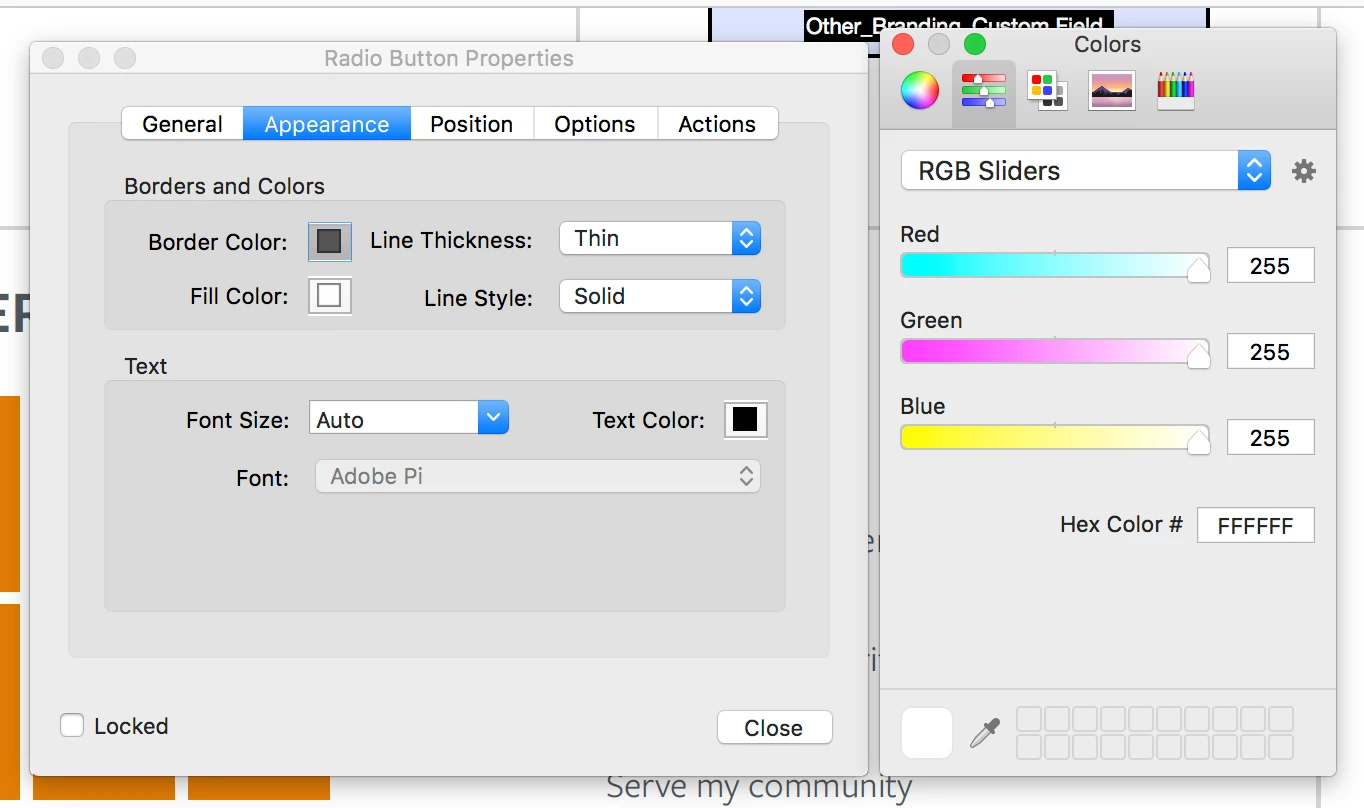
Hello, I can't change the fill color or select "No Color" using Acrobat Pro DC with OS High Sierra. How do I make a button have a transparent background/access the "No Color" option? I've included a screenshot to show what I'm seeing. Nowhere is the a transparent or "no color" button.
I also can't change the fill color of form boxes which are transparent by default. I can select a color, but then there's no apply button and when you close the color box it stays transparent. I suspect the two issues might be linked, but I'm not sure what I'm doing wrong.
Thank you for your help!
 AdChoices