
Participant
February 19, 2021
Question

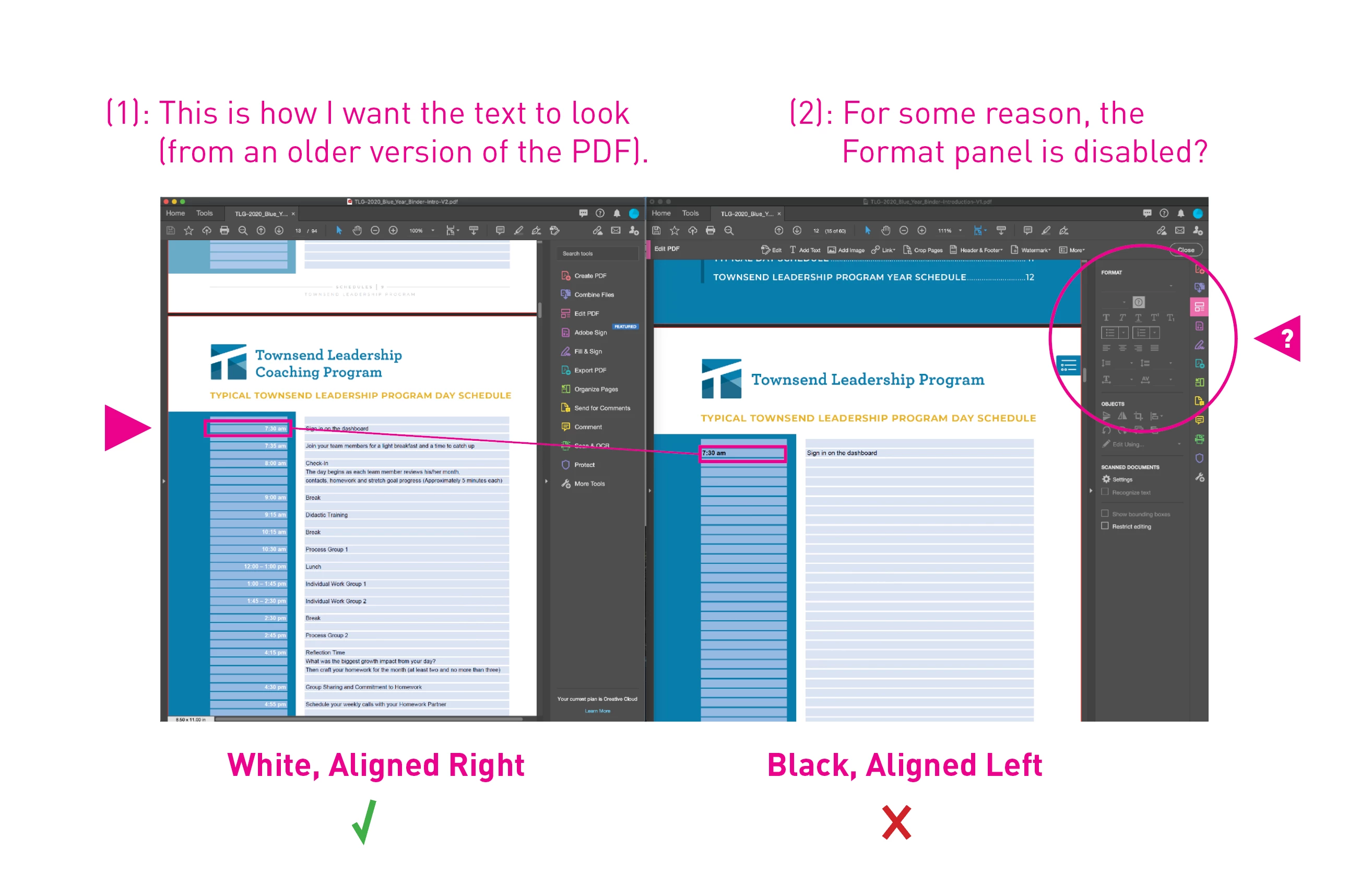
I can't edit text in Adobe Acrobat Pro—the format panel is completely locked

  • February 19, 2021
  • 1 reply
  • 891 views

Hi! For some reason, I can't click on any tools in the Format panel in this PDF.

I need to transfer old copy to a new version of the same PDF, but I can't edit any text.

I can copy and paste, but I can't access anyting in the format panel, even after I click on "Edit PDF."


Please help!
This topic has been closed for replies.

1 reply

Participant
February 19, 2021

For clarification, I'm editing text in PDF form fields. I don't know if there is anything different about regular text and text in form fields, but I thought it would be important to make that distinction.


Correction—typo from above: *anything*

Dave__M
Community Expert
Community Expert
February 19, 2021

Are you certain that the PDF contains actual text?  Is it possible that it is an image-based PDF?  That would explain why you can't click.  If you run a "find" for the word you want to edit, is it found?

My best,

Dave

Participant
February 19, 2021

Thanks for responding Dave.


Unfortunately, I don't have access to the PDF file anymore. My coworker decided she would take care of it herself.


To answer your question, yes, it was live text and I could type new text if I wanted to. I just couldn't change the font, color, size, alignment—anything which pertained to the format.

My guess is that since my coworker is remote and she has been the one working on these files the most, I was experiencing a server/authorship issue.


I couldn't get to the bottom of it when I was working on the project; I apologize for leaving this issue haning.

Thank you for your help anyway!