


kenb723102
Participant
December 5, 2018
Answered

I cannot save my .pdf file after using Prepare Form

  • December 5, 2018
  • 1 reply
  • 68212 views

Ola,

     I cannot save my interactive .pdf file after I have used "prepare form". This is the nonsense I am seeing:
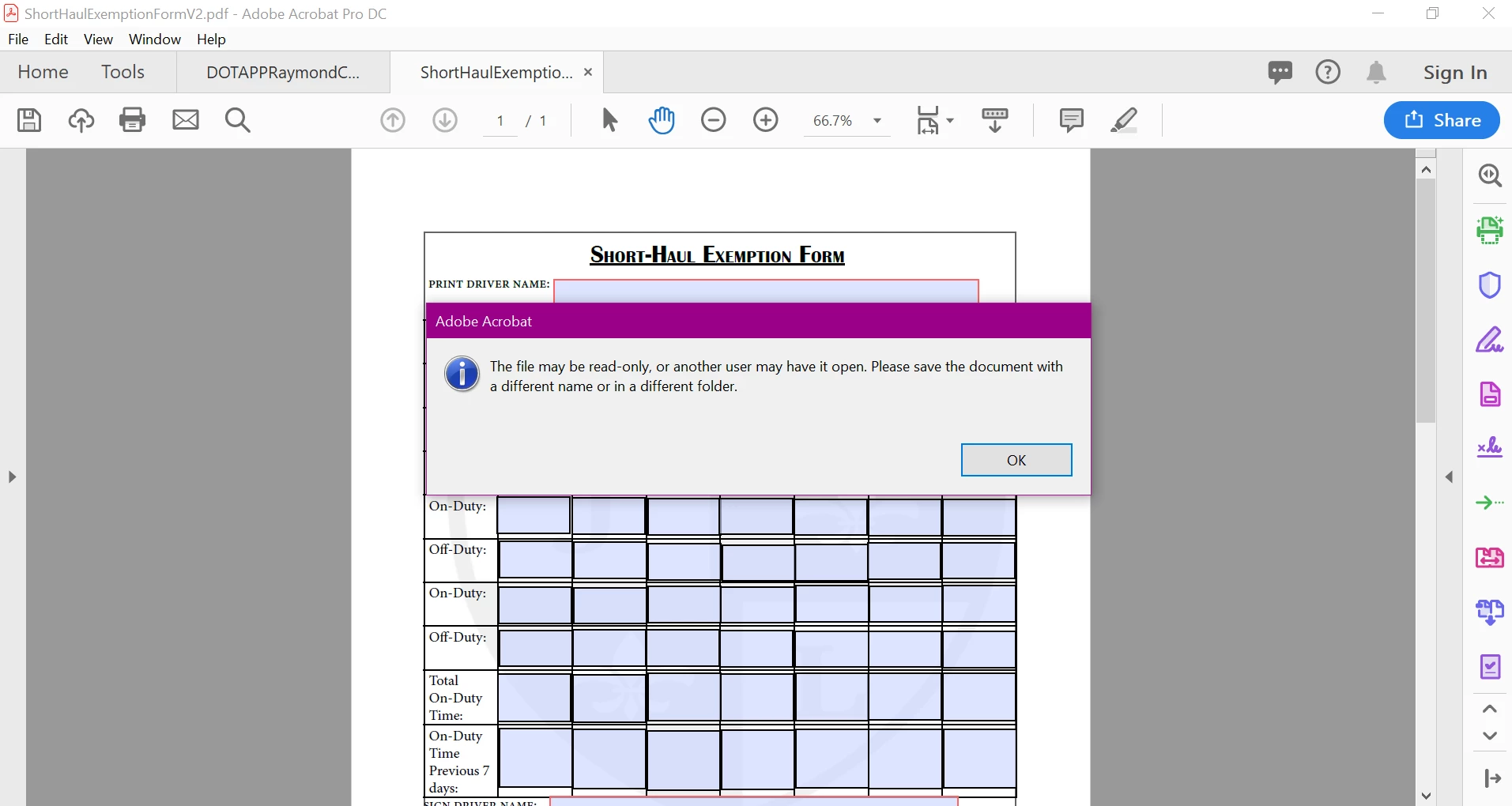
"The file may be read-only, or another user may have it open..." I have tried save as, save, saving in another folder, voodoo, and random Latin words I remember from High School. Nothing is working! HELP!

This topic has been closed for replies.
Correct answer AkanchhaS8194121

Hi Kenb,

The error message indicates itself that the file's permission is set to the Read-Only and you do not have the permission to make changes to the same file.

  • From the source, you must save the file locally on your computer before making any changes to it.
  • Saving the file locally with a different name would overwrite the permissions and will make this file Read-Write access.
  • Once you saved the file (as another copy) then open it in Acrobat DC and use "Prepare Form" tool.
  • I see that you also haven't signed in the Acrobat DC application. So you may put your email and password to sign in to the application as well.

Try the steps suggested and see if that makes difference.

Regards,

Akanchha

1 reply

AkanchhaS8194121
AkanchhaS8194121Correct answer
Legend
December 6, 2018

Hi Kenb,

The error message indicates itself that the file's permission is set to the Read-Only and you do not have the permission to make changes to the same file.

  • From the source, you must save the file locally on your computer before making any changes to it.
  • Saving the file locally with a different name would overwrite the permissions and will make this file Read-Write access.
  • Once you saved the file (as another copy) then open it in Acrobat DC and use "Prepare Form" tool.
  • I see that you also haven't signed in the Acrobat DC application. So you may put your email and password to sign in to the application as well.

Try the steps suggested and see if that makes difference.

Regards,

Akanchha