
Inspiring
October 12, 2019
Question

I get an Adobe Acrobat auto-run error message on my desktop when I boot my computer

  • October 12, 2019
  • 1 reply
  • 724 views

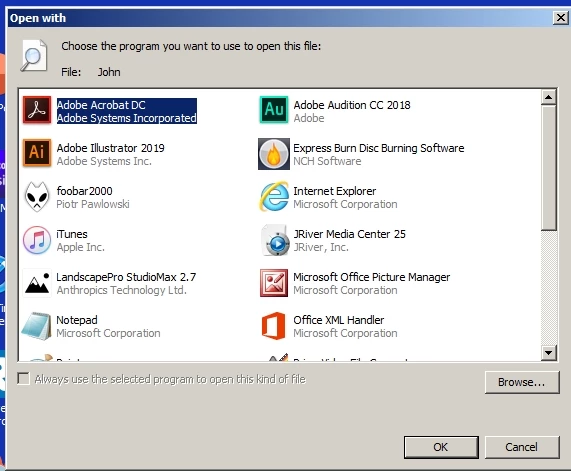
All of a sudden, out of nowhere, I get an Adobe Acrobat auto-run error message on my desktop when I boot my computer. A screenshot is shown below. Howdo I kill this auto-run crap? I did not set up an auto-run for this nonsense.
 

    This topic has been closed for replies.

    1 reply

    Inspiring
    October 12, 2019

    The Windows OS is issuing this message to inform you that a file named "john" is being opened and Windows does not know which application to use. The window has a list of possible programs from which you need to select one to open the file. Acrobat just happens to be the first application listed.


    I would find the file and delete it.

    Inspiring
    October 14, 2019
    The file name is John. There is no file extension (doc, pdf, etc.). A search for John yields thousands of results since my name is John. So, I have to live with a screwed up error that pops up every time I boot Windows. Time to look at an Apple computer.