
I just want to add some text to the PDF version of my comic book for accessibility
I cannot for the life of me figure out how to do this. I've tried various things in InDesign and acrobat and nothing works. I am creating a PDF version of a comic book. Each page of the PDF has just one object, the image of the comic book page. On my website, I'm able to add alt-text to each one. For the alt text, I just have an overall description of the page and what's happening, including dialogue. How do I make this work for a PDF? I've tried going into my InDesign file before I export it to the PDF and doing this:
-Right click an image
-Click Object Export Options
-Select Alt Text
-Select Custom
-Add some text and click done.
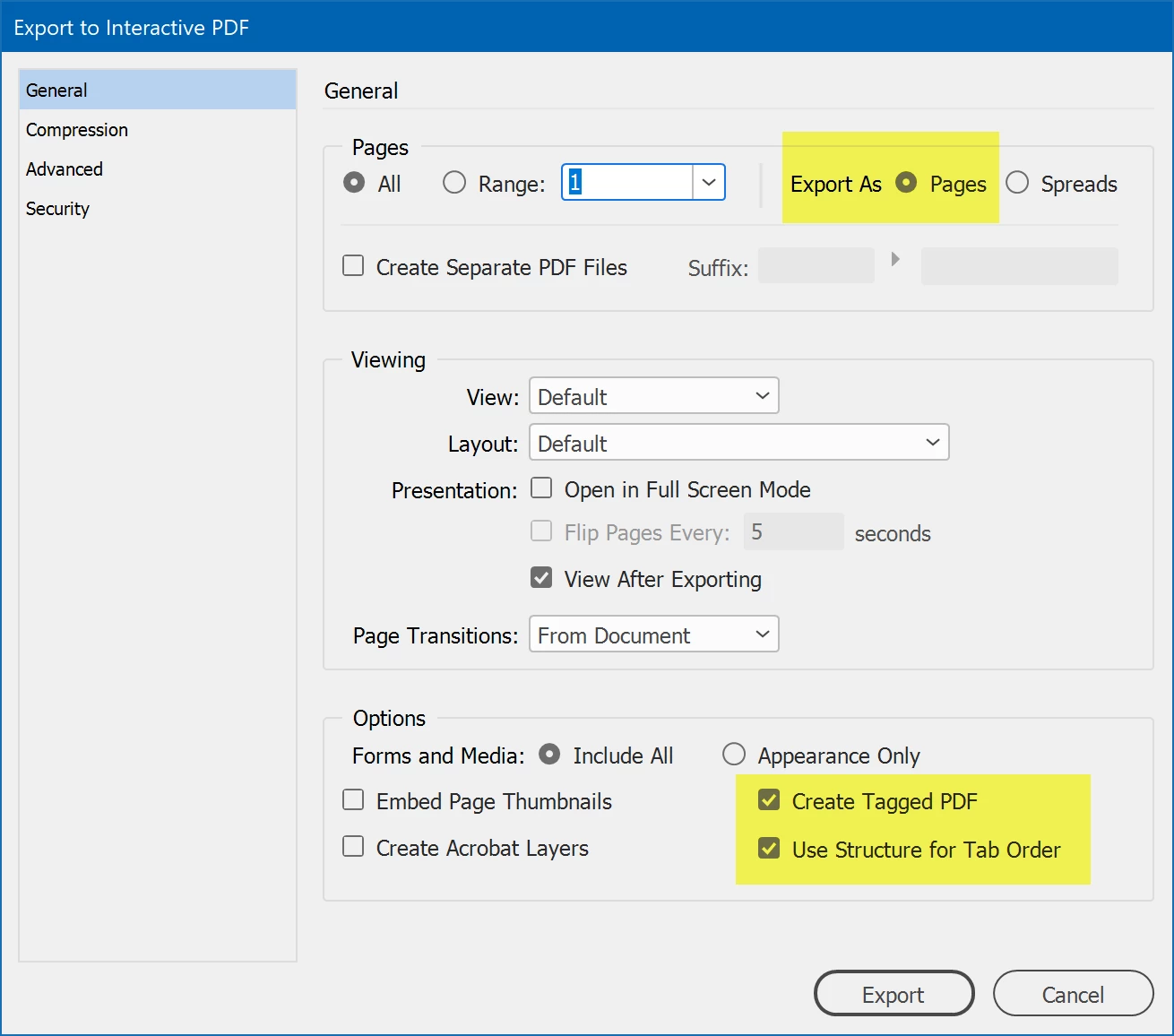
When I export I go to File-> Export and I select interactive PDF. But no combination of options I selects results in the alt text appearing anywhere. Even when I can get it to show up in acrobat, the screen reader in windows won't pick it up (and it's not available in my browser at all). And I can't add anything at all with acrobat itself so that's a big nope (the last time I tried, it wouldn't let me mess with any accessibility options without adding form fields or converting all the text, which went horribly, naturally).
How do I make this work? Please, would love suggestions. I haven't ever done this before and I am extremely frustrated.
 AdChoices