
Participant
April 17, 2025
Answered

I need help fixing a PDF Image

  • April 17, 2025
  • 2 replies
  • 447 views

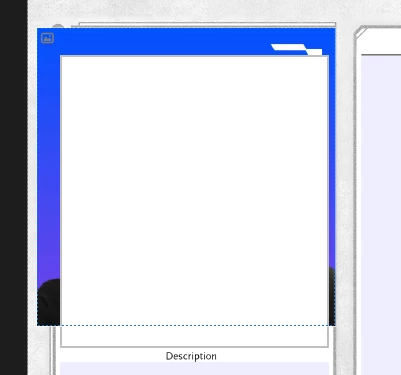
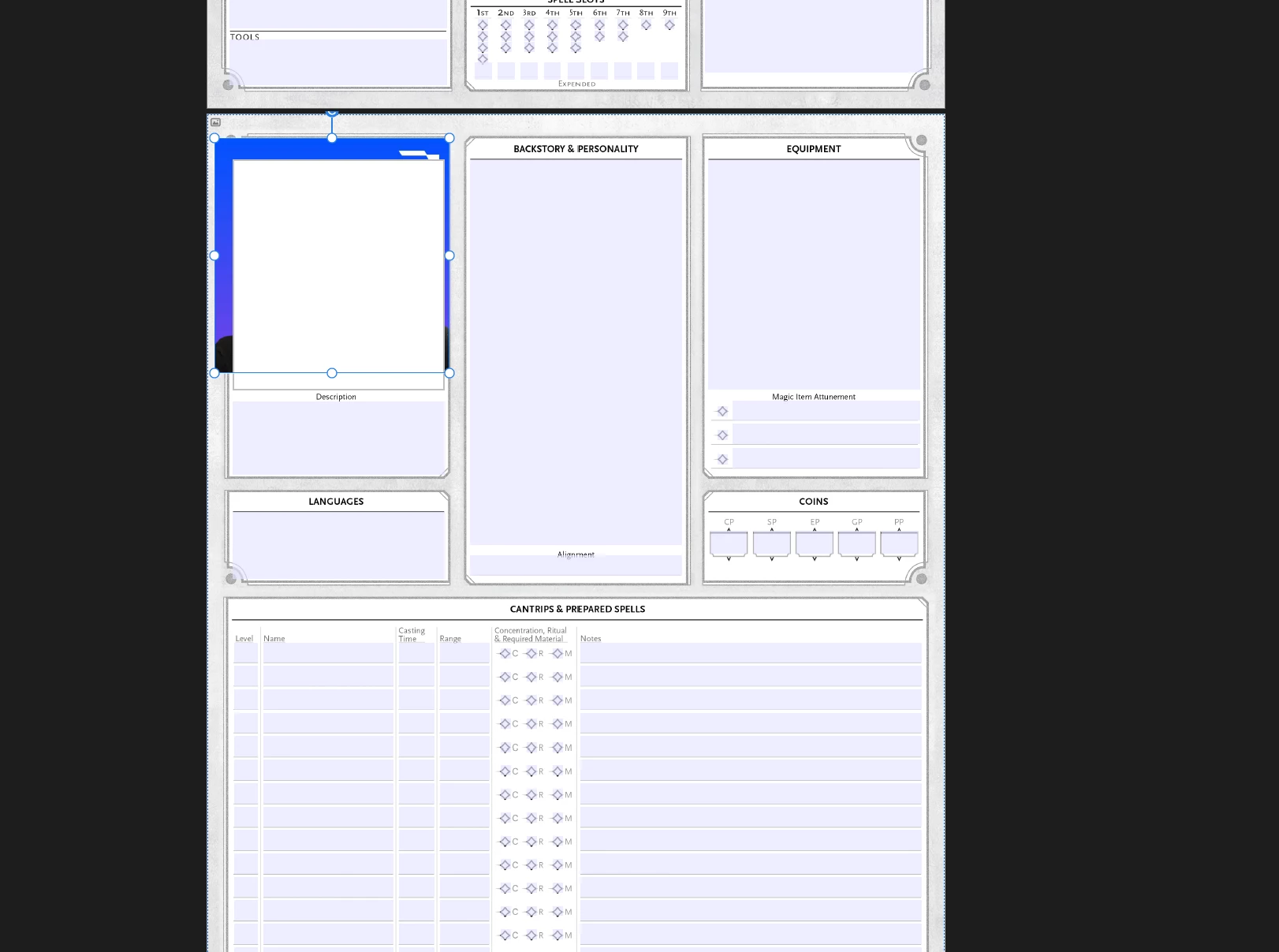
I am trying to edit this DnD PDF, and I cannot get my picture to show in this box. There is a white box over it and I cannot figure out how to remove it. I have even tried sending the photo to the front, and it is still behind this box.


Correct answer JR Boulay

The white box over is an image form field (a button) whith a white background/fill color.

To add an image in this field, click on it (with the Hand tool).

If you wish to add an image to the layout, you must delete this field or assign it a transparent fill color.

Form fields always remain on top of the page layout, this behavior cannot be modified.


2 replies

JR Boulay
Community Expert
JR BoulayCommunity ExpertCorrect answer
Community Expert
April 17, 2025

The white box over is an image form field (a button) whith a white background/fill color.

To add an image in this field, click on it (with the Hand tool).

If you wish to add an image to the layout, you must delete this field or assign it a transparent fill color.

Form fields always remain on top of the page layout, this behavior cannot be modified.


Acrobate du PDF, InDesigner et Photoshopographe
Participant
April 17, 2025

That's perfect, thank you for explaining how to put a picture in it!! 

Community Manager
April 17, 2025

Hi @jimmy_4300


Thank you for reaching out. 
It is very hard to assume a situation like this without knowing the details of how this form/file was created. Is there a script for this field? Have you created this form? 
Can you share the form with us? What happens if you try opening this form in Google Chrome? Does it work? 


Let us know and kindly share the file and requested information. 


~Tariq

Participant
April 17, 2025

Hey Tariq! This is the file, it's for D&D. I'm honestly brand new to this sort of thing so I cannot answer all the questions, I just purchased it from Etsy, but cannot figure out how to add a picture in this area as is intended, as it's a picture slot for my character.
The form functions fine in all aspects, EXCEPT for this area.