norbertos57526691
Participant
June 4, 2018
Question

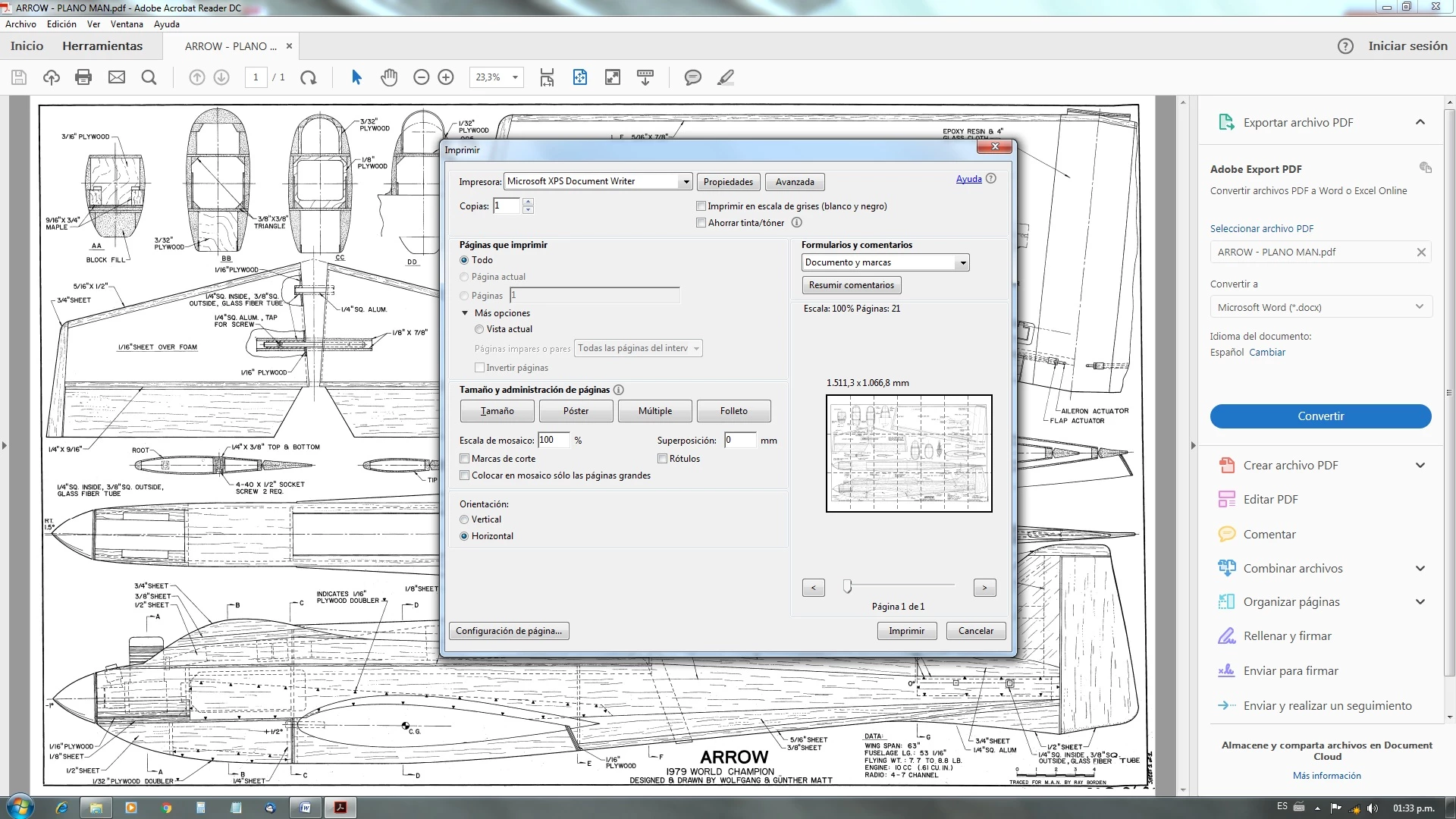
I set up my page as horizontal for printing but in preview they are vertical. How can I rotate the pages? Thanks

  • June 4, 2018
  • 2 replies
  • 1859 views

I set up my page as horizontal for printing but in preview they are vertical. How can I rotate the pages? Thanks

This topic has been closed for replies.

2 replies

Abambo
Community Expert
Community Expert
July 6, 2018

I’m not quite sure you are in the correct printing mode. My Spanish is to rudimentary for this. Please be sure to be in “Tamaño”.

ABAMBO | Hard- and Software Engineer | Photographer
Adorobat
Community Manager
Community Manager
June 5, 2018

Hi Norbertos,

As per the issue description mentioned above you are facing issue when trying to print in Adobe Reader, is that correct?

It seems you are printing to XPS document writer, try clicking on Properties under print dialogue> and change the orientation to Landscape > click OK and check if that works.

Also, try printing another pdf files and check if this behavior continues.

Let us know if you need any help.

Shivam

norbertos57526691
Participant
June 5, 2018

Hello Shivam,

Yes, I'm printing like XPS documento to have all the pages separately.

I have the orientation set in landscape but automatically the pages go to vertical orientation.

This behavior has happened in several documents and I do not understand why the pages change automatically to vertical if I have set horizontally.

This also happens if I try to print in my HP printer. I set landscape but the pages appears like vertical.

Thanks. Norberto

Adorobat
Community Manager
Community Manager
June 6, 2018

Hi Norbertos,

Try removing Reader using cleaner tool found here: Download Adobe Reader and Acrobat Cleaner Tool - Adobe Labs , restart the computer and then reinstall Reader from here - Adobe Acrobat Reader DC Install for all versions and check.

Also, would it be possible if you can share the pdf file you are working with to replicate the issue at our end? To share the file here in the forums, refer to the steps given here: How to share a file using Adobe Document Cloud

Thanks,

Shivam