
Participant
December 9, 2024
Question

Images are different sizes in PDF

  • December 9, 2024
  • 2 replies
  • 506 views

Hello,


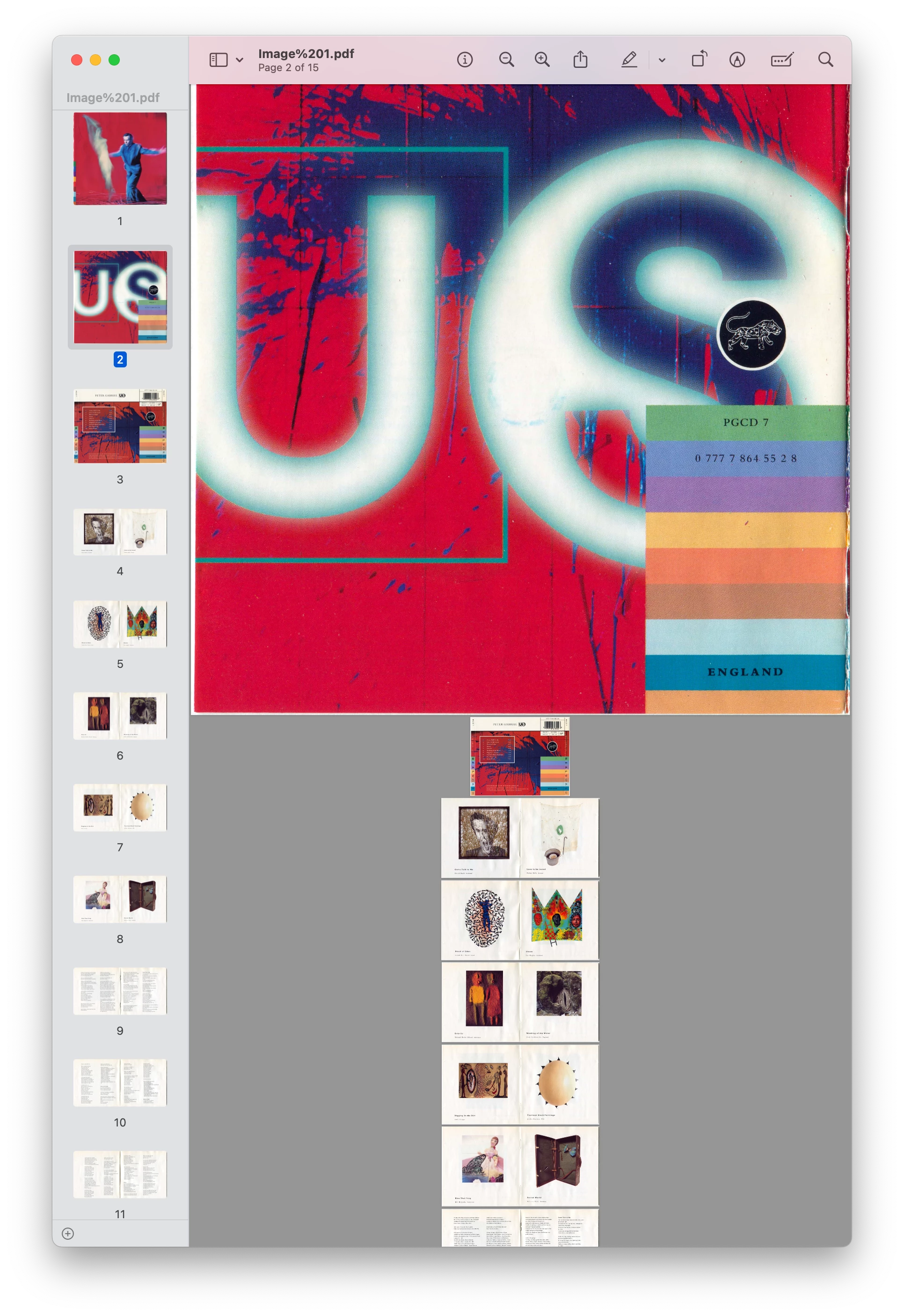
I have been trying to create pdfs of CD booklets in my collection. What I'm noticing is that, often, the images are not proportionate to each other. How do I 'standardize' the images and make them all relatively proportionate to each other?


I'm attaching an example of what I'm seeing in my results.


Thanks,

Jason
This topic has been closed for replies.

2 replies

JR Boulay
Community Expert
Community Expert
December 11, 2024

This is because Acrobat takes the ‘Resolution’ metadata (72 dpi, 150 dpi, 300 dpi…) into account.
You need to use an image editor (Photoshop) to harmonise them.

Acrobate du PDF, InDesigner et Photoshopographe
try67
Community Expert
Community Expert
December 10, 2024

They are proportionate to each other. This is just their original sizes... You can use the Scale Pages action under the Preflight tool to change the sizes of all pages to the same size, but that might warp your images if they don't share the same ratio. A better solution is to use an image editor to scale them down before converting them to a PDF file.